EasyManua.ls Logo

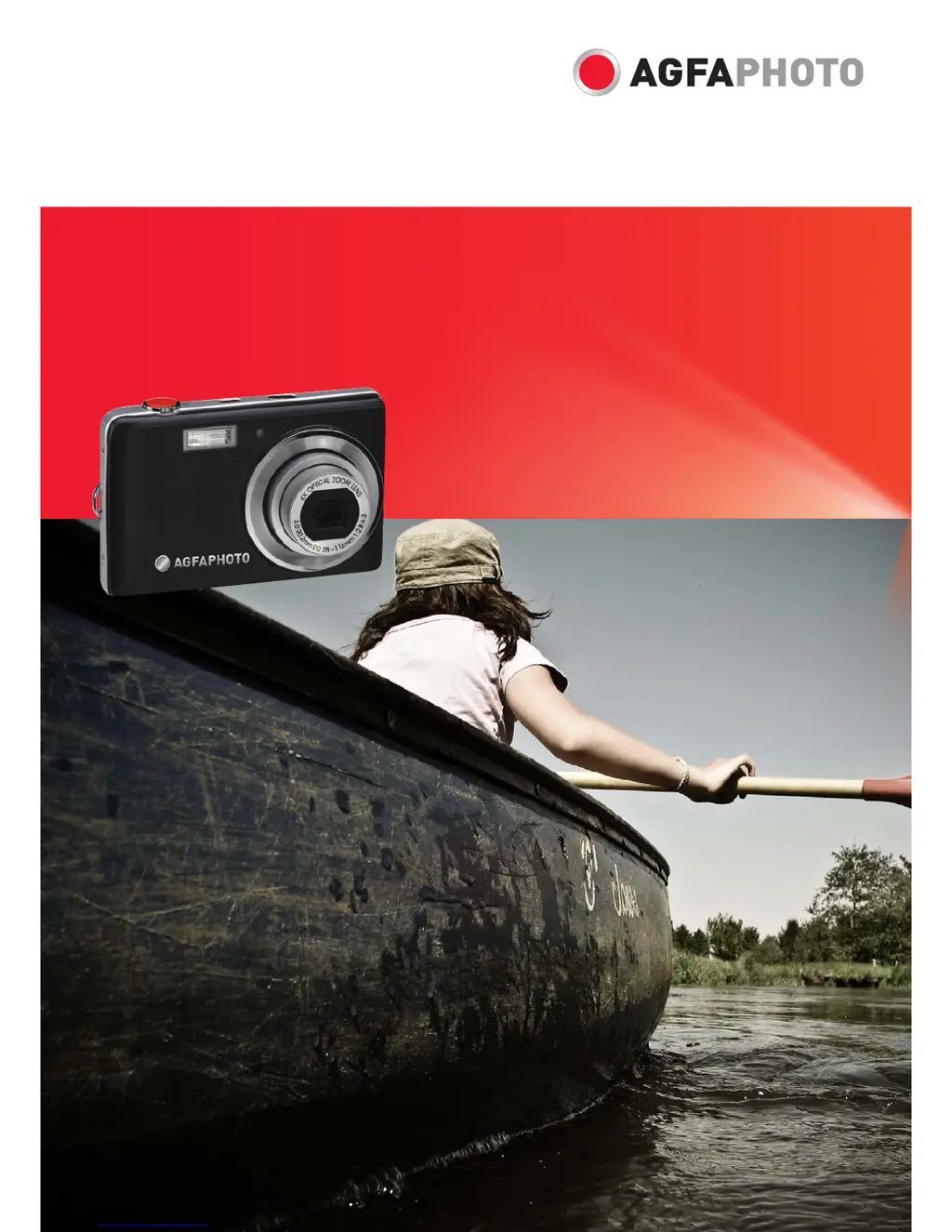
AgfaPhoto OPTIMA 104 - User Manual

AgfaPhoto OPTIMA 104
66 pages
Print Icon
To Next Page IconTo Next Page
Loading...
OPTIMA 104
User manual

Table of Contents

Questions and Answers

  • T
    Thomas SmithAug 18, 2025
    How to fix no image displaying on TV screen from AgfaPhoto Digital Camera?
    • M
      Michael WilliamsAug 18, 2025
      If no image displays on the TV screen when your AgfaPhoto Digital Camera is connected, it might be because the incorrect TV-out type was selected. Set the correct TV-out type to match your TV system.
  • K
    Keith AndersonAug 20, 2025
    What to do if my AgfaPhoto OPTIMA 104 Digital Camera LCD monitor displays ‘Memory full’?
    • M
      Michele BrownAug 20, 2025
      If your AgfaPhoto Digital Camera displays 'Memory full' on the LCD monitor, it means the memory card is full. To resolve this, replace the memory card with a new one or delete unnecessary images.
  • R
    ryan96Aug 23, 2025
    Why does my AgfaPhoto OPTIMA 104 say ‘Card locked’?
    • A
      Angela SullivanAug 23, 2025
      If the LCD monitor of your AgfaPhoto Digital Camera displays ‘Card locked’, it indicates that the memory card is protected. To fix this, remove the card and slide the write-protect switch to its unlock position.
  • A
    Amanda BrownAug 26, 2025
    How to fix AgfaPhoto OPTIMA 104 that does not turn on?
    • C
      cuevasmelissaAug 26, 2025
      If your AgfaPhoto Digital Camera does not turn on, it is possible that the batteries are exhausted. Try charging or replacing the batteries.
  • T
    Tanya WilliamsAug 28, 2025
    What to do if my AgfaPhoto Digital Camera LCD monitor displays ‘Copy error’?
    • J
      John JohnsonAug 28, 2025
      If the LCD monitor of your AgfaPhoto Digital Camera displays ‘Copy error’, it could be due to two reasons: * The memory card is protected: Remove the card and slide the write-protect switch to its unlock position. * The memory card is full: Replace the card or delete unnecessary files.
  • B
    Beverly SotoAug 31, 2025
    What does ‘Format error’ mean on my AgfaPhoto Digital Camera?
    • J
      John DoyleAug 31, 2025
      If the LCD monitor of your AgfaPhoto Digital Camera displays ‘Format error’, it may be because the card is damaged. You can either change the card or wipe it to clean the connected points.
  • S
    stephensjamesSep 2, 2025
    Why does my AgfaPhoto OPTIMA 104 show an empty battery icon and turn off?
    • T
      Troy ChavezSep 2, 2025
      If the empty battery icon is displayed on the LCD of your AgfaPhoto Digital Camera and then the camera turns off, it means the batteries are exhausted. Please replace or recharge them.
  • T
    terripowersSep 4, 2025
    What does ‘File locked’ mean on my AgfaPhoto OPTIMA 104?
    • C
      Chris JohnsonSep 5, 2025
      If the LCD monitor of your AgfaPhoto Digital Camera displays ‘File locked’, it means that the file is locked. Unlock the file. See "Protect" on page 52.
  • S
    Samantha AustinSep 7, 2025
    Why is the lens stuck on my AgfaPhoto OPTIMA 104?
    • G
      Gary SalinasSep 7, 2025
      If the lens of your AgfaPhoto Digital Camera got stuck up, it could be because the type of battery used may be incorrect, or the battery power level is too low. Change the battery or charge it before using the camera.
  • D
    dherreraSep 10, 2025
    How to fix dark LCD on AgfaPhoto Digital Camera?
    • G
      Gregory BarnettSep 10, 2025
      If the LCD turns dark on your AgfaPhoto Digital Camera, press any button except the Power button to turn on the LCD.

Summary

Preface

Safety and Handling Precautions

Essential safety guidelines for camera operation and care.

Camera Views and Buttons

Camera Buttons

Description and function of all physical camera controls.

Getting Started

Battery and Memory Card Installation

Step-by-step guide for inserting battery and memory card.

Powering On;Off

Instructions for turning the camera on and off.

Using the Touch Screen

Touch Screen Layout and Icons

Explanation of the on-screen display elements.

Capturing Images

Taking Still Images

Basic steps for capturing photographs.

Record Menu Operations

Scene Modes

Selecting shooting modes for various conditions.

Recording Videos

Video Recording Steps

Instructions for capturing video clips.

Playback Operations

File Deletion and Protection

Removing unwanted files and preventing accidental erasure.

Image Editing

Setup Menu Configuration

Memory Kit and Reset Options

Formatting memory and resetting camera to defaults.

Making Connections

Connecting to TV and PC

Displaying on TV and transferring files to computer.

Printer Connection and Print Settings

Direct printing via PictBridge and configuring print modes.

Appendix and Troubleshooting

Troubleshooting Common Issues

Solutions for camera problems.

Specifications

AgfaPhoto OPTIMA 104 Specifications

General IconGeneral
Image SensorCCD
TypeCompact
Optical Zoom4x
Digital Zoom6x
Storage MediaSD/SDHC card
Display2.7 inch TFT LCD
ISO Range100-1600
Video RecordingYes
BatteryLithium-ion rechargeable
ISO SensitivityAuto, 100-1600
Shutter Speed1/2000 - 1/2 sec
Video Resolution640 x 480 (VGA)
Battery TypeLithium-Ion
Image Sensor Size1/2.3-inch
Weight120 g (without battery and card)

Related product manuals