AgfaPhoto OPTIMA 104
8
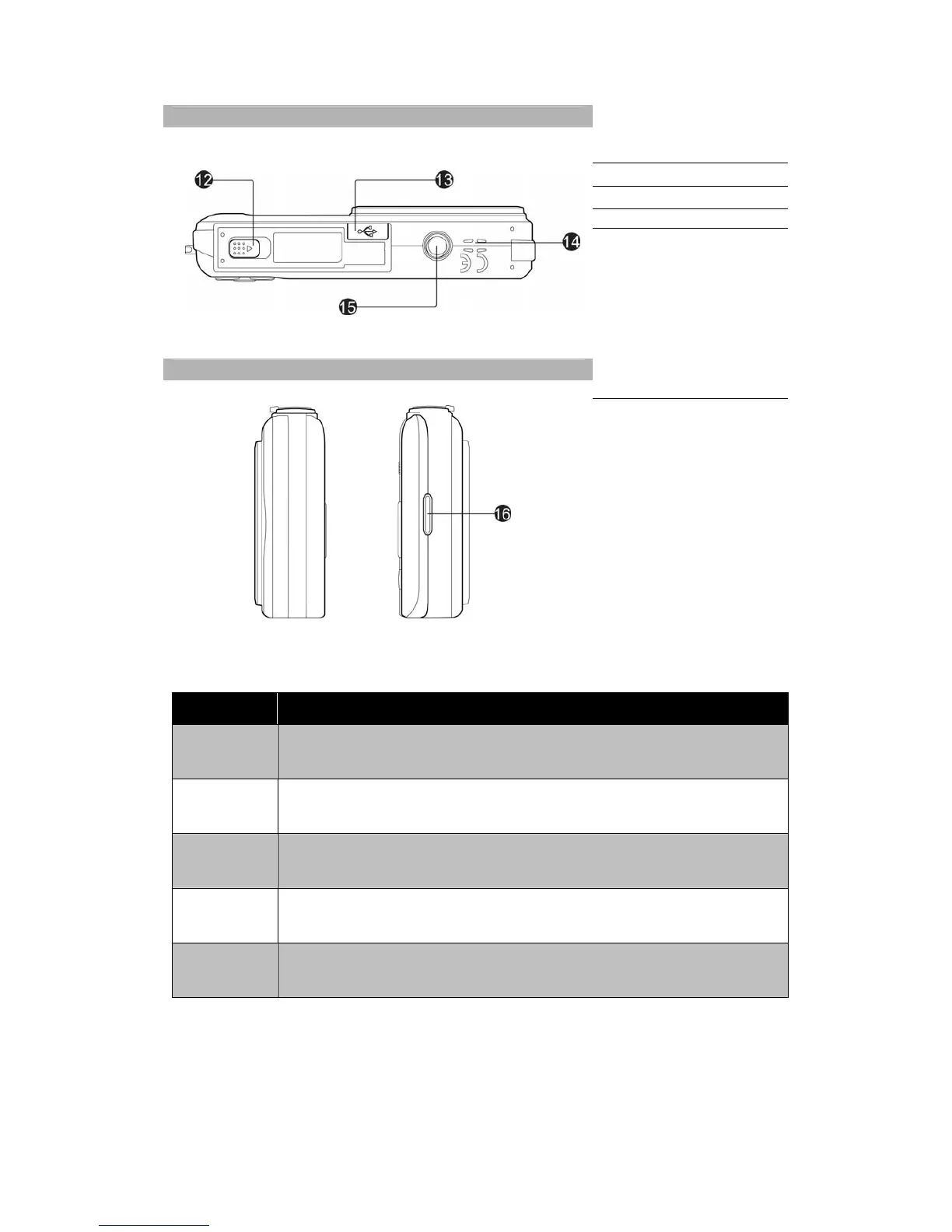
Bottom View
12. Battery/Memory
compartment
13. USB/TV Out
14. Speaker
15. Tripod screw hole
Left/Right View
16. Strap ring
Camera Buttons
Your camera is equipped with different buttons for ease of use.
Button Description
Power Press the Power button to turn the power on/off.
Stabilizer
The stabilizer sets the optimal ISO value according to light levels to compensate for
camera shake. Press to set stabilizer on/off.
Shutter Press to capture an image or start/stop recording video or audio clip.
Zoom dial
In photo and movie mode, spin the zoom dial to left to zoom out, right to zoom in.
In Playback mode, spin to zoom in to magnify image or zoom out enter
9-image/calendar thumbnails.
Playback Press to enable Playback mode or return Record mode.













 To Next Page