AgfaPhoto OPTIMA 104
9
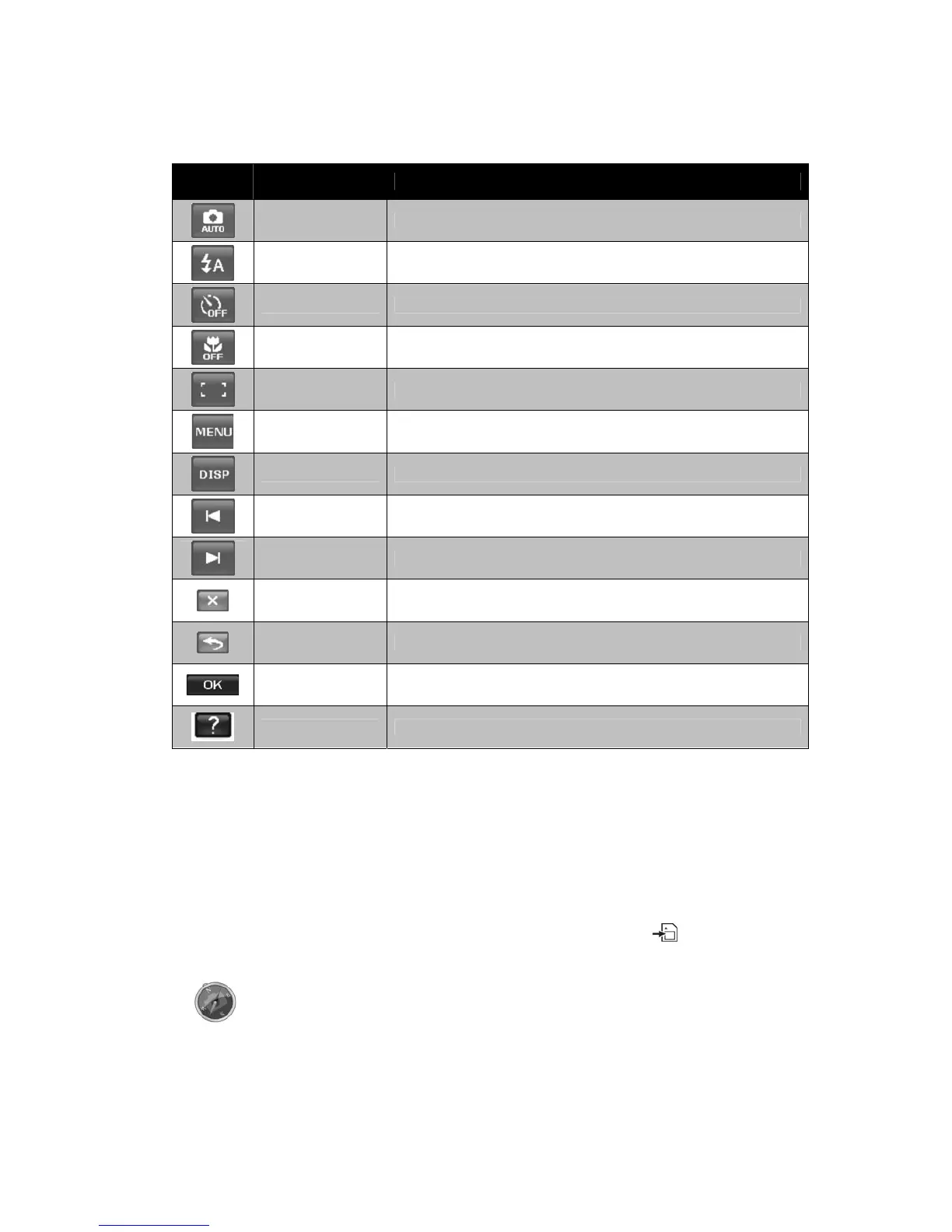
Onscreen Touch Buttons
The control buttons appear on the touch screen and change dynamically depending on the task you’re
performing.
Icon
Touch
Button
Description
Record mode Tap to launch the scene mode menu.
Flash Tap to popup the Flash menu.
Self-timer/Burst Tap to popup the self-timer/burst menu.
Macro
Tap to popup the macro menu.
AF area/
Face tracking
Tap to popup the AF area/Face tracking menu.
Menu Tap to launch record menu.
Display Tap to switch the display mode of the LCD monitor.
Previous file Tap to view the previous file.
Next file Tap to view the next file.
Exit Tap to exit the menu.
Return Tap to return main menu or last screen.
OK Tap to apply the setting.
Help Tap to launch help screen.
Camera Memory
Internal memory
Your camera is equipped with 32MB of internal memory. Users can store images up to 12MB. If there
is no memory card inserted in the memory card slot, all images, videos and audio clips recorded are
automatically stored in the internal memory.
External storage
Your camera supports SD cards of up to 4GB in size. It also supports SDHC cards with a maximum
capacity of 32GB. If there is a storage card inserted in the memory slot, the camera automatically
saves all images, videos and audio clips in the external storage card. The icon indicates the
camera is using SD card.
Not all cards may be compatible with your camera. When purchasing a card, please
check the card's specifications and take the camera with you.













 To Next Page