EasyManua.ls Logo

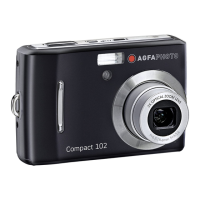
AgfaPhoto Compact 100 - User Manual

AgfaPhoto Compact 100
95 pages
Print Icon
To Next Page IconTo Next Page
Loading...
Compact 100
User Manual

Table of Contents

Questions and Answers

  • B
    Bryan RichardsAug 16, 2025
    Why no image displays on the TV screen from my AgfaPhoto Digital Camera?
    • K
      kaylabakerAug 17, 2025
      If no image displays on the TV screen when your AgfaPhoto Digital Camera is connected, it's possible that the incorrect TV-out type was selected. Set the correct TV-out type to match your TV system.
  • L
    Lisa PetersonAug 19, 2025
    What to do if my AgfaPhoto Digital Camera LCD screen displays ‘Memory full’?
    • J
      Jonathan WilliamsAug 19, 2025
      If your AgfaPhoto Digital Camera displays 'Memory full' on the LCD screen, it means the memory card is full. You should replace it with a new one or delete unnecessary images to free up space.
  • R
    robinsonsamanthaAug 22, 2025
    What to do if my AgfaPhoto Compact 100 LCD screen displays ‘Card locked’?
    • S
      Scott GregoryAug 22, 2025
      If the LCD screen of your AgfaPhoto Digital Camera displays 'Card locked', it indicates that the memory card is protected. To resolve this, remove the card and slide the write-protect switch to its unlock position.
  • J
    Jared ZavalaAug 25, 2025
    How to fix AgfaPhoto Compact 100 Digital Camera that does not turn on?
    • K
      kathyacostaAug 26, 2025
      If your AgfaPhoto Digital Camera is not turning on, the batteries may be exhausted. Try charging or replacing the batteries.
  • M
    Michael GuzmanAug 27, 2025
    Why does my AgfaPhoto Digital Camera turn off and show an empty battery icon?
    • W
      walshgaryAug 28, 2025
      If your AgfaPhoto Digital Camera displays an empty battery icon on the LCD and then turns off, it means the batteries are exhausted. Please replace or recharge them.
  • M
    Miss Shannon Ford DDSAug 30, 2025
    What does 'Copy error' mean on my AgfaPhoto Digital Camera?
    • R
      Roger ClarkAug 30, 2025
      If the LCD screen displays ‘Copy error’ on your AgfaPhoto Digital Camera, it could be due to the memory card being protected or full. Remove the card and slide the write-protect switch to its unlock position. If that doesn't work, replace the card or delete unnecessary files.
  • D
    David AbbottSep 2, 2025
    Why is the lens stuck on my AgfaPhoto Compact 100 Digital Camera?
    • T
      Teresa HarrisSep 2, 2025
      If your AgfaPhoto Digital Camera lens gets stuck, it might be due to incorrect battery type or low battery power. Change the battery or charge it before using the camera.
  • M
    Michael BakerSep 5, 2025
    What to do if my AgfaPhoto Compact 100 Digital Camera LCD turns blank?
    • J
      justin26Sep 5, 2025
      If your AgfaPhoto Digital Camera LCD turns blank, press any button except the Power button to turn the LCD back on.
  • A
    Amy KochSep 7, 2025
    What does 'File locked' mean on my AgfaPhoto Digital Camera?
    • W
      wmartinezSep 8, 2025
      If the LCD screen on your AgfaPhoto Digital Camera displays ‘File locked’, it means the file is locked. Unlock the file.
  • J
    Jessica HughesSep 10, 2025
    What does 'Not available for this file' mean on my AgfaPhoto Digital Camera?
    • K
      knightlaurenSep 10, 2025
      If your AgfaPhoto Digital Camera LCD screen displays ‘Not available for this file’, it means the function is only available for specific file types and the current file format is not supported.

Summary

Safety and Handling Precautions

Camera Information

Provides essential safety guidelines for handling the camera itself.

Battery Information

Details safety precautions and best practices for battery usage.

Camera Buttons

Navigation Control

Getting Started

Inserting the Battery

Guides users on how to correctly insert AA batteries into the camera's compartment.

Initial Settings

Camera Modes

Record Mode

Explains how to capture images and record videos/audio clips.

Playback Mode

Describes viewing and editing captured images/videos/audio clips.

Scene Mode Selection

Recording Media

Taking Photos

Provides step-by-step instructions for capturing still images with the camera.

Zoom Control

Flash Settings

Focus Mode Settings

Function Menu

Capture Settings

Resolution

Allows adjustment of image resolution, affecting file size and quality.

Image Adjustment Settings

Quality Settings

Adjusts the quality settings of photos, affecting compression and memory usage.

EV Compensation

Allows adjustment of exposure value for correct image exposure in varying light.

White Balance

Adjusts camera settings to compensate for different white light sources for accurate colors.

ISO Sensitivity

Metering Settings

Record Menu

Smile Capture Mode

Intelligent Scene Mode

Blink Detection Mode

Aperture Priority Mode

Shutter Priority Mode

Manual Exposure Mode

Drive Mode Settings

AF Area Settings

Sharpness Settings

Saturation Settings

Contrast Settings

Digital Zoom Control

Movie Recording

Voice Recording

Playback Mode

Single Navigation View

Displays and navigates through images, videos, and audio clips one by one.

Playing Movies

Voice Recording Playback

File Deletion

Using the Delete Button

Explains how to delete files using the dedicated Delete button on the camera.

Playback Menu Options

Delete Files

Protect Files

Red Eye Correction

Voice Memo Recording

Photo Editing

PictBridge Printing

Setup Menu

Making Connections

Connecting to Printer

Troubleshooting

Specifications

AgfaPhoto Compact 100 Specifications

General IconGeneral
BrandAgfaPhoto
ModelCompact 100
CategoryDigital Camera
LanguageEnglish

Related product manuals