EasyManua.ls Logo

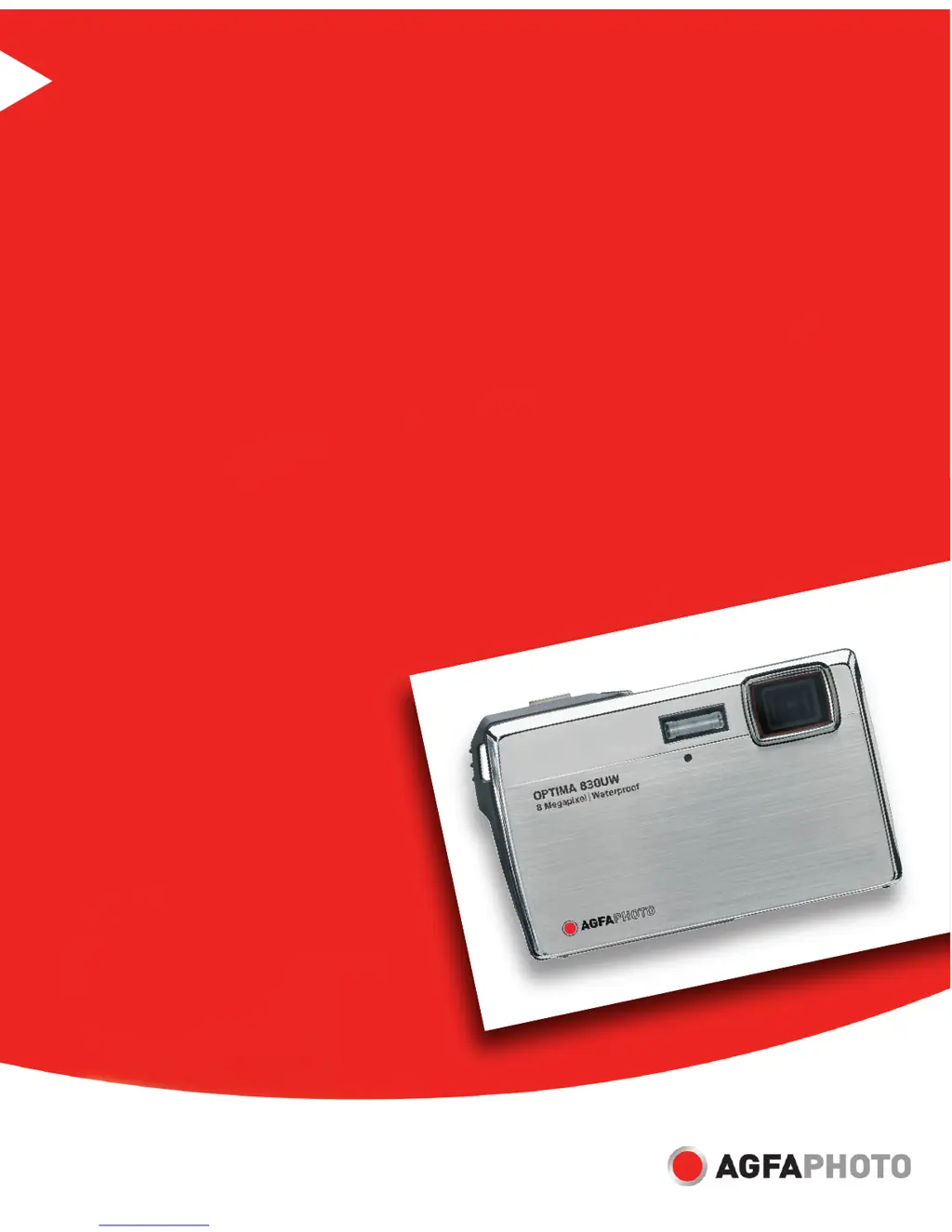
AgfaPhoto OPTIMA 830UW - User Manual

AgfaPhoto OPTIMA 830UW
47 pages
Print Icon
To Next Page IconTo Next Page
Loading...
OPTIMA 830UW
User manual

Other manuals for AgfaPhoto OPTIMA 830UW

Questions and Answers

  • M
    Michelle MooreAug 17, 2025
    What to do if AgfaPhoto OPTIMA 830UW Digital Camera does not take a picture?
    • S
      Scott FitzgeraldAug 17, 2025
      If your AgfaPhoto Digital Camera isn't taking pictures, there might be a few reasons: * Ensure you press the shutter button all the way down. * Check if your memory card is full; if so, insert a new one or delete unwanted files. * Verify that the memory card isn't write-protected; if it is, remove the write-protection.
  • P
    Paul HudsonAug 20, 2025
    Why images do not appear on AgfaPhoto Digital Camera LCD monitor?
    • K
      Kaitlyn SmallAug 20, 2025
      If images aren't showing up on your AgfaPhoto Digital Camera's LCD monitor, the LCD monitor might be too dark. Adjust the brightness of the LCD monitor in the menu.
  • H
    hahnadamAug 22, 2025
    Why does my AgfaPhoto OPTIMA 830UW Digital Camera battery run out quickly?
    • M
      Manuel SullivanAug 23, 2025
      If the battery of your AgfaPhoto Digital Camera drains quickly, it could be that the battery wasn't fully charged initially or hasn't been used for a while after charging. To maximize its performance and lifespan, fully charge the battery and then discharge it completely for at least one cycle before regular use.
  • M
    Misty MendezAug 26, 2025
    How to fix AgfaPhoto OPTIMA 830UW that does not power on?
    • B
      Bradley HudsonAug 26, 2025
      If your AgfaPhoto Digital Camera isn't powering on, make sure the battery is correctly inserted. If it is, the battery may be exhausted, so try recharging it.
  • J
    Jonathan KingAug 28, 2025
    What to do if AgfaPhoto OPTIMA 830UW buttons don't operate?
    • B
      Brian MartinezAug 28, 2025
      If the buttons on your AgfaPhoto Digital Camera aren't responding, the battery might be running low. Try recharging the battery.
  • R
    Rick AtkinsAug 31, 2025
    What to do if AgfaPhoto Digital Camera won't focus?
    • D
      Destiny EricksonAug 31, 2025
      If your AgfaPhoto Digital Camera isn't focusing, the lens may be dirty. Try wiping it clean with a soft, dry cloth or lens paper. Also, make sure that the subject is within the effective focus range of the camera.
  • J
    Jennifer PerezSep 3, 2025
    What to do if AgfaPhoto OPTIMA 830UW Digital Camera files cannot be deleted?
    • P
      Patricia GuerreroSep 3, 2025
      If you can't delete files on your AgfaPhoto Digital Camera, the file might be protected; cancel the protection. Alternatively, the memory card might be write-protected; remove the write-protection.
  • U
    uharperSep 5, 2025
    Why AgfaPhoto OPTIMA 830UW Digital Camera LCD monitor is blurry underwater?
    • R
      Richard Daniel DDSSep 5, 2025
      If the LCD monitor on your AgfaPhoto Digital Camera becomes blurry underwater, the camera might have experienced an accidental shock. Try turning the camera off and then on again.
  • E
    Eileen JonesSep 8, 2025
    What to do if AgfaPhoto OPTIMA 830UW Digital Camera cannot operate normally underwater?
    • E
      Ebony BlackSep 8, 2025
      If your AgfaPhoto Digital Camera isn't working correctly underwater, a temporary malfunction may have occurred. Long press the power button to turn off the camera, then turn it back on.
  • S
    Sara StoneSep 12, 2025
    How to fix wrong date and time on AgfaPhoto OPTIMA 830UW Digital Camera?
    • J
      Joshua WilliamsSep 12, 2025
      If the date and time is wrong on your AgfaPhoto Digital Camera, it means that the correct date and time hasn't been set. Set the correct date and time in the camera's settings.

Summary

SAFETY AND OPERATIONAL GUIDELINES

Warnings, Cautions, and Battery Usage

Crucial warnings, cautions, and notes for safe camera operation, battery handling, and usage.

Underwater Use Preparation and Care

Steps before, during, and after underwater use, including preparation, operation, cleaning, and storage.

CAMERA BASICS AND SETUP

Button Operation and LCD Display

Explains camera buttons, LCD icons, and mode displays for efficient operation.

Getting Started: Preparation and Settings

Initial setup, battery charging, date/time, language, and memory card formatting.

CAPTURE MODES AND IMAGING

VIDEO AND PLAYBACK FUNCTIONS

MENU OPTIONS AND SYSTEM SETTINGS

COMPUTER CONNECTIVITY AND SOFTWARE

TECHNICAL DETAILS AND SUPPORT

Troubleshooting Guide

Solutions for common camera problems like power, battery, image capture, and file errors.

AgfaPhoto OPTIMA 830UW Specifications

General IconGeneral
TypeCompact
Megapixels8.0 MP
Optical Zoom3x
Image Sensor TypeCCD
Battery TypeLi-Ion battery
Digital Zoom8x
LCD Screen Size2.7 in
Image Sensor Size1/2.5 inch
Storage MediaSD/SDHC card
Video Resolution640 x 480 (VGA)
WaterproofYes
Screen Size2.7 in
ISO RangeAuto, 80, 100, 200, 400, 800, 1600
ISO SensitivityAuto, 80, 100, 200, 400, 800, 1600

Related product manuals