27
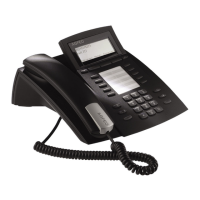
AGFEO T 18
– Press the “Menu” button ( ).
– Use the navigation buttons (
) to scroll to the date setting.
– Change the year using the up/down navigation buttons (
) or by entering the value
directly, then confirm by pressing the "Ok" button(
).
– Change the month using the up/down navigation buttons (
) or by entering the value
directly, then confirm by pressing the "Ok" button (
).
– Change the day using the up/down navigation buttons (
) or by entering the value
directly, then confirm by pressing the "Ok" button (
).
– Change the hours using the up/down navigation buttons (
) or by entering the value
directly, then confirm by pressing the "Ok" button (
).
– Change the minutes using the up/down navigation buttons (
) or by entering the value
directly, then confirm by pressing the "Ok" button (
).
– Exit the menu by pressing the “Esc” button (
).
Setting the Date and Time
Setting the Language
– Press the “Menu” button ( ).
– Change the language using the up/down navigation buttons (
) then confirm by press-
ing the "Ok" button (
).
– Exit the menu by pressing the “Esc” button (
).
Setting the Display Contrast
– Press the “Menu” button ( ).
– Use the navigation buttons (
) to scroll to the contrast setting.
– Change the contrast using the up/down navigation buttons (
) to choose between the
5 levels, then confirm by pressing the "Ok" button (
).
– Exit the menu by pressing the “Esc” button (
).


 To Next Page