34
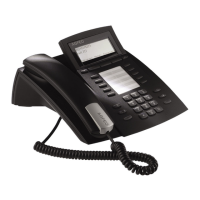
AGFEO T 18
Dial phone number
To make a call using a number from the direct speed dial memory, press the desired speed
dial button (
). The telephone automatically switches to hands-free mode and starts dial-
ling the phone number.
– With the receiver on the hook, press and hold the desired speed dial button (
) longer
than 3 seconds, until “ENTER NUMBER” appears in the display.
– Enter the phone number to be stored using the number buttons.
– If a number is already stored for this speed dial button, you can delete the old number by
pressing and holding the “Del” button (
) for at least 3 seconds.
– Delete individual digits by briefly pressing “Del” (
).
– Use the navigation buttons (
) to scroll through the digits.
– Use the up/down navigation buttons (
) to navigate to the input field for the name.
– Enter the name using the keypad of the AGFEO T 18. Please consult “Input name via key-
pad” (see page 32).
– Press the speed dial button (
) again to store changes.
Save phone number
Delete phone number
– With the receiver on the hook, press and hold the desired speed dial button ( ) longer
than 3 seconds, until “ENTER NUMBER” appears in the display.
– Hold the “Del” button (
) for at least 3 seconds; the stored phone number is now de-
leted.
– Press the speed dial button (
) again to store changes.
Factory condition
In factory condition, the following default settings are made in your AGFEO T 18:
Language English Ringtone 01
Contrast 3 Ringtone volume 8
Date 01.01 Flash Short
Year 2010 T1 000ms
Time 00:00 T2 000ms
Outside line ---- T3 000ms
To restore the unit to factory settings, press and hold the hash button ( ) for at least
6 seconds, then conrm by pressing "Ok" (
).


 To Next Page