EasyManua.ls Logo

Agilent Technologies 4284A - Page 57

Agilent Technologies 4284A
460 pages
Print Icon
To Next Page IconTo Next Page
To Previous Page IconTo Previous Page
Loading...
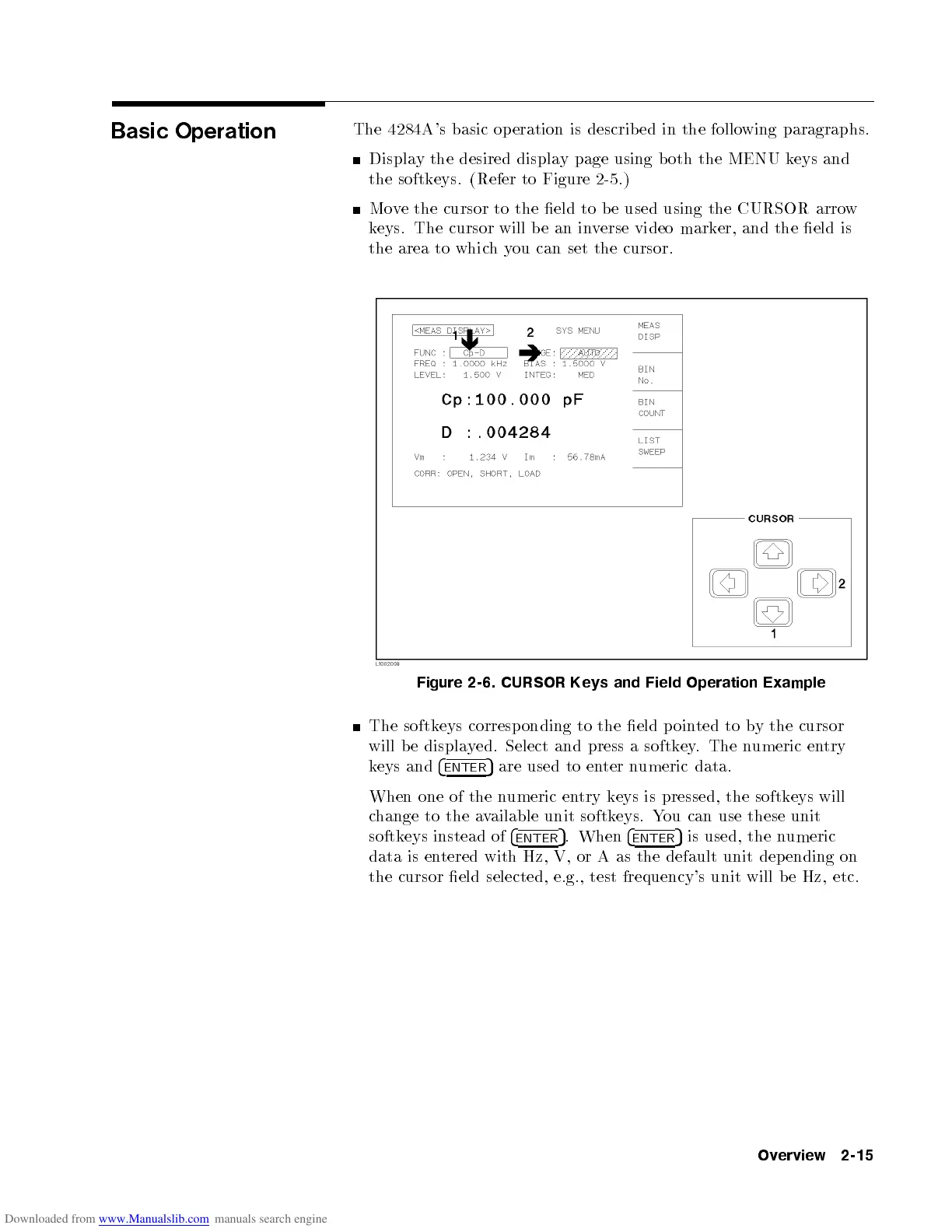
Basic
Operation
The
4284A
's
basic
op
eration
is
describ
ed in
the follo
wing paragraphs.
Displa
ythe
desired displa
ypage
using b
oth the
MENU k
eys
and
the softk
eys. (Refer
to
Figure
2-5
.)
Mo
v
e
the
cursor
to
the
eld
to b
e used
using the
CURSOR arro
w
k
eys. The
cursor will
be
an in
v
erse
video
mark
er,
and
the
eld
is
the
area
to
whic
h
y
ou
can
set
the
cursor.
Figure
2-6.
CURSOR
Keys
and
Field
Operation
Example
The
softk
eys
corresp
onding
to
the
eld
p
oin
ted
to b
ythe
cursor
will
b
e
displa
y
ed.
Select
and
press
a
softk
ey
.
The
n
umeric
en
try
k
eys
and
4
ENTER
5
are
used to
enter
numeric
data.
When one
of the
numeric
entry
k
eys
is
pressed,
the
softk
eys
will
c
hange
to
the
a
vailable
unit softk
eys. Y
ou can
use these
unit
softk
eys
instead
of
4
ENTER
5
.
When
4
ENTER
5
is
used,
the
n
umeric
data is en
tered with Hz, V, or
A as the default unit depending on
the cursor eld selected, e.g., test frequency's unit will be Hz, etc.
Overview 2-15

Other manuals for Agilent Technologies 4284A

Related product manuals