ii
The Oscilloscope At a Glance
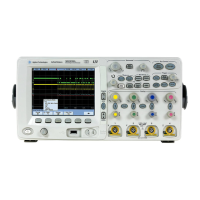
Choose from a variety of oscilloscopes
all with 2 GSa/s sample rate and
2 MBytes of MegaZoom deep memory
per channel for capturing long,
non-repeating signals.
• Agilent 54641A - 2-channel, 350-MHz
bandwidth
• Agilent 54641D - 2-channel +16 logic
channels, 350-MHz bandwidth
• Agilent 54642A - 2-channel, 500-MHz
bandwidth
• Agilent 54642D - 2-channel +16 logic
channels, 500-MHz bandwidth
Display shows current input signals
• All analog and digital (54641D/42D)
channels displayed in main and
delayed mode
• Indicators for channel, time base,
digital (54641D/42D) channel activity,
trigger and acquisition status
• Softkey labels
• Measurement results
Digital channel controls select,
position, and label inputs (54641D/42D)
• Turn channels on or off individually or
in groups of 8
• Rearrange order of channels to group
related signals
• Create and display labels to identify
channels
General controls measure, save and
restore results, and configure the
oscilloscope
• Waveform math including FFT,
subtract, multiply, integrate, and
differentiate
• Use Quick Meas to make automatic
measurements
• Use cursors to make manual
measurements
• Save or recall measurement
configurations or previous results
• Autoscale performs simple
one-button setup of the oscilloscope
Horizontal Controls select sweep speed
and delay parameters
• Sweep speeds from 1 ns/div to
50 s/div
• Delay control moves waveform
display to point of interest
• Delayed mode and delay allow
zooming in to show a portion of
waveform in detail (split screen)
Run control keys begin and end data
acquisition
• Run/Stop starts and stops continuous
acquisitions
• Single performs one acquisition
• Infinite persistence accumulates and
displays the results of multiple
acquisitions
Trigger keys define what data the
oscilloscope will trigger on
• Source key allows conventional
oscilloscope triggering
• Modes include Edge, Pulse Width,
Pattern, CAN, Duration, I
2
C, LIN,
Sequence, SPI, TV, and USB
triggering
Softkeys extend the functionality of
command keys
Select measurement types, operating
modes, trigger specifications, label data,
and more
Digital channel inputs through a flexible
probing system (54641D/42D)
• Sixteen channels through a dual
8-channel cable with micro-clips
• Set logic levels as TTL, CMOS, ECL, or
to a user-definable voltage
Utilities
• Dedicated parallel printer port,
controller operation, floppy disk
storage
Built in Quick Help system
• Press and hold any key front-panel
key or softkey to get help in 11
languages.
service.book Page ii Wednesday, August 28, 2002 3:25 PM



 To Next Page