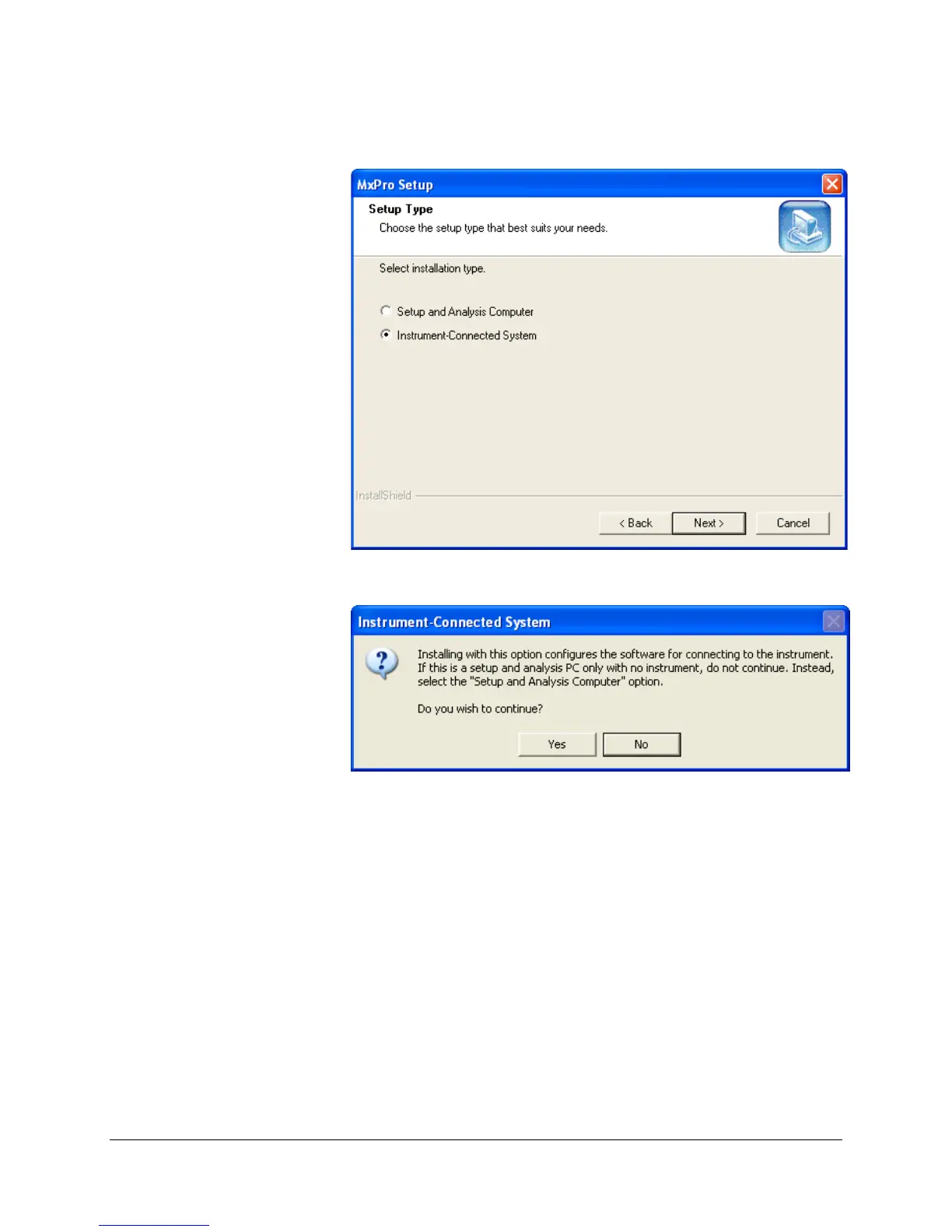
8. When prompted to select an installation type, select Instrument-
Connected System
and then click Next.
9. When asked to continue in the following dialog box, click
Yes.
Important If a
.NET Framework Initialization Error dialog box
appears, please contact Technical Services for
assistance before proceeding.
Mx3000P and Mx3005P QPCR Systems Setup and User’s Guide 9







 To Next Page