11
Guarantee
The guarantee for this device does not apply,
• If the information in this instruction is not
observed
• If the device has not been kept in repair or
has been damaged in some way
• If unauthorized repair or the like has been
carried out on the device
General functions
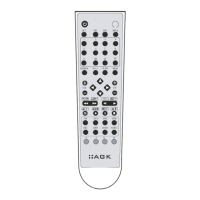
The multi-remote control consists of buttons
which all have one or more functions. The
”MENU” button on the remote control is a
general button which is often used for DVD
players, TV setup, sat setup and cable setup.
By pressing the ”MENU” button the TV will dis
-
play a function menu for the activated device
which you are operating. As the menu function
buttons on the multi-remote control cor
-
respond to the buttons on the remote control
which was originally supplied with the device,
it is a good idea to keep the instructions for
your old remote control so that you can find
information on its menu operation functions.
TV-functions
When you have programmed the multi-remote
control using the above instructions you will be
able to operate your TV with it. Here is a short
review of some of the TV operating functions
which are on the multi-remote control.
Start:
To operate the TV first press the TV1 or TV2
button on the remote control (depending on
which you have used to program the remote
control).


 To Next Page