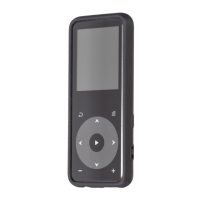
Find “Tools” on Home menu with the button to access to
its function. A related list will show:
Press button to access to its function. You will need to
choose from local folder or card folder if the memory card
Press button to watch videos, Press the button /
to go to previous/next video or hold to fast
When it’s on video playing interface, hold down the
button to access to its submenu, including: Brightness,
Repeat, Delete Video, Update Playlist. Set according to
Press the button to view pictures, press the button
/ to go to previous/next picture
When it’s on picture viewing interface, hold down button
to access to its submenu, including: Brightness,
Backlight timer, Slideshow settings, Delete picture. Set
according to your preference.
Press the button / to switch among year|month|day,
press the button / to choose specific
Press the button to enter, press again to start the timer,
and then press again to stop or hold down button to
resume. Press to start a new one. The maximum
Find “Tools” on Home menu with the button to access to



 To Next Page