Find “Music” on Home menu and tap the button to access to
The related list will show, including: All songs, Resume(Now
playing), Artists, Albums, Genres, Playlists, Update playlists, Local
Note:
Local folder and Card folder functions are only available
when the Micro SD card inserted.
All songs - All the music files in local folder or card folder.
Resume (Now playing) - Take you back to the song or audio file
you are playing now or played last time.
Artists /Albums /Genres - View music files sorted by artists
Playlist - There 3 default playlist on the player: Playlist on the go
Update Playlists - Update music files.
Local folder / Card folder - View music file in the local folder or
Note:
Local folder and card folder are conflict with each other. It
will stop playing music in the local folder to view the files card
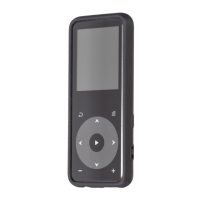
While it’s on music playing interface, hold the button to fast
forward, tap to switch to next music file; hold the button to
fast rewind, click to the previous song files. Tap button to
play/pause. Tap the button / to adjust volume.
While it’s on music playing interface, tap button to access to
the submenu. Tap button / to select items or adjust value,
tap the button to enter or confirm.
"Play music from…", choose to play songs from all songs or this


 To Next Page