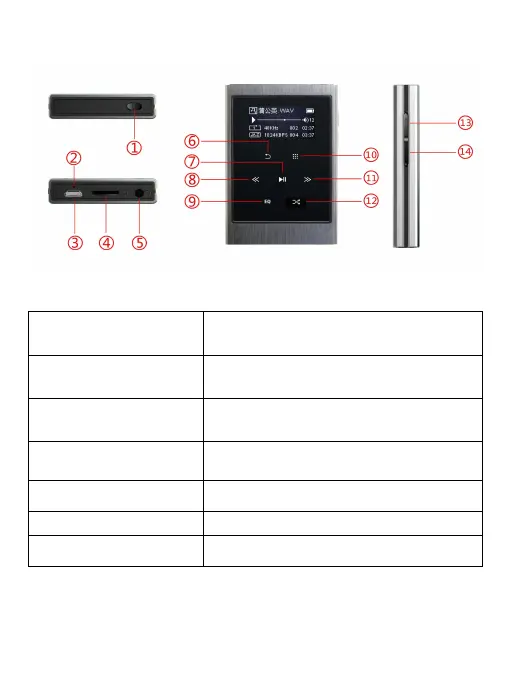
Parts and Controls
1. Power button
Press and hold to switch on and off the
player
2. Reset hole Reset the device
3. Micro USB port To connect micro USB cable.
4. Card slot
Support a maximum capacity of 64 GB
Micro SD card.
5. Earphone interface 3.5mm earphone socket.
6. Back key Go back to the last menu.
7. Play/Pause key Display play and pause function


 To Next Page