While playing music, tap the menu key to access to its
submenu.
Replay settings
- Choose “Replay settings” > “Replay Mode” to access to its function,
and the icon for A-B indication will appear on playing screen
- Starting time for replay is confirmed while tapping the icon (B
is flashing)
- Tap the icon again and then it will start replaying (adjust the
replay paragraph according to your need)
- Tap the icon twice again to back to normal playing
Replay times
-Choose “Replay settings” > “Replay Times” from 1 to 10
Replay Interval
- Choose “Replay settings” >“Replay Interval” from 1 to 10 seconds
Add the currently selected file into the playlist; remove the current
file from the playlist
Delete the currently selected file.
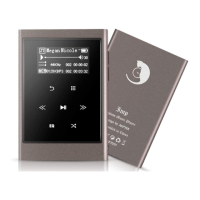
1. Sampling rate
of music file
2.
Play mode
3.
Equalizer
7. Battery status
8. Playing progress bar 9.
The current playing
information
5. The current playing
song/total quantity of songs
6. The current playing time/
the
duration of the song
4. Data Rate
While playing music, tap the menu key to access to adjust its
play mode
While playing music, tap the menu key to access to adjust its
play mode


 To Next Page