8. Left double arrow key
In menu interface, press to go to the last
item. On the song screen, short press to
go to the last track and long press to
rewind.
9. Equalizer Equalizer (available in music screen).
10. Menu key Press to open the functional submenu.
11. Right double arrow
key
In menu interface, press to go next item.
On the song screen, short press to go to
the next track and long press to fast
forward.
12. Shuffle/repeat
Adjust the play mode of now playing
music while on music playing interface.
13. Volume up
Short pressing could turn up the
volume, while long pressing could have
a fast adjustment.
14. Volume down
Short pressing could turn down the
volume, while long pressing could have
a fast adjustment.
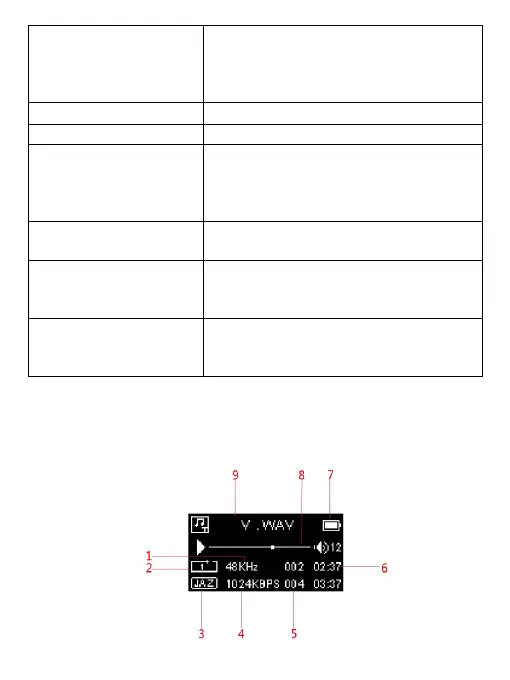
Music
Music playing interface


 To Next Page