14
PRIVACY
MODE : ON, OFF
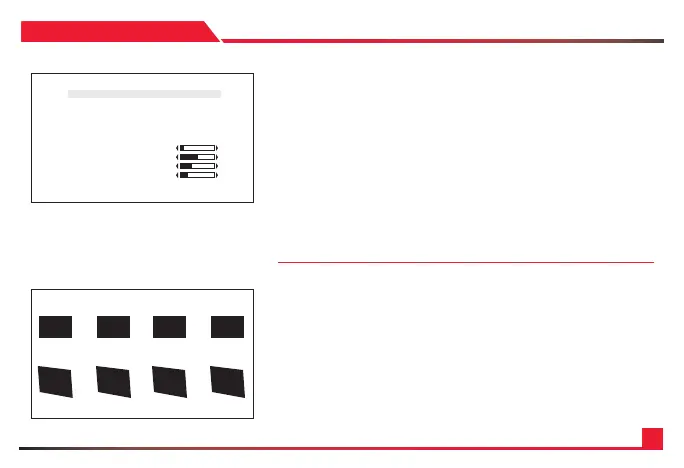
Enable “PRIVACY ZONE” ON or OFF.
TYPE : SQUARE, POLYGON
Select privacy zone shape.
MASK NO : MASK1 ~ MASK8
Select privacy zone mask number.
DISPL AY : ON, OFF
Turn ON or OFF the selected privacy mask zone.
COLOR : WHITE, GREEN, BLUE, RED, CYAN, MAGENTA, YELLOW,
GRAY-1 ~ 6, MOSAIC, BLACK.
Select privacy zone mask color.
Privacy zone can be setup from this menu.
POLY SELECT : L- TOPP, L- BOTTOM, R- TOP, R-BOTTOM
Change the shape of the polygon by selecting the corner of the polygon.
POSITION-X & POSITION-Y
Change the size of the selected corner from “POLY SELECT” menu.
SIZE-X & SIZE-Y
Change the size of the privacy square.
DEFAULT
Set privacy zone to default value.
PRIVACY M ASK
*MODE ON
TYPE SQUARE
MASK NO. MASK 1
DISPLAY O N
COLOR BLACK
PO LY PIX EL
POSITION-X 2
POSITION-Y 5
SIZ E-X 20
SI ZE-Y 11
DEF A U LT
RETURN


 To Next Page