5
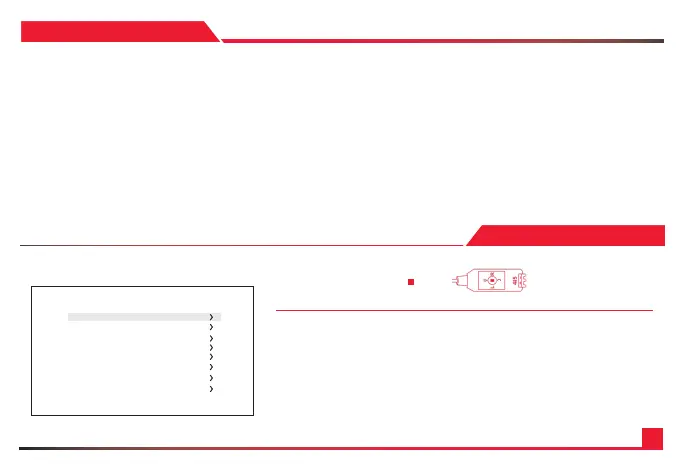
L- Left | R- Right | U- Up | D- Down | - Select
• 4K UHD 1/3” Progressive Scan CMOS sensor capable of 4K (4096 x 2160) captures sharp
and vivid images even under very low light conditions.
• Powered by a back-illuminated pixel technology.
• Advanced digital imaging processor provides vivid and detailed images by utilizing
Dynamic Range, Auto White Balance, and Noise Reduction.
• Superb motion-compensated temporal noise reduction lter for motion video without blurring.
• OSD control breakout cable with two audio inputs and RS-485 for remote communication.
• Flawlessly relays multi-channel embedded audio via HDMI 1.3a.
• Perfectly suited for broadcast, pro audio/video, and security.
• Versatile, compact, and rugged design.
1. Move the Cursor Up/Down to Choose Menu
To move from item to item in the menu, move the joystick to the Up/Down.
2. Change the Value
To change the value of the selected item, move the joystick to the Left/Right.
3. Shift to the Sub Menu of the Chosen Menu
To go into sub menu, press SEL key. The menu items with > always have its sub menu.
FEATURES
OSD MENU
MAIN MENU
*WB CONTROL
AE CONTROL
DAY /NIGHT
AU DIO
IMAGE CONTROL
SPECIAL
SETUP
RESET
EXIT


 To Next Page