aigo A396+
| 32 |
To Delete or Copy Files in the List
Deleting File:
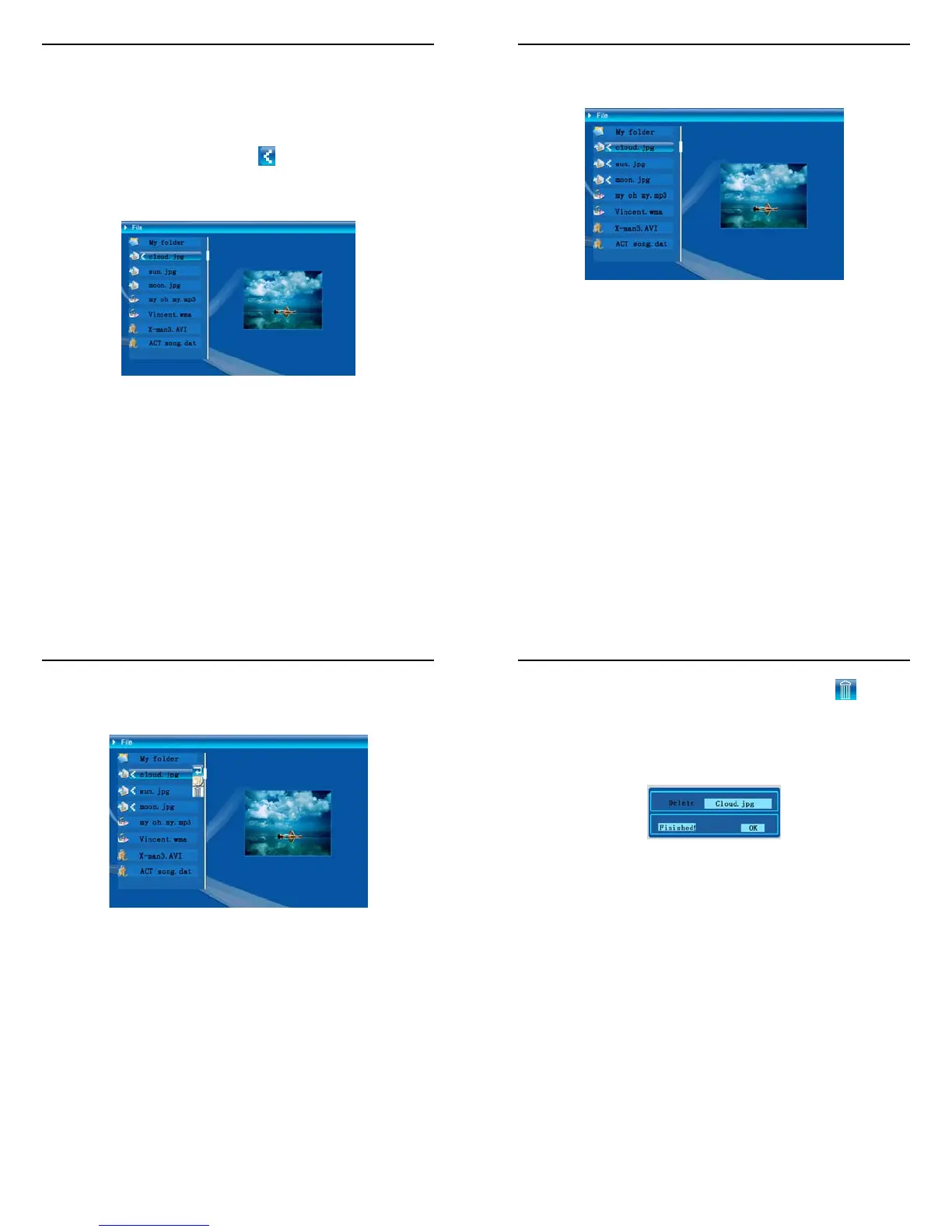
- Press
▲ or ▼ Joystick button to select a file followed by ► Joystick
button and current selection symbol
(see Figure 6.15) will be
displayed beside the file name.
- Press
► Joystick button again to cancel selection.
Figure 6.15
aigo A396+
| 33 |
- Press
▲ or ▼ Joystick button to move cursor and repeat last step to
perform multi-files selection. (See Figure 6.16).
Figure 6.16
aigo A396+
| 34 |
- With the file selected, press & hold ENTER button to view Menu
options.(See Figure 6.17)
Figure 6.17
aigo A396+
| 35 |
- Press
▲ or ▼ Joystick button to scroll cursor to icon followed
by ENTER button and the selected file will be deleted.(See Figure
6.18).
- Press the ENTER button again to return to File Management menu.
Figure 6.18



 To Next Page