30
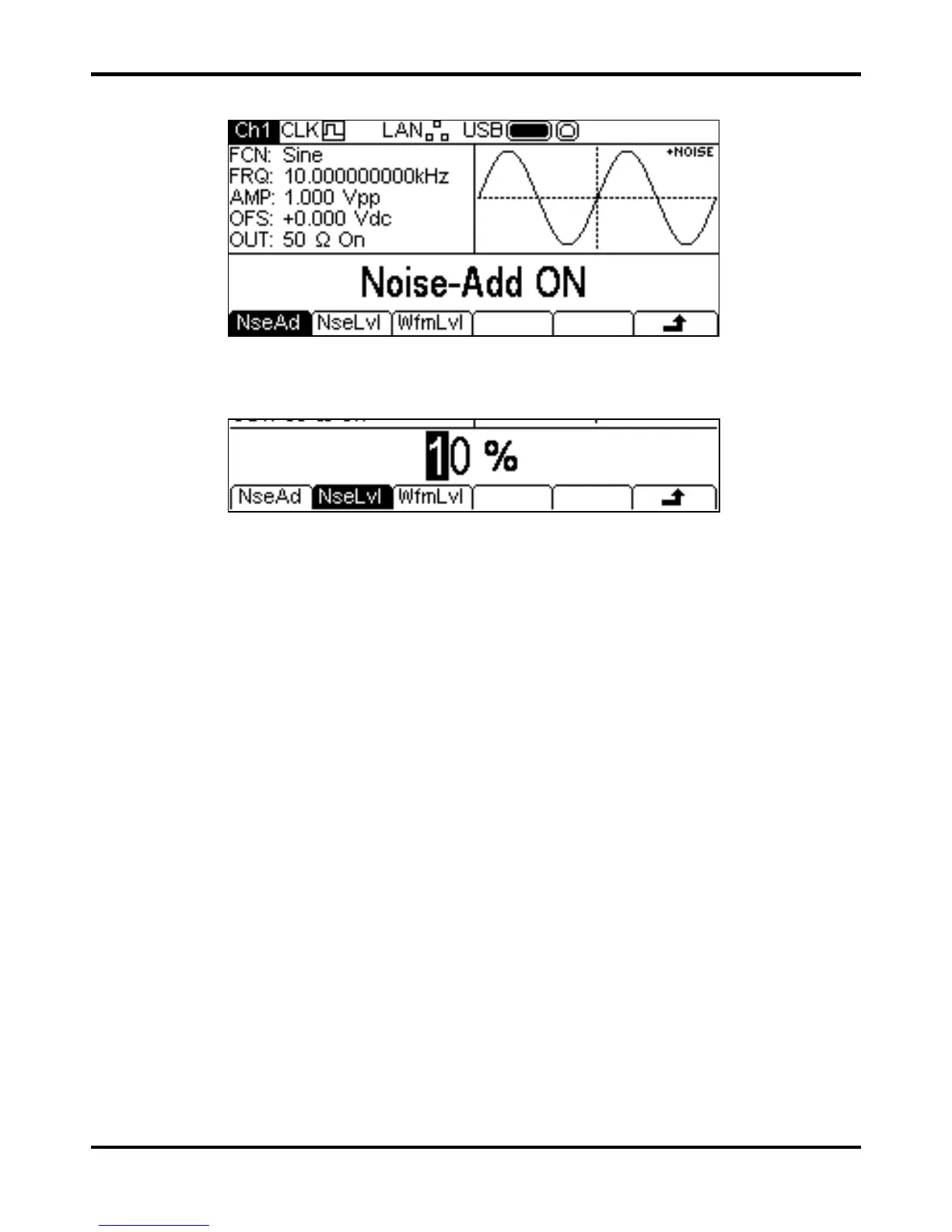
To add noise to the output waveform press the OUTPUT key, then the NseAd soft-key. See the
display below.
Pressing the
NseAd soft-key will alternate between Noise-Add ON and Noise-Add OFF.
With noise added the Graph Box shows
+NOISE in the top right corner and two extra soft-key
labels appear,
NseLvl and WfmLvl.
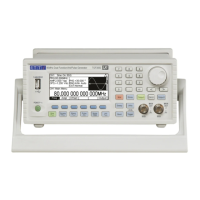
Pressing the
NseLvl key allows the noise percentage to be set. Pressing the WfmLvl key
allows the Waveform percentage to be set. These parameters may be changed in either of the
ways detailed in General: Numeric Editing. Using the two parameters the ratio may be set anywhere
in the range 50% waveform and 50% noise to 99% waveform and 1% noise.


 To Next Page