56
Dual Channel Operation
General
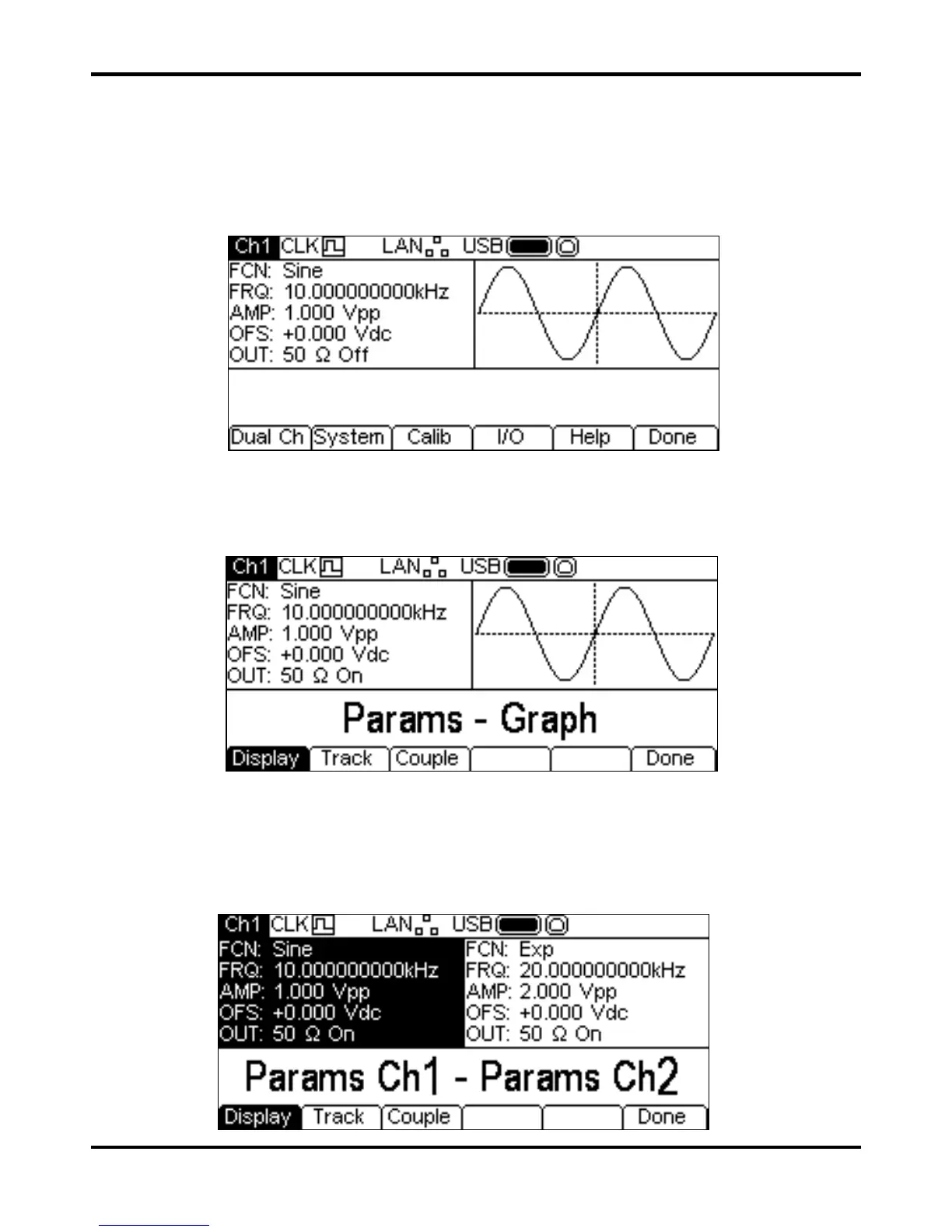
Dual channel instruments have additional capabilities which allow the channels to be connected in
various ways. All of the options are available from the Dual Channel menu which is accessed by
pressing the Utility key. This presents several further menus which allow control of instrument and
system capabilities not available directly from the menus described so far.
This section explains the options available by pressing the
Dual Ch soft-key; the options
accessed via the other soft-keys are described in the Utility Menu section.
Pressing the
Dual Ch soft-key gives access to the dual channel capabilities of the instrument.
This menu is not available on a single channel instrument.
Display Presentation
Pressing the Display soft-key will cycle through the possible options. These options present the
instrument parameters in different ways on the display.
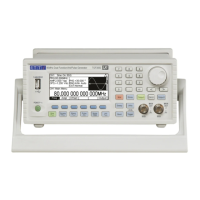
The default layout is
Params-Graph as seen above. This presents the Parameters box and
Graph box for the selected channel together on the screen. Pressing the
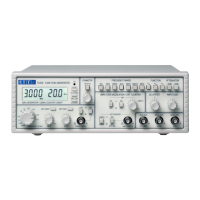
Display soft-key will
then switch to
Params Ch1 – Params Ch2 as shown below.


 To Next Page