55
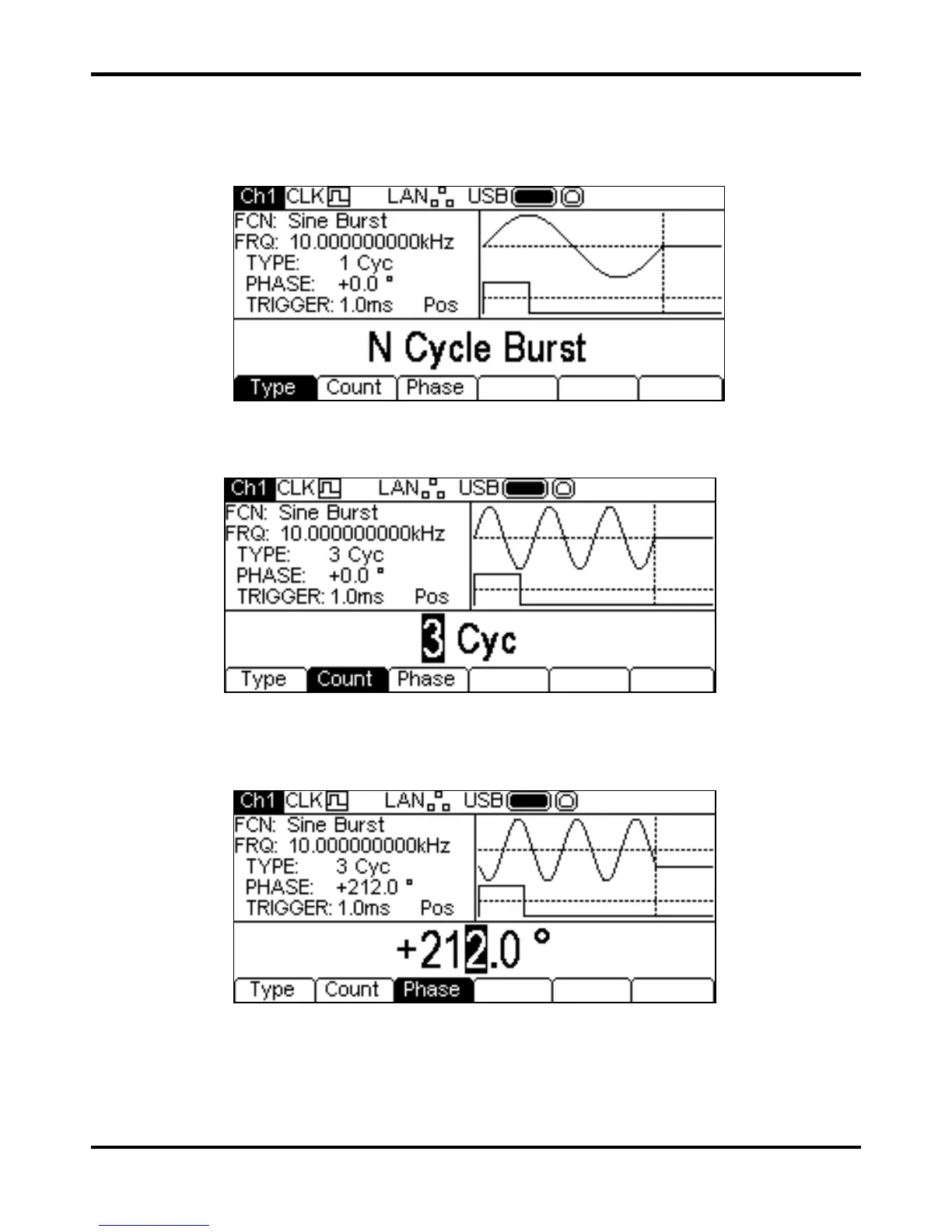
Burst Type
To set the burst type press the Type soft-key. Each press will select the next type from
N Cycle Burst, Infinite Burst and Gated Burst. The currently selected type will
appear in the Edit Box, the
TYPE field in the Parameters Box will show the type and the Graph Box
will show the trigger waveform below a representation of the carrier waveform with the burst type
applied.
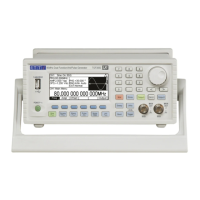
Burst Count
To set the burst count press the Count soft-key. The burst count parameter will appear in the
Edit Box. Only
N Cycle Burst has a Count soft-key.
The count may be changed in either of the ways detailed in Numeric Editing Principles. The carrier
waveform in the Graph Box will show a representation of the burst as the count is edited.
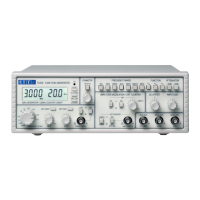
Burst Phase
To set the carrier start phase press the Phase soft-key. The phase parameter will appear in the
Edit Box.
The phase may be changed in either of the ways detailed in General: Numeric Editing. The carrier
waveform in the Graph Box will show a representation of the carrier start phase as the phase is edited.
Note that the phase may also be set by pressing
the Phase soft-key from the carrier menu.
Burst Triggering
To set the trigger conditions for Burst use the trigger menu accessed by pressing the Trigger key,
see trigger menu section.


 To Next Page