59
Trigger Menu
General
Pressing the Trigger key will show the Trigger menu which allows control of instrument triggering
capabilities.
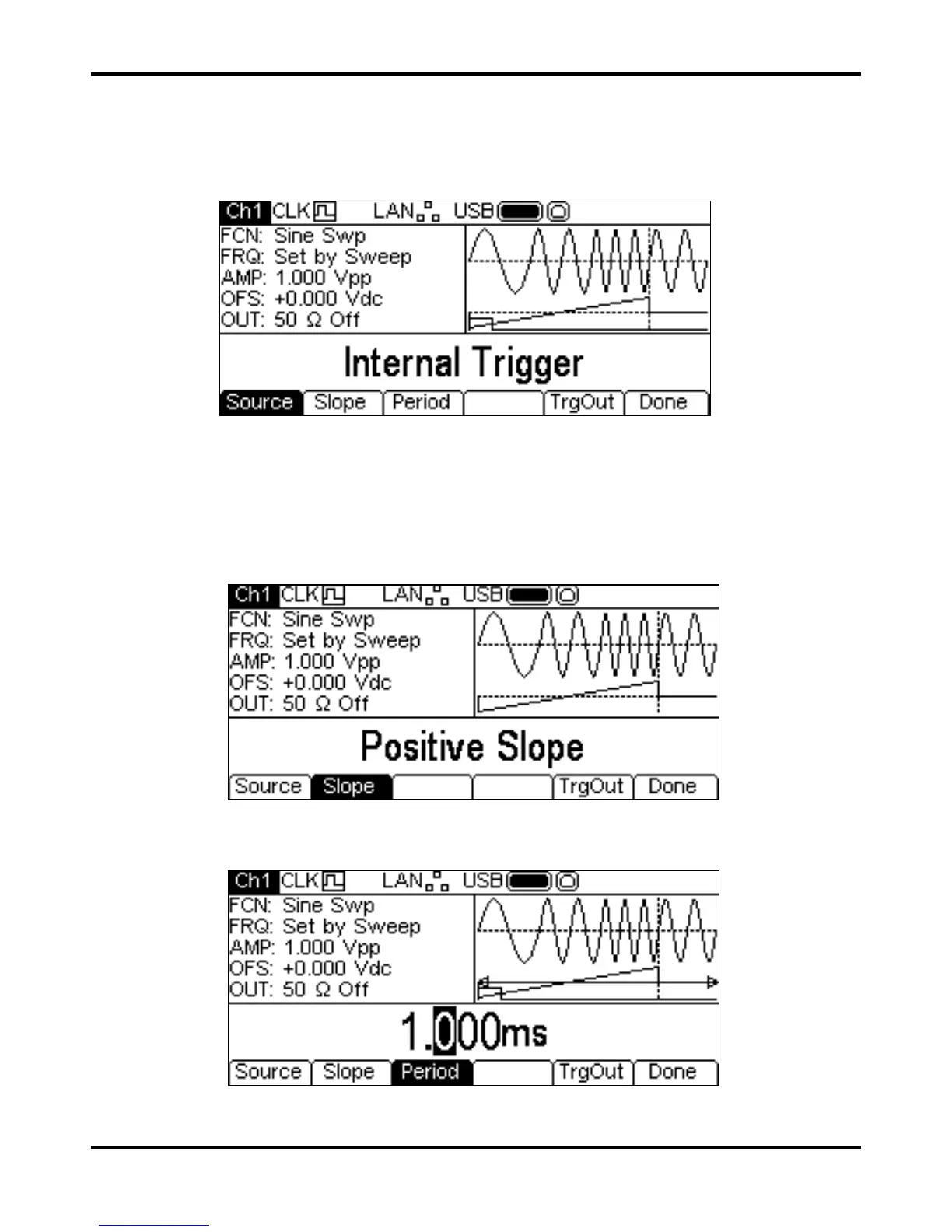
Repeated presses of the
Source key will cycle round the four possible trigger sources:
Internal Trigger (using the internal trigger generator), External Trigger (using the
signal at the TRIG IN connector),
Manual Trigger (from the Trigger key) and Channel 2
Trigger Outout. Internal Trigger also has Slope and Period keys, External Trigger and
Channel 2 Trigger Output have only a
Slope key and Manual Trigger has no additional keys.
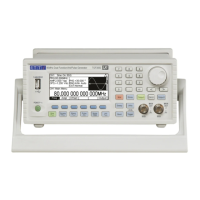
The
Slope key selects between Positive Slope and Negative Slope. The trigger
waveform in the Graph Box changes to show the edge in use.
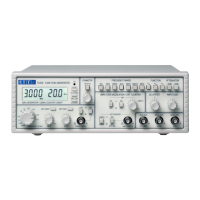
Pressing the
Period soft-key allows the period of the internal trigger generator to be set. The
Edit Box shows the current period and the Graph Box changes to show that the trigger period is
being edited.
The period may be changed in either of the ways detailed in General: Numeric Editing.


 To Next Page