57
Here the Parameters boxes for both channels are presented together on the screen. The
Parameters box of the selected channel is highlighted.
Pressing the
Display soft-key again will then switch to Graph Ch1 – Graph Ch2 which is
similar to the screen above but shows the Graph boxes together.
Pressing the Display soft-key once more will then switch back to Params-Graph again.
Tracking Options
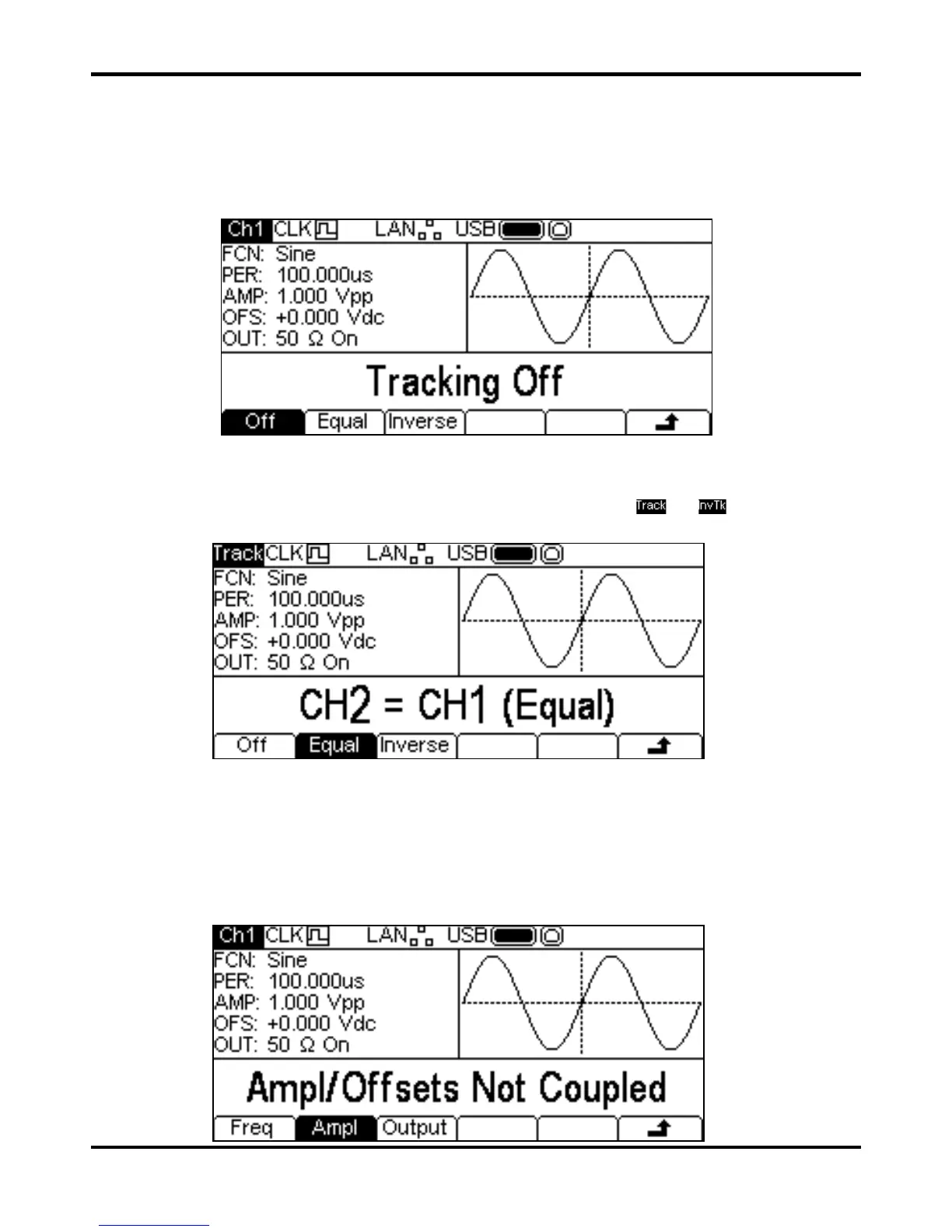
Pressing the Track soft-key shows Tracking menu.
With Tracking Off the two channels behave independently and changes in parameters on one
channel do not affect the other channel.
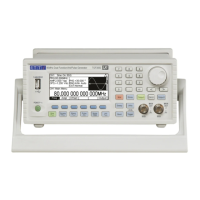
When Tracking is On any parameter change is applied to both channels. It is not possible to switch
between channels with the
Ch1/2 key. While tracking is selected or is shown in place
of the normal Ch1/Ch2 indicator.
The channels can be set to track exactly by pressing the
Equal soft-key, or Channel 2 may be
inverted by pressing the
Inverse soft-key to produce a differential pair of signals.
When either tracking option is enabled the waveforms will remain aligned at a phase of 0°.
To exit tracking mode press the
Off soft-key.
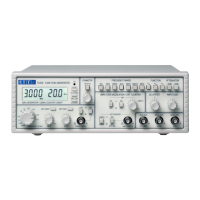
Note that tracking and coupled options are mutually exclusive.
Coupled Operation
Pressing the Couple soft-key shows the Coupling menu.


 To Next Page