64
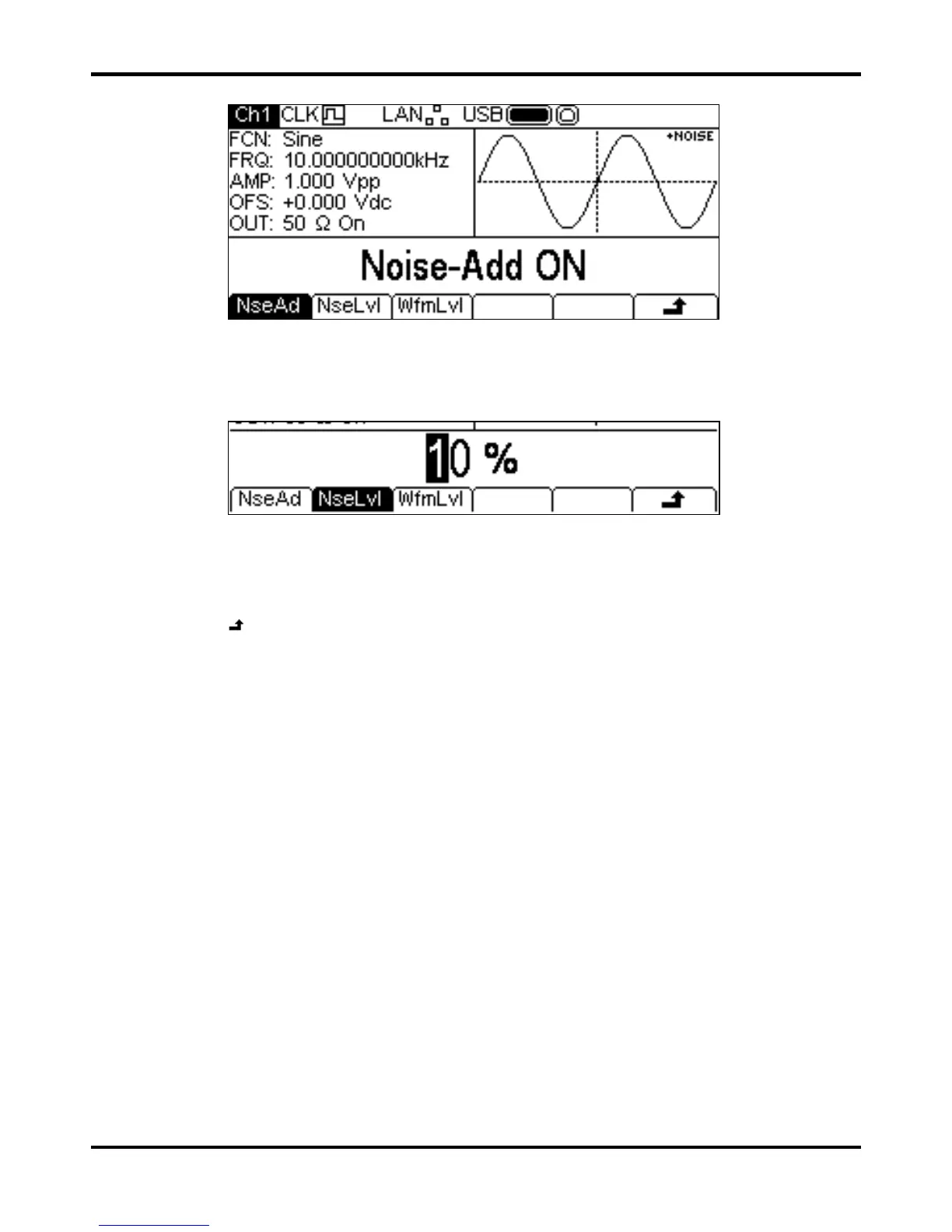
To add noise to the output waveform press the NseAd soft-key to show the Noise Add menu.
Pressing the
NseAd soft-key will alternate between Noise-Add ON and Noise-Add OFF.
With noise added the Graph Box shows
+NOISE in the top right corner and two extra soft-key
labels appear,
NseLvl and WfmLvl.
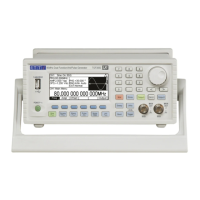
Pressing the
NseLvl soft-key allows the Noise percentage to be set. Pressing the WfmLvl
soft-key allows the Waveform percentage to be set. These parameters may be changed in either of
the ways detailed in General: Numeric Editing. Using the two parameters the ratio may be set
anywhere in the range 50% waveform and 50% noise to 99% waveform and 1% noise.
Press the
soft-key to return to the top level Output Menu.


 To Next Page