21
5 – Data Recall
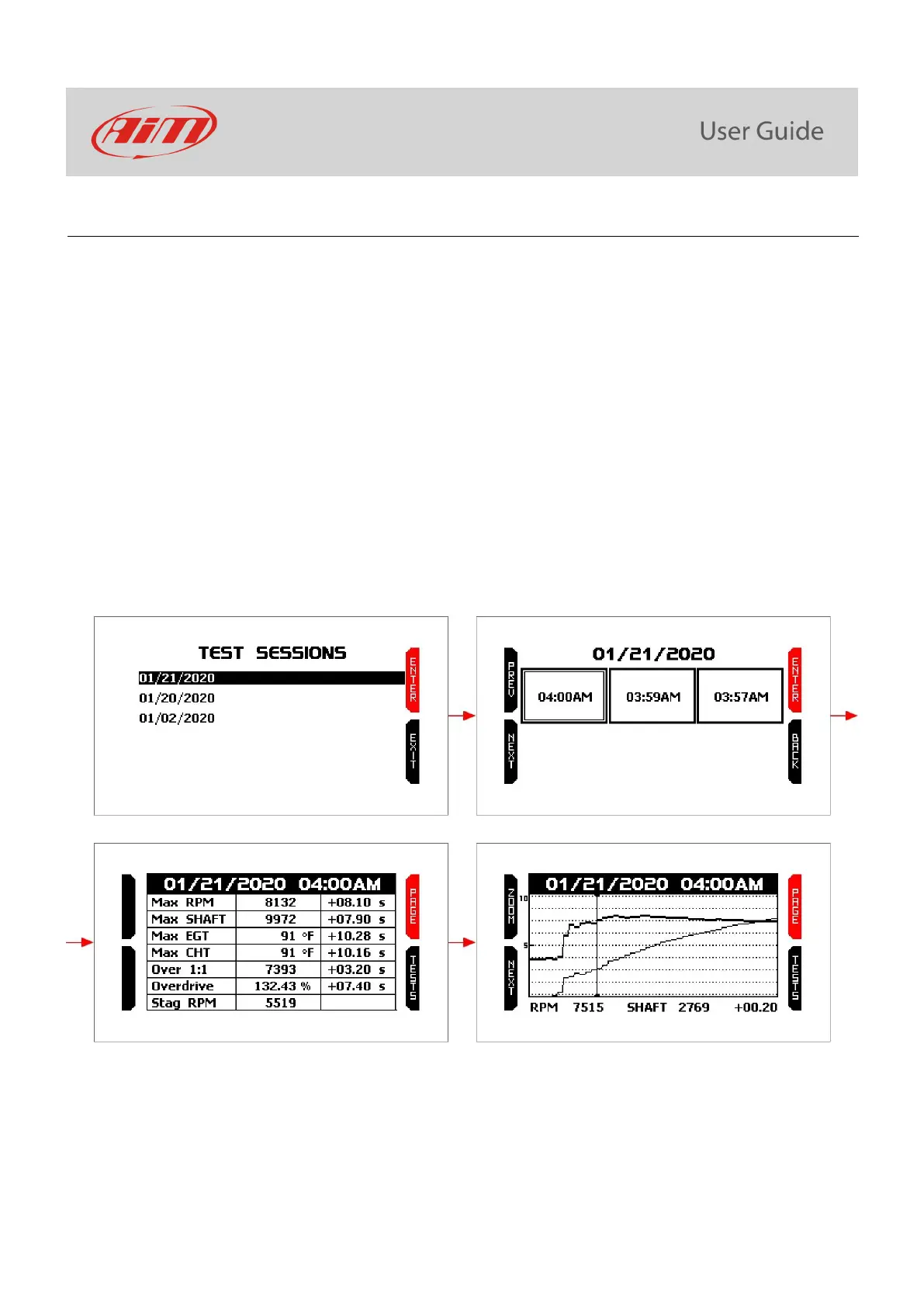
After a test session it is possible to recall sampled data pressing “MEM/OK” button. Data recall is made up of four pages shown
here below:
• Test Sessions (top left):
o press ENTER to enter test summary.
o press “EXIT” to quit data recall.
• Test Summary (top right):
o use “PREV” and “NEXT” button to scroll the tests.
o press “ENTER” to see the values sampled during the selected test.
o press “BACK” to come back to test sessions summary page.
• Selected test values (bottom left):
o press “PAGE” to see the graph of the test.
o press “TESTS” to go back to test summary page.
• Selected test graph (bottom right):
o press “ZOOM” to zoom the graph.
o press “NEXT” to move the cursor.
o press “PAGE” to switch among selected test values and this page.
o press “TESTS” to come back to test summary.



 To Next Page