31
8.2 – Adding MyChron5 660 to an existing network.
This situation is ideal for a team with multiple drivers and staff members and allows the communication among more AiM
devices using the same PC network. Each MyChron5 660 can have its password that adds another security and privacy level to
the network.
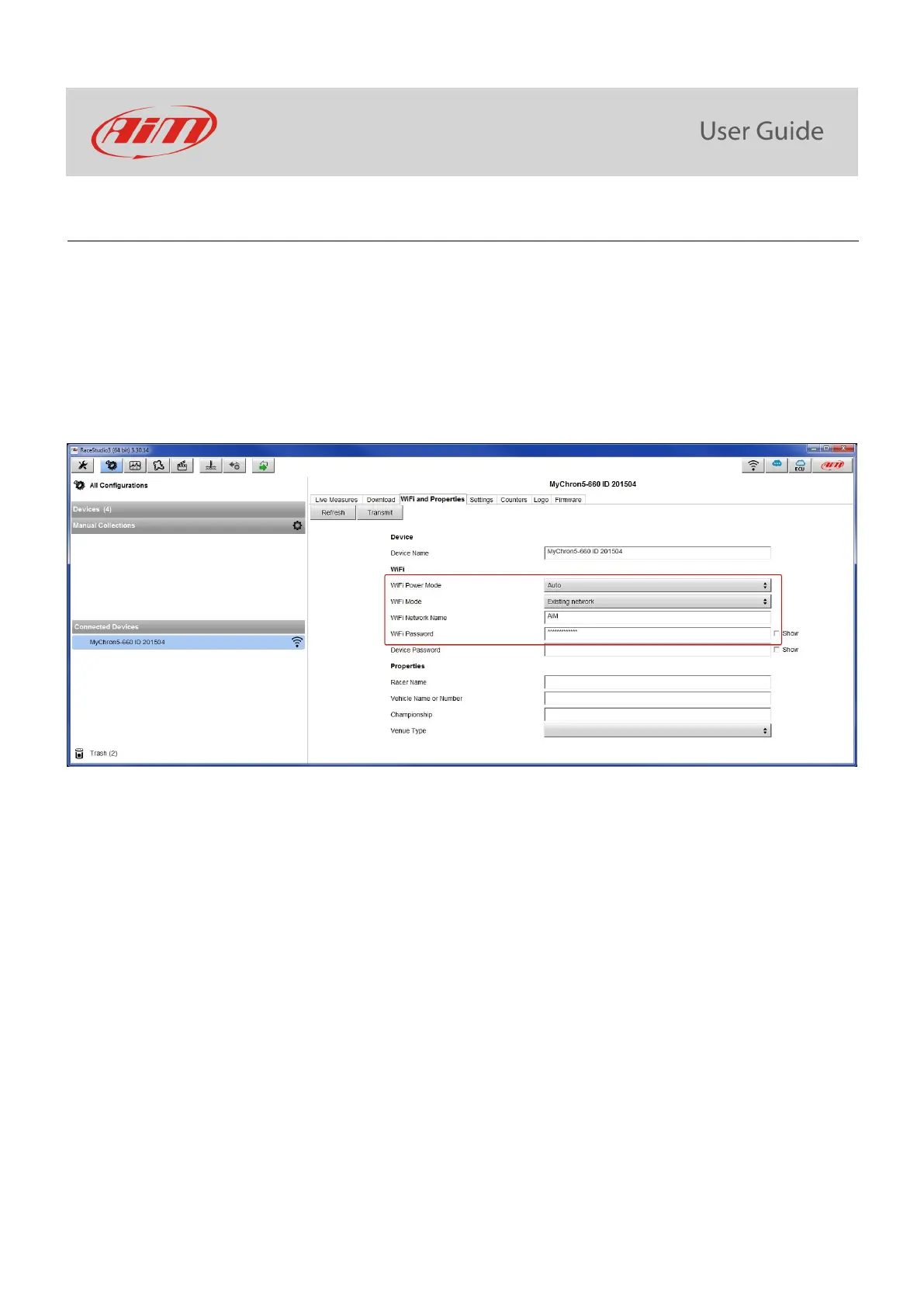
Enter “Wi-Fi and properties” tab and set it on “Existing Network”; fill in network name, network password and device password.
Transmit the network settings to your device clicking “Transmit”: your device reboots and joins that network.
Please note: the only admitted password are those following WPA2-PSK standard.
To complete this procedure use RaceStudio3 software as here explained.
Here above you see a device “MyChron5 660 ID 201504” that is switching from AP to WLAN (“Existing Network”) mode.
Network name is “AiM” and does not work with free access because is protected by a password.



 To Next Page