SOLO CONFIGURATION
You can easily change page by pushing
>>>
or
<<<
.
Also, you can freely configure up to
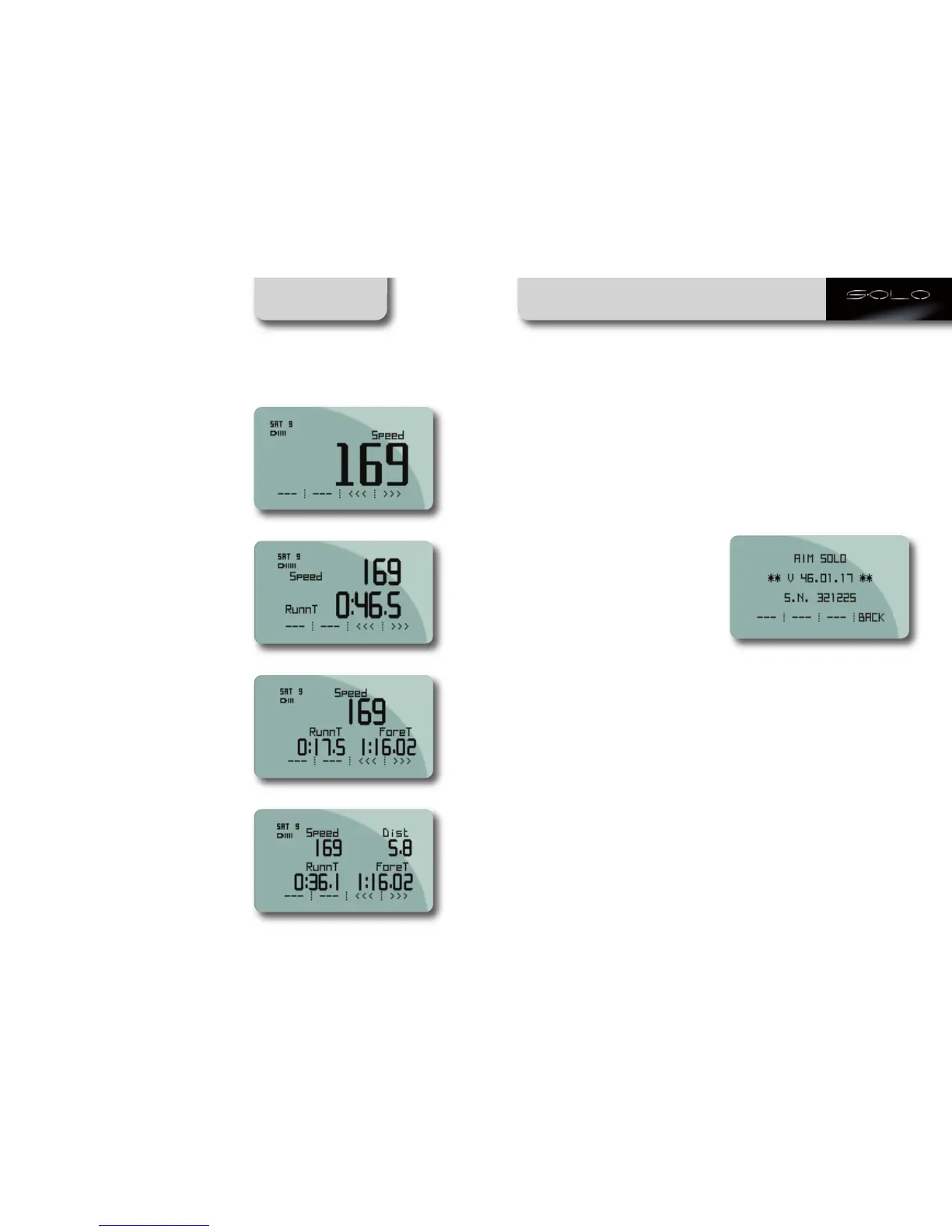
4 Custom Pages, that can show from 1 up
to 4 different information.
Every page can be enabled or disabled, so,
if you need only two pages, disable all the
others and swap between them, pushing
>>>
or
<<<
.
To enable the pages follow this path:
MENU >> Display Setup >> Pages Setup
>> Enable/Disable Pages.
For creating and managing the Custom
Pages:
MENU >> Display Setup >> Pages Setup
>> Custom Pages Setup.
Set how many custom pages to show, how
many fields to show on every page and
configure the page.
Below are shown examples of custom
pages with 1 up to 4 fields.
Units of measure selection
Solo/Solo DL can compute using Decimal
or Imperial units of measure.
To set the units of measure, follow this path:
MENU >> Set Units and select the Unit of
measure required.
Auto power off
Solo automatically powers off after
5 minutes of inactivity
(no movement and no button pressed).
Time zone and time/date format settings
Solo can show the date and time in
different formats enabling or not legal time.
Follow this path MENU >> Set Time/Date
and set:
• Actual Local Time
• Daylight Saving Time: OFF/ON
• Time format: 24h or 12h
• Date format: to be selected among:
DD/MM/YY, MM/DD/YY
or YY/MM/DD.
System information
This page shows logger firmware version
and serial number.
Follow this path:
MENU >> System Information
and this page will appear.
CHAPTER 5
22 23


 To Next Page