EasyManua.ls Logo

Aim Solo 2 - User Manual

Aim Solo 2
28 pages
Print Icon
To Next Page IconTo Next Page
Loading...
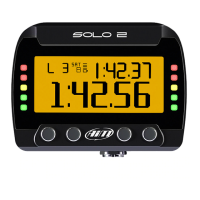
Solo 2 GPS Lap Timer
USER GUIDE
www.aim-sportline.com
Made in Italy
MANUALE SOLO2.qxp_Layout 1 08/02/18 11:42 Pagina 1

Other manuals for Aim Solo 2

Question and Answer IconNeed help?

Do you have a question about the Aim Solo 2 and is the answer not in the manual?

Summary

1. Solo 2 in a few words

2. What is in the kit?

3. Installation, powering and accessories

4. At power ON

5. Configuration menu

5.1 Type of racing

Configuring the device for 'Speed' or 'Performance' racing modes, detailing lap time and performance metric options.

5.2 Track management

Managing tracks using the GPS receiver, including automatic/manual selection and creating new tracks via learning mode.

5.3 Display setup

Customizing the Solo 2 display, including backlight settings (color, brightness) and configuring different data pages.

5.4 Wi-Fi

Managing Wi-Fi connectivity, including setting modes (ON, Auto, OFF) and resetting Wi-Fi configuration.

5.5 System settings

5.5.2 Led Bar

Configuring the 10 lateral LEDs for lap time indication (improving/worsening) and setting the LED value thresholds.

5.5.3 Date Time

Setting the time zone, daylight saving time, and preferred date and time display formats for the device.

5.5.4 Language

Selecting the user interface language for the Solo 2 device from a list of available languages.

5.5.5 System info

Displaying essential system information such as serial number, firmware version, and boot version for the Solo 2.

6. On the track

6.1 Track page

Details the 'Track page' display, showing the selected track and GPS satellite status, accessible via the TRACK button.

6.2 Other pages

7. Data Recall

7.1 Data Recall “Speed” mode

Recalling 'Speed' mode data, including summary pages, test sessions, and detailed lap times with speed values.

7.2 Data Recall Performance mode

Recalling 'Performance' mode data, showing histogram summaries and session details like lap times and speed.

8. Wi-Fi configuration

8.1 Configuring Solo 2 as an access point (AP)

Step-by-step instructions for setting up Solo 2 as an Access Point for direct PC connection, including password setup.

8.2 Adding Solo 2 to an existing network

Connecting Solo 2 to an existing Wi-Fi network for team use, involving network name, passwords, and Race Studio 3 configuration.

8.3 Wi-Fi network settings

Details on configuring WLAN settings, router parameters, DHCP server, and network performance optimization.

8.4 The Internet connectivity

Recommendations on managing internet connectivity on the Wi-Fi network to ensure optimal AiM device performance.

8.5 Connection issues

Troubleshooting common Wi-Fi connection problems, particularly related to device visualization, and solutions like DHCP.

8.6 Working on Mac with virtualized Windows

Instructions for Mac users to run Race Studio 3 by virtualizing Windows, focusing on sharing Wi-Fi as Ethernet.

8.7 Connected device visualization issues

Addressing issues where devices might not appear in Race Studio 3 over Wi-Fi and suggesting router usage for stability.

9. PC connection

10. Track Management

10.1 Creating a track with Solo 2

Detailed guide on how to create new tracks with the Solo 2, covering automatic detection, manual selection, and the learning mode process.

11. Data download

12. Data Analysis

13. New firmware upgrade

14. Technical specification and drawings

Summary

1. Solo 2 in a few words

2. What is in the kit?

3. Installation, powering and accessories

4. At power ON

5. Configuration menu

5.1 Type of racing

Configuring the device for 'Speed' or 'Performance' racing modes, detailing lap time and performance metric options.

5.2 Track management

Managing tracks using the GPS receiver, including automatic/manual selection and creating new tracks via learning mode.

5.3 Display setup

Customizing the Solo 2 display, including backlight settings (color, brightness) and configuring different data pages.

5.4 Wi-Fi

Managing Wi-Fi connectivity, including setting modes (ON, Auto, OFF) and resetting Wi-Fi configuration.

5.5 System settings

5.5.2 Led Bar

Configuring the 10 lateral LEDs for lap time indication (improving/worsening) and setting the LED value thresholds.

5.5.3 Date Time

Setting the time zone, daylight saving time, and preferred date and time display formats for the device.

5.5.4 Language

Selecting the user interface language for the Solo 2 device from a list of available languages.

5.5.5 System info

Displaying essential system information such as serial number, firmware version, and boot version for the Solo 2.

6. On the track

6.1 Track page

Details the 'Track page' display, showing the selected track and GPS satellite status, accessible via the TRACK button.

6.2 Other pages

7. Data Recall

7.1 Data Recall “Speed” mode

Recalling 'Speed' mode data, including summary pages, test sessions, and detailed lap times with speed values.

7.2 Data Recall Performance mode

Recalling 'Performance' mode data, showing histogram summaries and session details like lap times and speed.

8. Wi-Fi configuration

8.1 Configuring Solo 2 as an access point (AP)

Step-by-step instructions for setting up Solo 2 as an Access Point for direct PC connection, including password setup.

8.2 Adding Solo 2 to an existing network

Connecting Solo 2 to an existing Wi-Fi network for team use, involving network name, passwords, and Race Studio 3 configuration.

8.3 Wi-Fi network settings

Details on configuring WLAN settings, router parameters, DHCP server, and network performance optimization.

8.4 The Internet connectivity

Recommendations on managing internet connectivity on the Wi-Fi network to ensure optimal AiM device performance.

8.5 Connection issues

Troubleshooting common Wi-Fi connection problems, particularly related to device visualization, and solutions like DHCP.

8.6 Working on Mac with virtualized Windows

Instructions for Mac users to run Race Studio 3 by virtualizing Windows, focusing on sharing Wi-Fi as Ethernet.

8.7 Connected device visualization issues

Addressing issues where devices might not appear in Race Studio 3 over Wi-Fi and suggesting router usage for stability.

9. PC connection

10. Track Management

10.1 Creating a track with Solo 2

Detailed guide on how to create new tracks with the Solo 2, covering automatic detection, manual selection, and the learning mode process.

11. Data download

12. Data Analysis

13. New firmware upgrade

14. Technical specification and drawings

Aim Solo 2 Specifications

General IconGeneral
Data LoggingYes
Predictive Lap TimingYes
MemoryInternal
GPSYes
ConnectivityUSB
Weight240 g
CompatibilityPC, iOS, Android
TypeLap Timer
GPS Accuracy± 1 m

Related product manuals