CHAPTER 7
26 27
SOLO 2
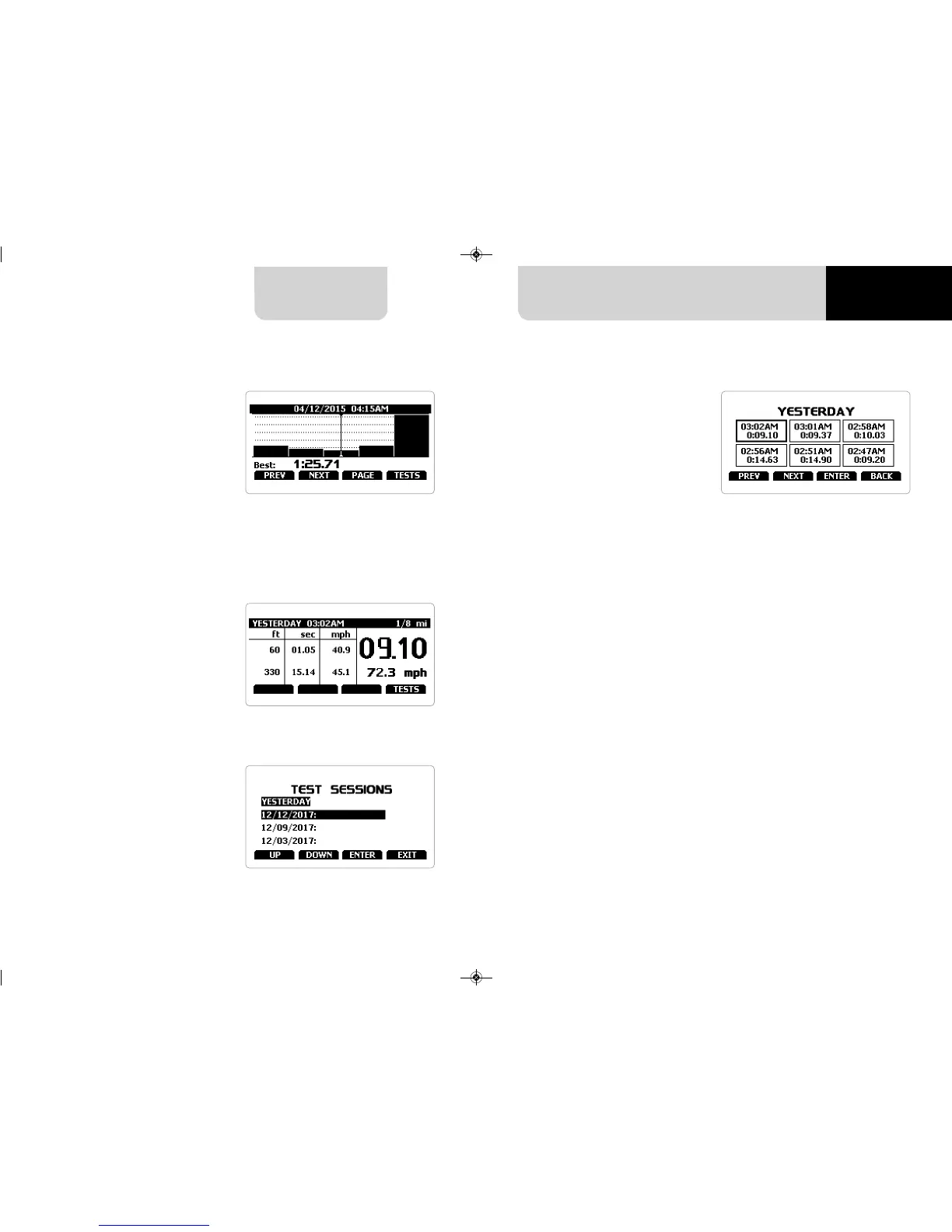
This page is a histogram test summary.
Moving the cursor left and right you
can see all laps.
If you set “Type of Race – Performance”
data recall shows these pages.
If your test is max two hours old you
are automatically forwarded to the
“Test” page. This page shows:
n
the selected performance top right
(1/8 mile in the example)
n
the lap time and the speed in the
right box (9.10 and 72.3 mph)
n
a table showing length, time and
speed at the of the performance and in
a set split on the left
n
press “TESTS”
You come to “Test sessions summary”
page, that is the first one you see if your
last test is more than 2 hours old.
It shows all the sessions from the most
recent backwards.
Select the session you want to see and
press “ENTER”.
7.2 Data Recall “Performance” mode
“Session page” shows you all the laps
of the session from the most recent
backwards.
Press “ENTER” to enter “TEST” page.


 To Next Page