CHAPTER 8
38 39
SOLO 2
8.6 Working on Mac™ with virtualized Windows™
Race Studio 3 only works on Windows
TM
operative systems; Mac users can eventually
use a virtualized Windows
T
M
machine.
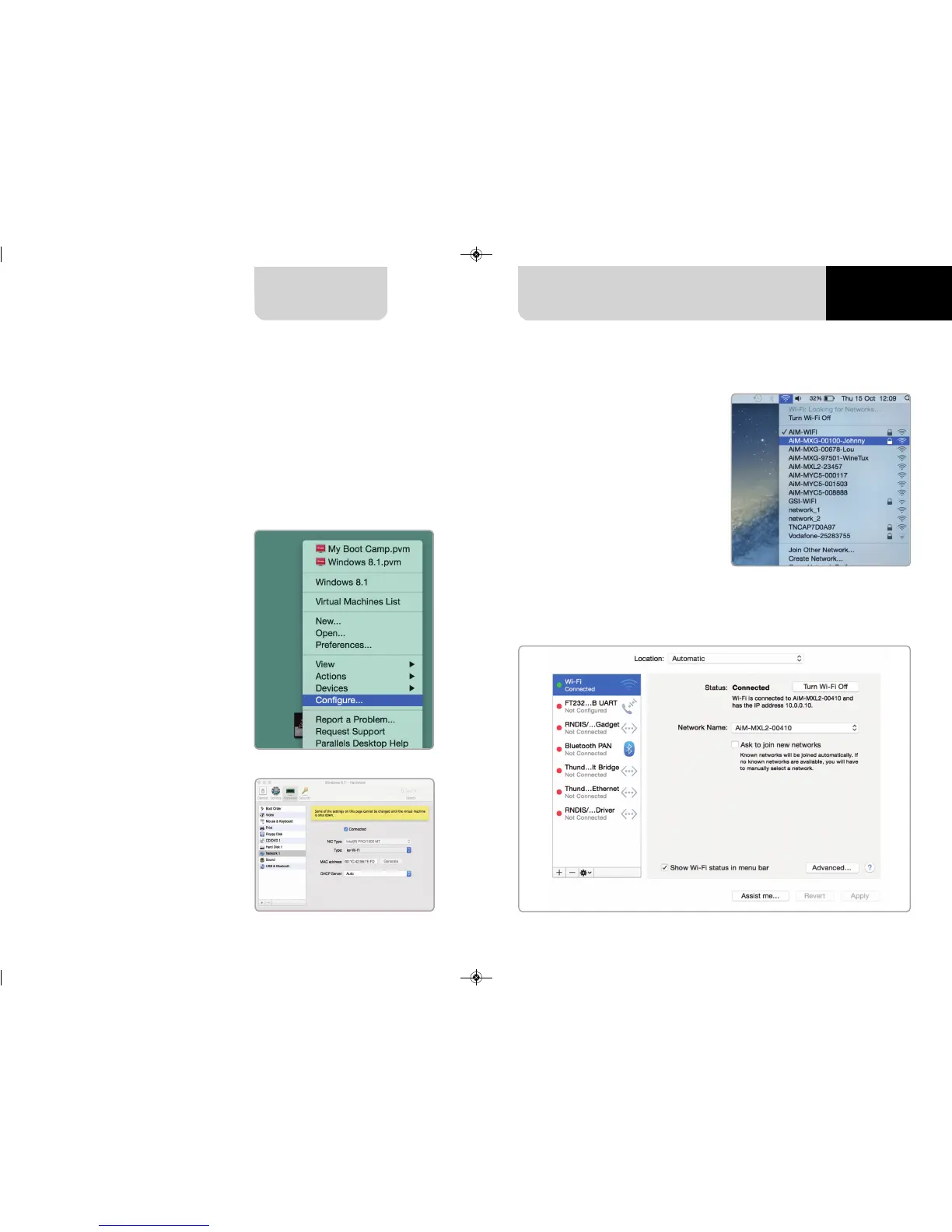
The main problem is that the host OS (Mac) must share its Wi-Fi interface with the
virtualized operative system (Windows) as Ethernet interface and not as Wi-Fi
interface.
Configuring Parallels(™)
Select “Configure… in Parallels “Menu”.
Press “Hardware” – top on the page
that shows up – and select “Network”
in the drop-down menu on the left.
Right on the configuration panel set
"Type" field on “Wi-Fi”.
Then select the device you want to
communicate with.
To ensure that the communication
works select
“Open Network preferences…” menu.
Verify that the status in the window that shows up is “Connected”
and that the IP address associated is, for example, 10.0.0.10 (could be 10.0.0.11,
10.0.0.12, or generically 10.0.0.x).



 To Next Page