CHAPTER 5
20
21
SOLO 2
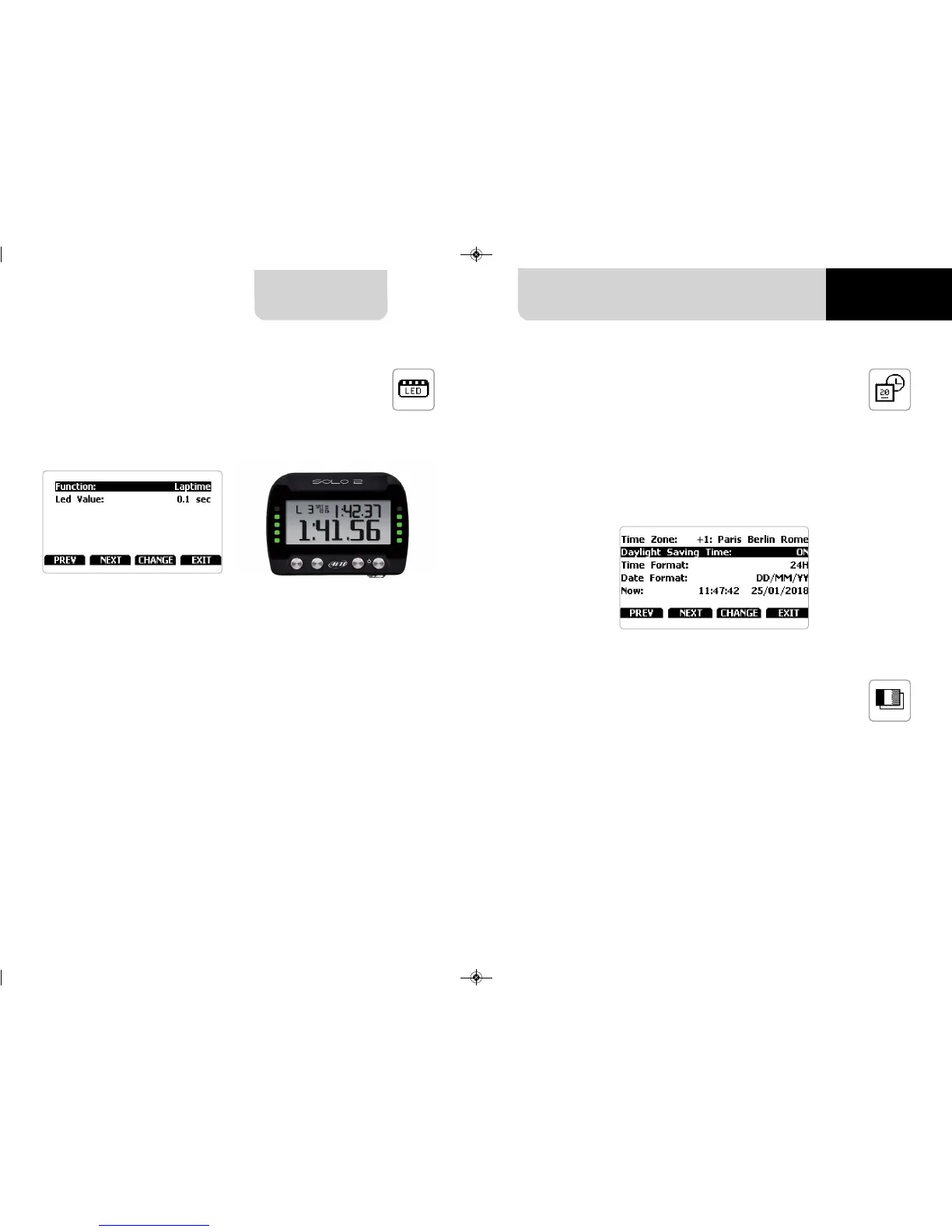
Here you can set the time zone of your Solo 2 as well as enable/disable
“Daylight Saving time” option.
Time zone is always set manually. Date and time can be shown in different format.
Time is automatically synchronized as Solo 2 receives the GPS signal.
You can set Solo 2 language. Default setting is English.
At present available languages are (in this order):
n
English
n
Italian
n
Deutsch
n
Spanish
n
French
n
Dutch
n
Danish
n
Portuguese
n
Japanese
Selecting this icon you enter this page:
n
Laptime
n
OFF
Led Value can be:
n
0.1 sec
n
0.2 sec
n
0.05 sec
Working mode:
Setting Laptime mode the lateral LED
switches on green or red indicating if
your lap time is improving (green) or
getting worse (red).
The LED values indicate the time gap
to be assigned to each LED.
Assuming your lap time is improving
of 0.3 sec toward the reference lap:
n
if you selected 0.1 sec LED Value
your Solo 2 will switch on 3 LEDs
green;
n
if you selected 0.2 sec LED value
the green led will be 1;
n
if you selected 0.05 LED value all
your Solo 2 LED will switch on green.
5.5.2 Led Bar (Type of race: speed only) 5.5.3 Date Time
5.5.4 Language
Here you can set the 10 lateral LEDs of
Solo 2 function and working mode
(value).
Function can be:


 To Next Page