CHAPTER 4
34 35
SOLO 2
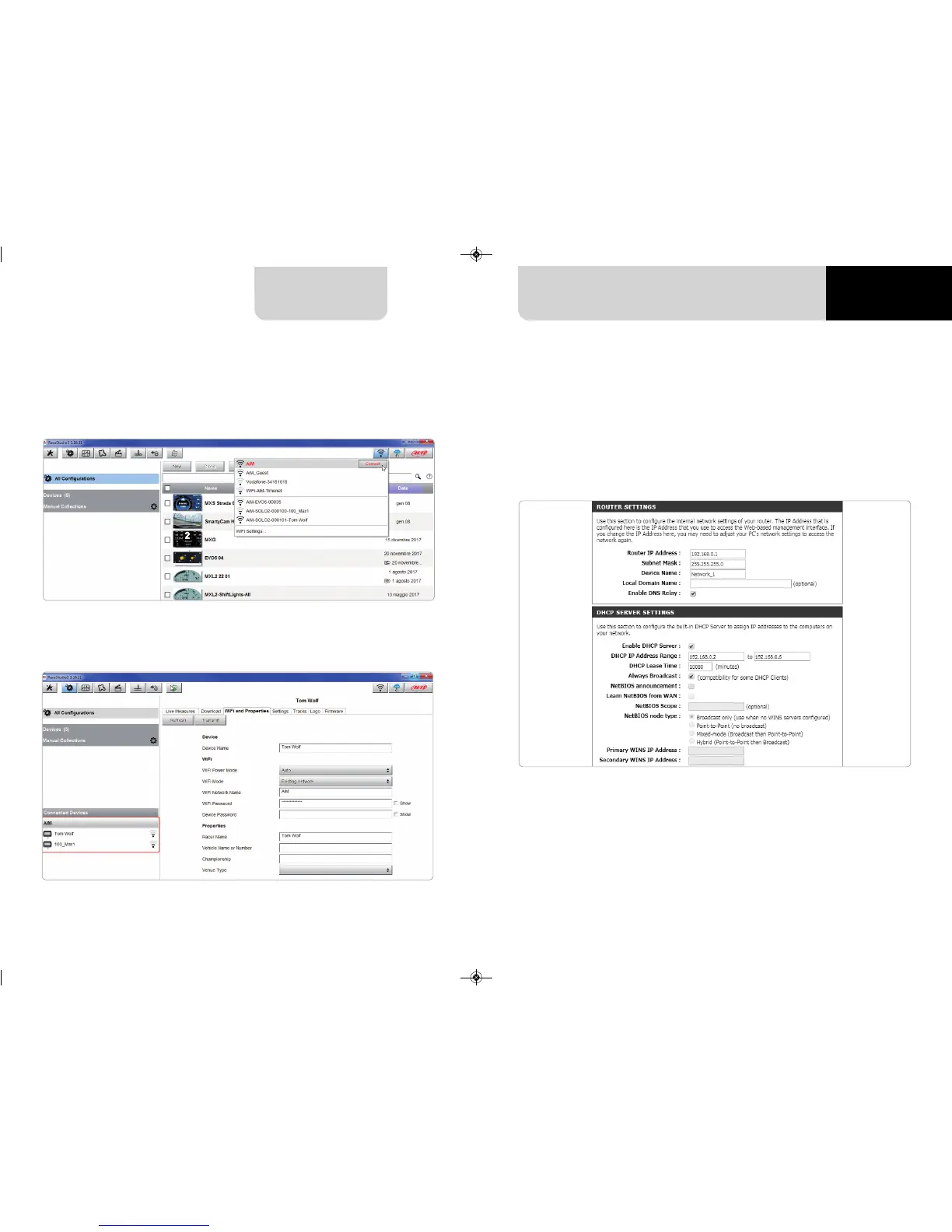
To obtain connectivity on the device the PC has to be authenticated to the same
network as shown here below.
When the PC is authenticated to the network called “AiM” it can see all devices you
configured to access the same network. In the image below two AiM devices are
connected to the same “AiM” WLAN.
In this chapter you find a short description of how to configure a WLAN including
AiM devices and a PC.
Here below is an example of configuration.
For better network performances, we suggest the use of a network device equipped
with a DHCP server and using 3x3 MIMO technology like, for example a Linksys
AS3200.
To maximize the bandwidth, you should not allow the Internet on this WLAN; this
means the DHCP server should be configured without any DNS address nor gateway
by default.
8.3 Wi-Fi network settings


 To Next Page