Some Solo 2 pages are available for online visualization.
To scroll them press “NEXT” (“Type of Race: Speed” only).
Pages can change according to the device configuration.
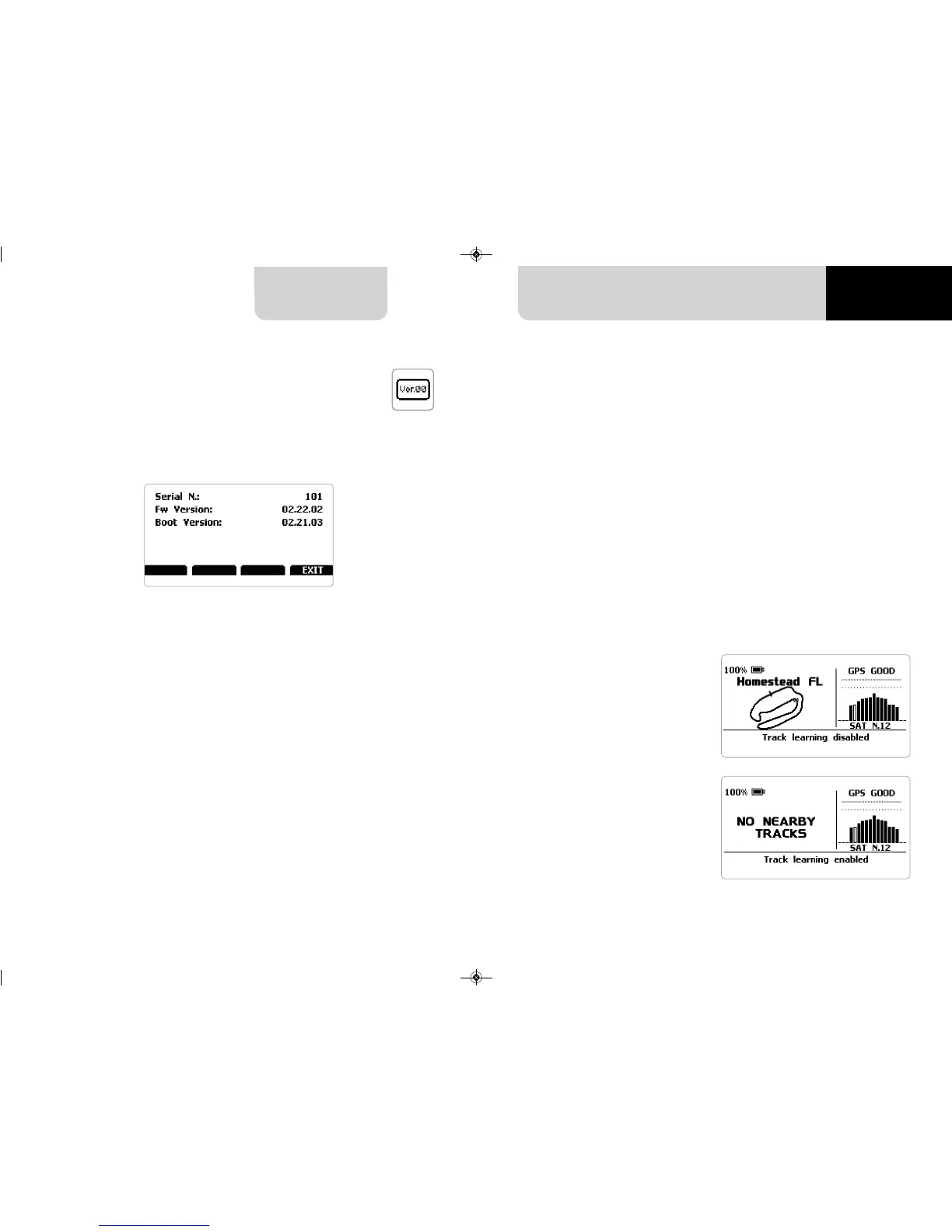
This is the first page that appears when
you switch Solo 2 on and can be
recalled pressing “TRACK” button.
When you start the engine of your car
it goes away automatically. It shows:
n
on the left the selected track; you
can select a new one manually or
automatically
(“MENU”/ Track Management); in case
of “Automatic” selection the track is
selected in dependence of the
coordinates of your vehicle; in case the
track you are running on is not
included in your Solo 2 database the
laptimer switches to “learning mode” as
shown in the bottom image here on
the right
n
on the right the satellite bar (visible
satellites and signal level of each one)
useful for evaluating the status of the
GPS signal.
CHAPTER 5
22 23
SOLO 2
This page shows serial number as well as firmware and boot version of your Solo 2.
6.1 Track page
5.5.5 System info
6. On the track


 To Next Page