CHAPTER 6
24 25
SOLO 2
Other available pages are: Laptime Page, predictive Page and two custom Pages. Use
“NEXT” button to scroll them.
Laptime page is shown no matter which type of race you set your Solo 2 on. It shows
the lap time.
At the end of the test you can recall sampled data pressing “MEM”.
Data Recall is different according to the type of race you set your Solo 2 on.
Predictive page: shows the predicted current lap time in the format you set:
n
+/- in relation to the Reference Lap
n
Predicted lap time
Custom pages you may freely customize up to two pages for showing all the
information you wish. The pages needs to be created and enabled as explained in
Pages setup paragraph.
6.2 Other pages
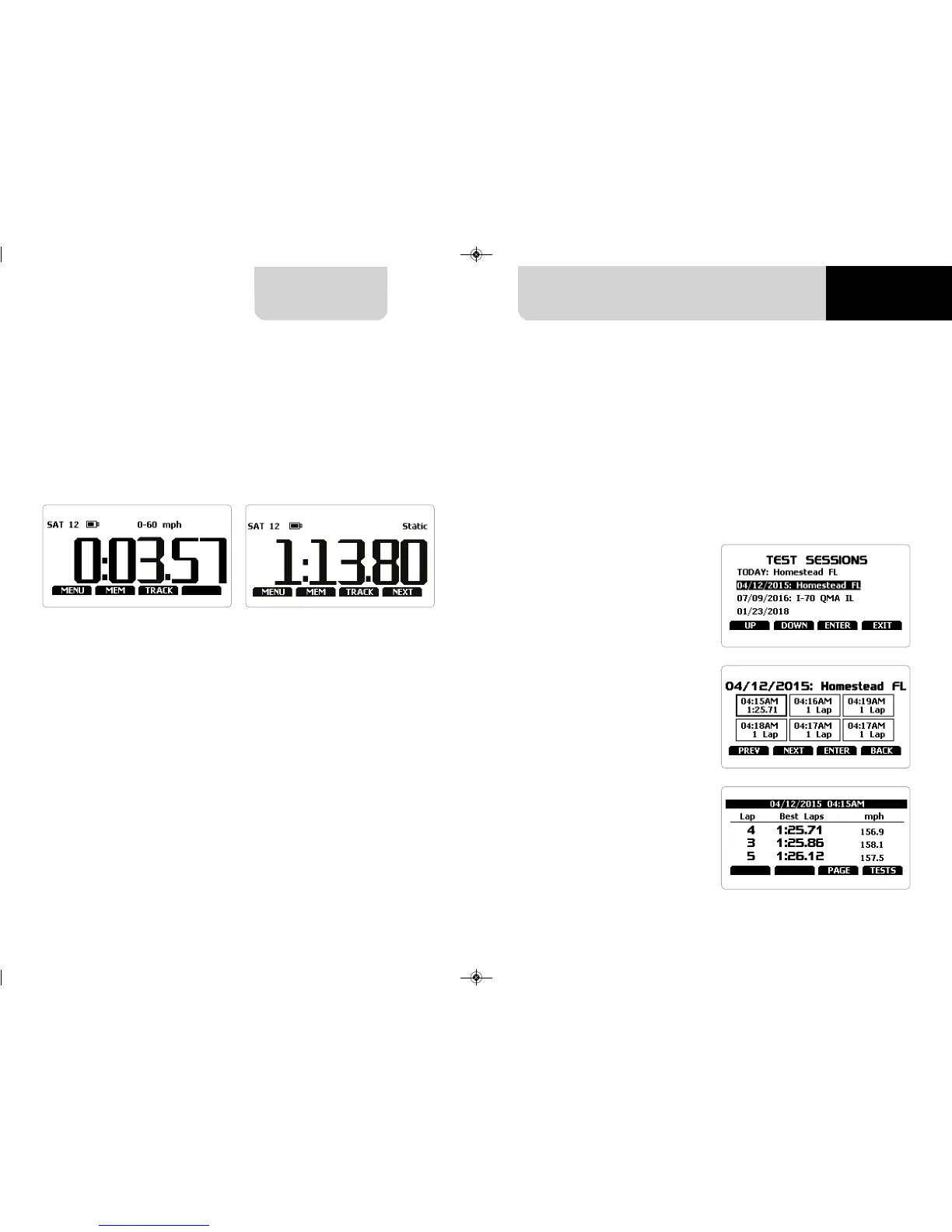
If you set “Type of Race – Speed” data
recall shows these pages.
The first is “Summary page”. Select the
session you want to see and press
“ENTER”
Once the session selected you see all
tests in a box showing time of the test
and best lap of the test.
Select the test you want to see and
press “ENTER”.
Here you see the three best lap of the
test with max speed value per every
lap.Press “PAGE”
7.1 Data Recall “Speed” mode
7. Data Recall


 To Next Page