CHAPTER 10
44 45
SOLO 2
10. Track Management
Solo 2 built in GPS receiver is used for:
n
Lap Time calculation
n
Speed calculation
n
Predictive lap time calculation
n
Position on the track in analysis
To calculate these data the system must know the start/finish line coordinates.
Solo 2 comes with a long list of the world main tracks. The tracks are constantly
updated by our technicians and are automatically loaded on your PC when you run
our software Race Studio 3.
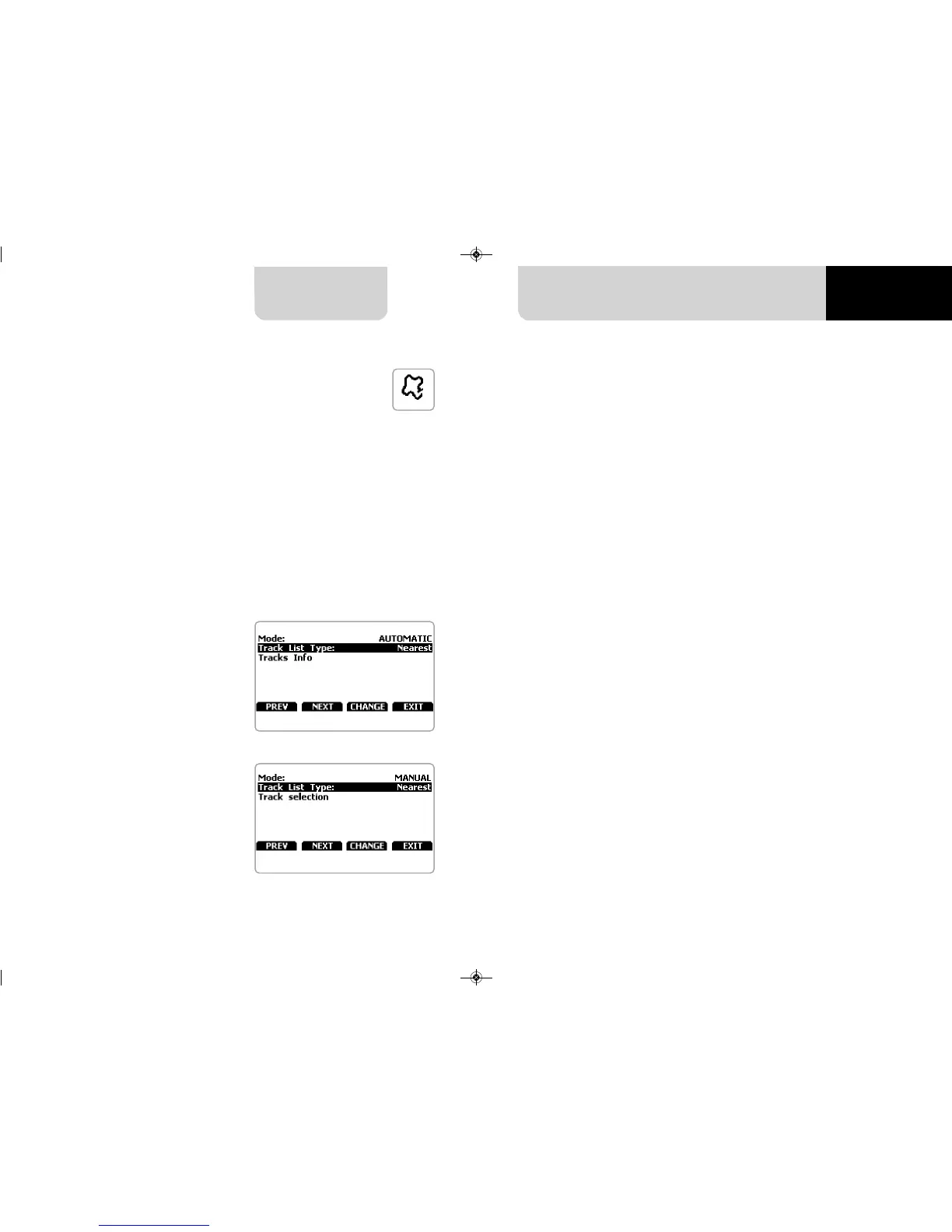
Solo 2 provides two track selection modes: automatic and manual.
Automatic:
Solo 2 automatically recognizes the
track you are running on, loads the
start/finish line and calculates lap times.
This is the best mode in most cases.
Manual:
allows to manually select the track
from the internal database.
This mode is to prefer when multiple
track configurations are available
nearby. In this case Solo 2 would
recognize the track anyway but would
need at least one complete track lap.
To be ready from the first lap manual
mode would be helpful.
You can scroll the list of available tracks
choosing among these options:
n
nearest: shows only tracks in a
10 km distance
n
all: shows all tracks stored in the
system in alphabetical order
n
custom: shows only the tracks
you have previously created (learning
mode)
10.1 Creating a track with Solo 2
If you are running in a track NOT included in Solo 2 database the device switches to
“learning” mode and behave this way:
n
it starts sampling all track points
n
when detects that is crossing the same points for the second time it realizes that
the track is closed and sets a temporary start/finish line showing lap time each time
it crosses that point;
n
at the end of the session the system shows the track map with start/finish line: you
can move start/finish line using Solo 2 buttons
n
you can add this new map to Solo 2 database, modify start/finish line coordinates,
name the track and transmit it to the PC at first PC-Solo 2 connection.
For further information about track management with Race Studio 3 refer to
“Track Manager” user manual you find in download area /software/Race Studio 3/do-
cumentation of www.aim-sportline.com.


 To Next Page