Setting up the AimCam Camera for your personal
line of sight.
The AimCam has been designed to capture your
optimum line of sight for any sport and activity.
5.
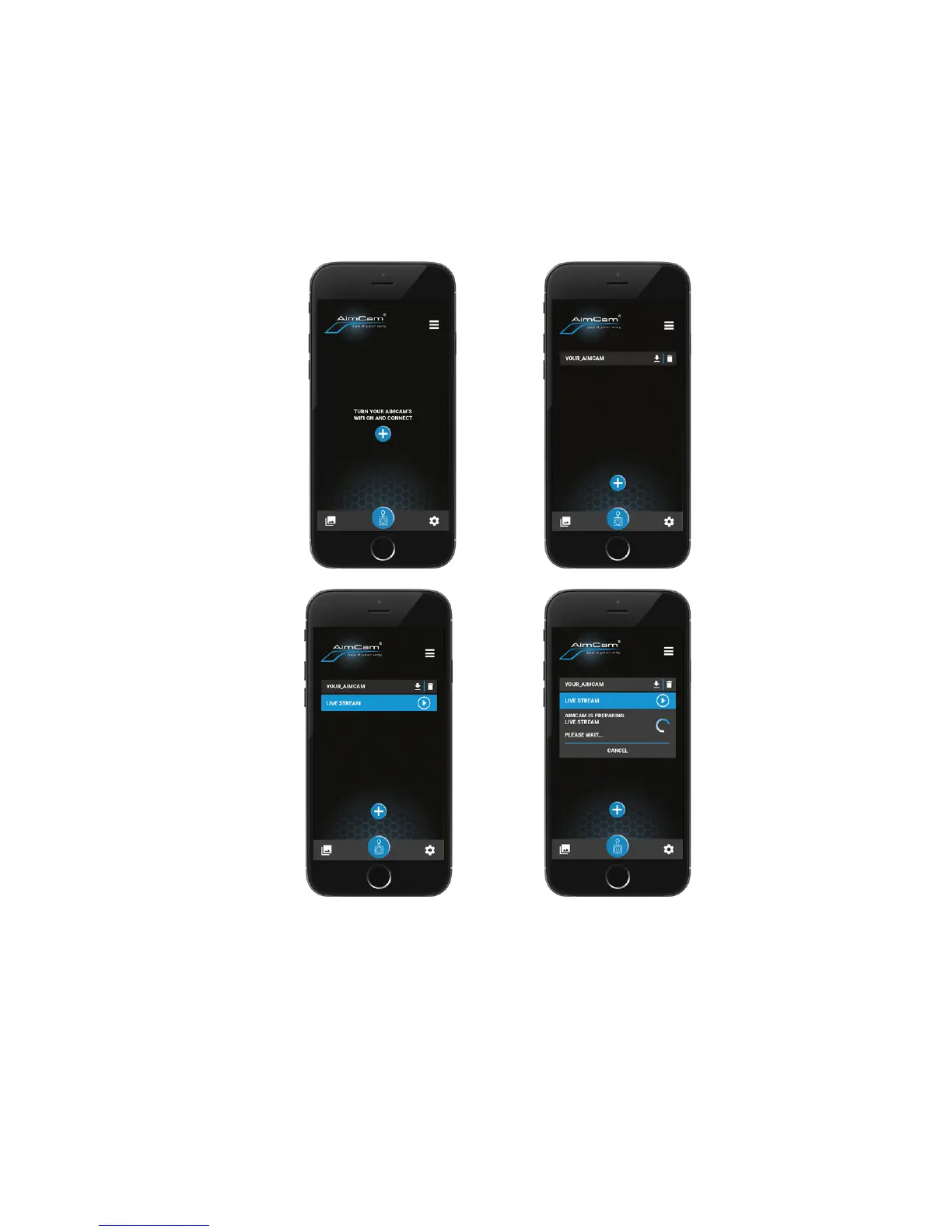
Now your AimCam is connected to your device
via WiFi, open the AimCam APP and connect. For
further instructions please visit www.aimcam.
com/app-instructions
Note: Connecting your AimCam to your WiFi enabled
mobile device is a similar process as connecting to a
home WiFi router.
Note: Due to the power consumption of the WiFi
function it is recommended that once the camera
has been set up and locked in place for your unique
line of sight the WiFi function is turned o.
1B.
3B.
2B.
4B.
9


 To Next Page