EasyManua.ls Logo

Aiphone LEF-3L - User Manual

Aiphone LEF-3L
12 pages
Print Icon
To Next Page IconTo Next Page
Loading...
– 1 – – 1 –
INSTALLATION & OPERATION MANUAL
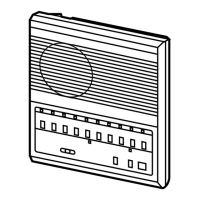
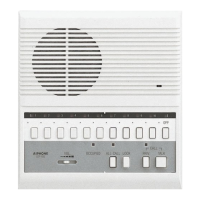
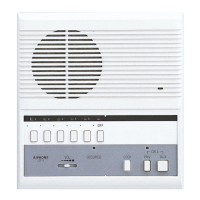
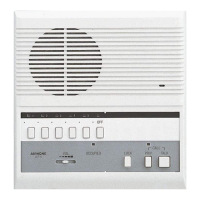
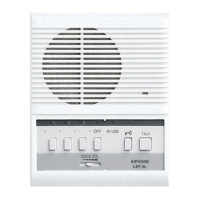
The LEF-3L is a compact, wall or desk mount master station with the ability to selectively release a door or call up a CCTV
camera.
Used with any LE (except LEF-3, 5 and 10) or LS Series (North America only) station. Communication can be established
with each station by selecting the channel on the master station. While the channel is selected, pressing the door release
button (left of TALK button) will release only the associated door. When used for CCTV camera call-up, a relay closure
will be maintained as long as a station is selected. The system can have up to four stations, in any combination of master
stations or door stations (e.g. 2 masters and 2 doors). Master-to-master communication is also a standard feature.
If communication between master stations is not required, multiple LEF-3L's can be used to talk to 3 door stations.
PRECAUTIONS
WARNING
(Negligence could result in death or serious injury.)
1. Do not dismantle or alter the unit. Fire or electric shock could result.
2. Do not connect any non-specified power source to the +, - terminals. Also, do not install two power supplies in
parallel to a single input. Fire or damage to the unit could result.
3. Keep the unit away from water or any other liquid. Fire or damage to the unit could result.
4. When existing chime wires are used, it is possible that they contain AC voltage. Electric shock or unit damage
could result. Ask a qualified technician.
5. Do not use power supply with a voltage other than specified. Fire or electric shock could result
.
6. For power supply, use Aiphone power supply model specified to use with system. If non-specified product is
used, fire or malfunction could result.
CAUTION
(Negligence could result in injury or damage to property.)
1. Before turning on the power, make sure wires are not crossed or shorted. Fire or electric shock could result.
2. When mounting the unit on wall, install the unit in a convenient location, but not where it could be jarred or
bumped. Injury could result.
3. Do not install or make any wire terminations while power supply is plugged in. It can cause electrical shock or
damage to the unit.
4. In case of electrical storms, unplug the unit from AC outlet. If not, fire or electric shock could result.
5. Do not install the unit in any of the following locations. Fire, electric shock, or unit trouble could result.
* Places under direct sunlight, or near heating equipment that varies in temperature.
* Places subject to dust, oil, chemicals, hydrogen sulfide (hot spring).
* Places subject to moisture and humidity extremes, such as bathroom, cellar, greenhouse, etc.
* Places where the temperature is quite low, such as inside a refrigerated area or in front of air-conditioner.
* Places subject to steam or smoke (near heating or cooking surfaces).
* Where noise generating devices such as dimmer switches or invertor electrical appliances are closeby.
* Locations subject to extremely powerful electric fields.
6. Do not install the unit in a location subject to frequent vibration or impact. It may fall or tip over, resulting in
damage to the unit or personal injury.
GENERAL PRECAUTIONS
1. Keep the unit more than 1 m (3.3') away from Radio or TV sets.
2. In areas where broadcasting station antennas are closeby, the intercom system may be affected by radio
frequency interference.
3. The unit will not work during power failure.
4. All units, except for door stations, are designed for indoor use only. Do not use at outdoor locations.
5. Using a mobile phone or professional-use radio equipment such as walkie-talkie close to the system may cause a
malfunction.
LEF-3L
3-Call Master Station with Selective Door Release
Compatible with any LEF Series Door or Sub Station
Prohibited Keep unit away from water
Do not dismantle unit
Be sure to follow the instruction

Other manuals for Aiphone LEF-3L

Questions and Answers

  • Z
    Zachary JamesSep 18, 2025
    What to do if external signaling device doesn't activate on Aiphone Intercom?
    • L
      Lisa JenkinsSep 18, 2025
      If the external signaling device on your Aiphone Intercom System doesn't activate, the RY-AC might be mis-wired. Ensure the WHITE wire of the RY-AC is connected to the # terminal activating the relay, and RED and BLACK are connected to + and —, respectively.
  • M
    Meghan BradleyAug 25, 2025
    What to do if Aiphone LEF-3L Intercom System has no communication to door station?
    • I
      imuellerAug 25, 2025
      If there is no communication to the door station on your Aiphone intercom system, the issue might be with the wiring of the E terminal. Communication occurs between the 1 and E terminals of the door station and the # and E terminals of the master station. If the call-in function works, check the E wire for continuity. Also, check the 1 and E wires at the sub to ensure they are not reversed.
  • L
    Lisa FritzAug 25, 2025
    Why does my Aiphone Intercom System door station not call in?
    • B
      Brian MckeeAug 26, 2025
      If the door station on your Aiphone intercom system does not call in (no call tone or LED light), it could be due to missing jumpers. If there are only 2 wires running to the door station, a jumper must remain attached between E and — at both the door station and the master station. Replace the jumper if it's missing. In a multi-master system, the E / — jumper should be removed, and 3 wires should be connected.
  • D
    Donna TaylorAug 27, 2025
    What to do if Aiphone LEF-3L door station doesn't call in with 3-wire connection?
    • L
      Lauren Neal PhDAug 27, 2025
      If the Aiphone intercom system door station doesn't call in (no call tone or LED light) with a 3-wire connection, and communication works, check the connection between the — terminal of the door station and the master station. Test the call-in at the master station by touching a jumper wire between the # and — terminals of the master. If this rings the tone and lights the light, the — wire from the door station is not connected properly.
  • J
    Jeremiah CrawfordSep 18, 2025
    Why is there no call tone between masters and no privacy feature on my Aiphone LEF-3L Intercom System?
    • M
      Madison BradleySep 18, 2025
      The Aiphone LEF-3L unit lacks the PRIVACY feature and the ability to send a call tone to another master station, unlike the standard LEF-3. This function is intentionally removed to allow the switch to be used for door release instead of privacy.
  • D
    deborahthompsonSep 23, 2025
    Why can't I release the door from the 2nd master on my Aiphone LEF-3L?
    • C
      Courtney HernandezSep 23, 2025
      If you're unable to release the door from the 2nd (additional) masters on your Aiphone Intercom System, the wiring may not be connected properly. If door release works from the first master but not others, verify that selective door release wires are connected between masters (WHT, BRN, RED, ORG). Note that RY-PA's are only needed at one master.
  • H
    Herbert CarrSep 9, 2025
    How to fix AC buzz or noise in a new Aiphone Intercom System?
    • J
      Joseph BrennanSep 9, 2025
      If your new Aiphone Intercom System installation has AC buzz, noise, or hum, it might be too close to an AC source or use incorrect wiring. Try moving the intercom away from AC wiring or dimmer switches. Using shielded cable may also help. If noise persists with shielded wire, tie all shields together and ground them to an earth ground or the power supply's negative terminal. When using multiple jacketed cables between master stations, ensure the #, C, and E terminals are in the same jacketed cable, including an E wire in each cable carrying a station number wire.
  • L
    Lisa LindseySep 10, 2025
    Why is there no communication to the door station on my Aiphone Intercom System?
    • O
      onobleSep 10, 2025
      If there is no communication to the door station on your Aiphone Intercom System, the E terminal might be mis-wired. Communication relies on the connection between the 1 and E terminals of the door station to the # and E terminals of the master station. If call-in works, check the E wire for continuity. At the sub station, verify that the 1 and E wires are not reversed.
  • J
    Jose OlsonSep 3, 2025
    How to resolve feedback in Aiphone LEF-3L when volume is high?
    • W
      wgrahamSep 3, 2025
      Feedback in your Aiphone intercom system when the volume control is turned above halfway can be due to E / — jumpers being attached in a multi-master system. Remove these jumpers on the masters and door stations, provided there are 3 wires to the sub(s). If the sub only has 2 wires in a multi-master system, the jumper must remain in place for the door call-in to work. Running the proper wire to the door station(s) and removing all of the jumpers is the only real alternative.
  • T
    troy77Sep 1, 2025
    What to do if Aiphone LEF-3L Intercom System door station does not call in with a 3-wire connection?
    • S
      Sonya DunnSep 1, 2025
      If the door station of your Aiphone Intercom System does not call in, and you have a 3-wire connection, the issue might be a missing connection of the - terminal. If communication works, verify the connection between the - terminal of the door station and the master station. Test the call-in at the master station by touching a jumper wire between the # and - terminals of the master. If this rings the tone and lights the light, the - wire from the door station is not connected properly.

Summary

Installation and Operation Precautions

Prohibited Actions and Warnings

Details actions to avoid, such as dismantling, and lists critical warnings for safe use.

Cautions for Safe Installation

Highlights cautions related to installation, wiring, and environmental factors to prevent damage or injury.

General Operational Safety

Provides general guidance on safe operation, placement, and use of the intercom system.

Names and Features Overview

Product Features and Capabilities

Summarizes key features like door release, CCTV integration, and system expandability.

Call Tone Adjustment

Explains the 3-position switch for adjusting the call tone volume.

Occupied Mode Call Tone Selector

Describes the function of the selector switch for call tone behavior when the unit is occupied.

System Outline and Components

System Diagram and Components

Presents a system outline diagram and lists individual components for the LEF-3L system.

Terminal Definitions and Wiring Colors

Defines terminal functions and outlines color-coded wires used in the system.

Cabling and Wiring Guidelines

Wiring Distance and Wire Reference

Offers charts for wiring distance limitations and recommended wire gauges.

Installation and Wiring Precautions

Lists precautions for safe and effective installation and wiring practices.

Wiring Methods and Cable Types

Explains recommended wiring methods and cable specifications for the system.

Mounting and Installation

Mounting Methods and Wiring

Details back wiring, surface wiring, and desk-top mounting procedures.

Intercom Location Avoidance

Specifies locations to avoid for optimal intercom performance and safety.

Accessing Unit Internals for Wiring

Provides step-by-step instructions for accessing the unit's internal connections.

Wiring Diagrams and Rules

Sub-to-Master Station Wiring

Shows wiring diagrams for connecting sub or door stations to master stations.

Master-to-Master Communication Wiring

Details wiring configurations for internal communication between master stations.

Master-to-Sub Station Wiring (No Inter-Master)

Presents wiring for master-to-sub communication without master-to-master linkage.

Door Release Relay Wiring

Relay Wiring Diagrams

Shows diagrams for connecting door release relays (RY-PA) for various stations.

Door Release Operation

Describes the procedure for operating the door release function with relays.

External Signaling and CCTV Relay Wiring

Signal and CCTV Relay Diagrams

Illustrates wiring for external signals (bell/horn) and CCTV using relays.

Signal and CCTV Operation

Explains how relays activate for external signaling and CCTV call-up.

Wiring Diagram Applications

Single Master with Multiple Door Stations

Illustrates wiring for a system with one master and three door stations.

Multi-Master System with Signaling

Shows a complex system setup with multiple masters, subs, and signaling devices.

Multi-Master System Wiring Example

Three Masters, One Sub Station

Details the wiring for a system featuring three master stations and one sub station.

Master-to-Sub Wiring (No Inter-Master)

Parallel Method Application

Shows the 'Parallel Method' wiring for master-to-sub communication.

Surge Arrestor Installation

Surge Protection Recommendations

Offers advice on installing surge arrestors for power supplies and communication lines.

System Operations

Making and Receiving Calls

Details procedures for calling stations and receiving calls from sub or master units.

Door Answering and Release

Describes how to answer doors and operate the door release mechanism.

Troubleshooting Common Issues

Call and Communication Failures

Addresses issues with stations not calling, loss of communication, or master-to-master problems.

System Performance and Noise Issues

Solves problems related to feedback, electrical noise, and feature availability.

Door Release and Signaling Problems

Provides solutions for malfunctioning door release and external signaling devices.

Technical Specifications

Device Specifications and Power

Details power source, consumption, communication output, dimensions, and wiring specs.

System Power and Restrictions

Covers system power supply requirements and connection limitations.

Warranty Information

Aiphone Product Warranty Terms

Outlines the terms, conditions, and limitations of the Aiphone product warranty.

Aiphone LEF-3L Specifications

Power IconPower
power source12V DC
communication output (receive)800mW @ 20 ohms
communication output (transmit)500mW @ 20 ohms
Wiring IconWiring
wiring distance with 22AWG650'
wiring distance with 18AWG1, 600'
dimensions (HxWxD)7-1/16" x 5-5/8" x 2-3/16"
Relay Specifications IconRelay Specifications
RY-PA contact rating (AC)1A, 110V
RY-PA contact rating (DC)1A, 24V
use PS-1225ULyes

Related product manuals