Recording a video clip
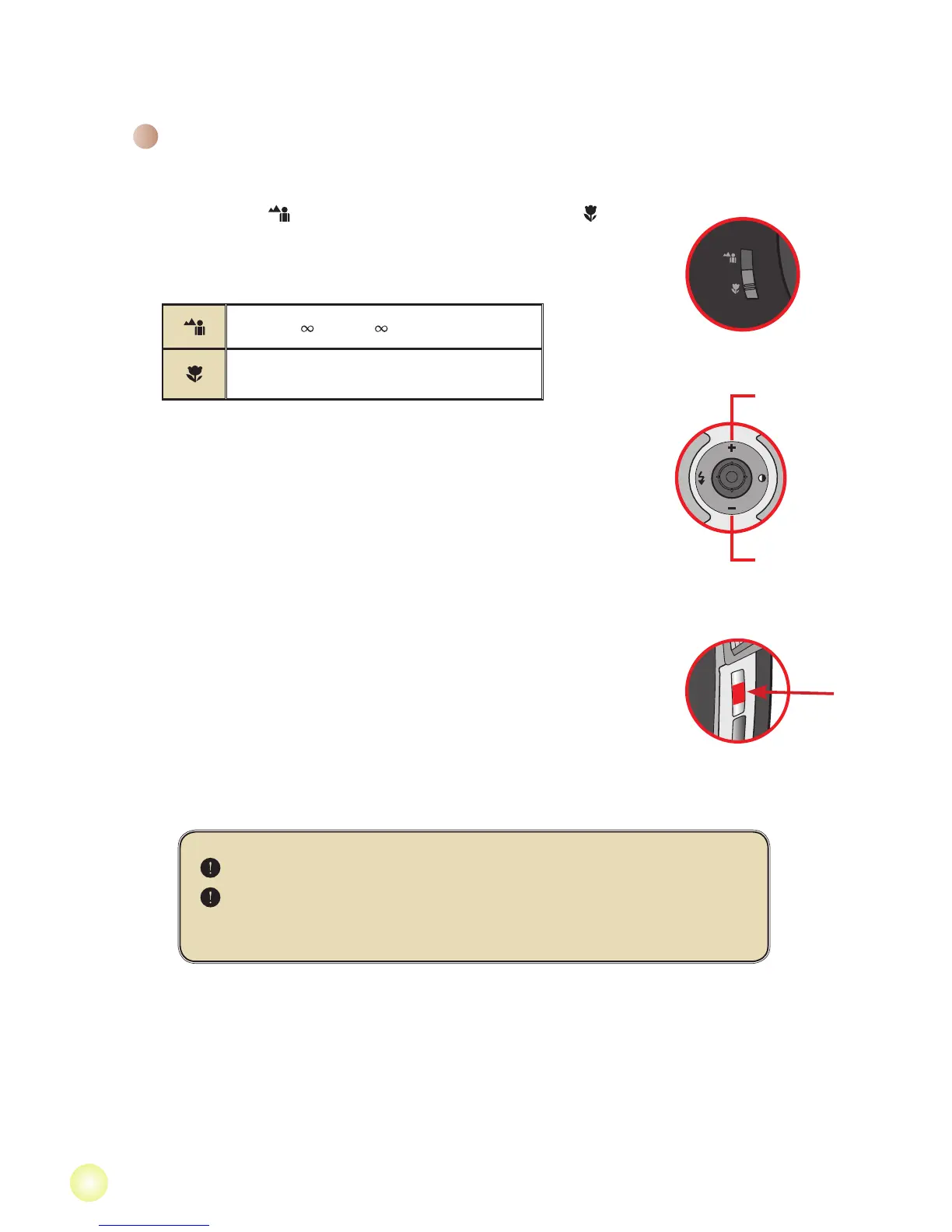
1. Set the focus to an appropriate setting. Normally, you may set
the focus to ( ) for most lming conditions. Select ( ) only
for close-ups.
Note: Please make sure your memory card is inserted
before recording.
50cm ~ (20” ~ )
30cm ~ 50cm (12” ~ 20”)
2. Move the Zoom button up or down to zoom in or zoom out the
screen. The digital magnication is 4X.
3. Press the Record button to start recording.
4. Press the Record button again to stop recording.
The zoom function is also available during recording
It’s normal that the camcorder will feel slightly warm with
continuous use / recording due to its high performance.
Basic Operations
Zoom out
Zoom in



 To Next Page