EasyManua.ls Logo

Air Techniques ScanX Classic - User Manual

Air Techniques ScanX Classic
28 pages
Print Icon
To Next Page IconTo Next Page
Loading...
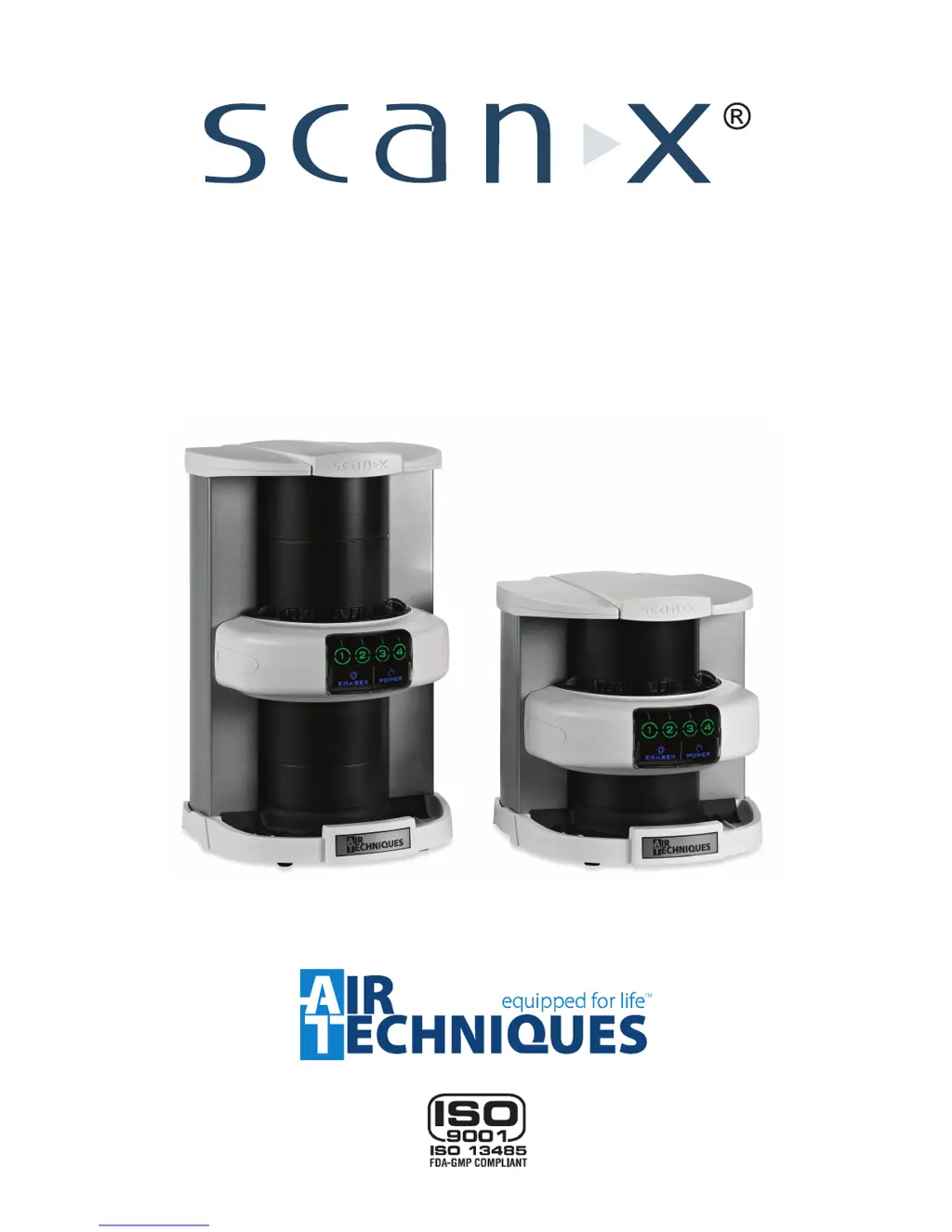
ScanX Classic, ScanX Ortho & ScanX Intraoral
Digital Imaging Systems
Instruction Manual
ScanX Classic, Part No. F3700
ScanX Ortho, Part No. F3750
ScanX Intraoral
Part No. F3600

Questions and Answers

  • M
    mindystevensAug 12, 2025
    How to troubleshoot no power on Air Techniques ScanX Classic Medical Equipment?
    • X
      xpayneAug 12, 2025
      If the power switch is not lit, first, check that both the line cord and power supply are correctly connected. Then, make sure the outlet is grounded and has power. If the issue persists, it may be a defective power supply.
  • C
    carterscottAug 16, 2025
    What to do if imaging software doesn't recognize Air Techniques ScanX Medical Equipment?
    • H
      Hayden WheelerAug 16, 2025
      If the imaging software does not recognize ScanX, ensure that the ScanX is turned on and that the POWER and ERASER Status LED Indicators illuminate blue. Reconnect the computer connection cable, checking for tightness, and replace it if necessary. Verify that the setup program was correctly installed.
  • S
    Sara BrownAug 20, 2025
    Why no image appears after scanning with Air Techniques Medical Equipment?
    • A
      Alexander JohnsonAug 20, 2025
      If no image appears after scanning, quickly re-feed the plate with the printed side out. If a substandard image results, retake the image. Also, ensure the PSPs are fed into the scanner immediately and quickly after removal from the cassette.
  • G
    gordonalvaradoAug 25, 2025
    How to remove ghost images or shadows on Air Techniques Medical Equipment?
    • R
      richardmccormickAug 25, 2025
      To remove ghost images or shadows, make sure ScanX is operating with the eraser turned on (the blue ERASER LED indicator is lit steadily). Ensure the plates are inserted properly into the barrier envelope or cassette with the proper orientation to the X-ray source. Do not store PSPs for more than 24 hours. Also, do not leave exposed PSPs in well-lit areas and transfer PSPs from their protective cassettes or envelope to ScanX within one hour of exposure.
  • M
    Mark RodriguezAug 27, 2025
    What to do if the plate does not scan properly in Air Techniques Medical Equipment?
    • P
      Phillip AdamsAug 27, 2025
      If the plate does not scan properly, check the plate edges and fully feed the PSP into the ScanX.
  • R
    Ryan CarpenterAug 31, 2025
    Why does the image appear skewed on the monitor using Air Techniques ScanX Classic Medical Equipment?
    • B
      Bryce BeckerAug 31, 2025
      If the image appears skewed on the monitor, when inserting the PSP into the feed slot, be sure to 'feel' for resistance of the light seal brush, align the PSP, and then push down uniformly on the top edge of the PSP.
  • T
    Thomas TaylorSep 4, 2025
    How to fix artifacts or white or black lines on Air Techniques ScanX Classic Medical Equipment images?
    • M
      michele89Sep 4, 2025
      If the image shows artifacts or white or black lines, clean the PSP with PSP wipes (P/N B8910). Also, clean the transport path using a ScanX Cleaning Sheet (P/N B2010, B2020, B3010 or B3020).
  • T
    Terry RodriguezSep 7, 2025
    How to lighten an image that is too dark on Air Techniques ScanX Classic?
    • D
      Diana NielsenSep 7, 2025
      If the image is too dark, use the software to adjust brightness. If this is not possible, retake the image with proper (lower) exposure and a newly erased PSP.

Summary

General Safety

Warnings and Cautions Definitions

Defines WARNING, CAUTION, and DANGER terms used in safety statements.

Unpacking and Inspection

Important Information

Correct Usage Guidelines

Outlines proper operational procedures and adherence to manual instructions.

Incorrect Usage Definitions

Defines incorrect usage and liability for damages.

Computer System Requirements

Required Components

Details minimum hardware and software needed to operate the ScanX.

System Setup

Controls and Indicators

Plate Care and Preparation

Intraoral Imaging Procedure

Activate Scanner

Steps to activate the ScanX scanner and prepare it for image acquisition.

Scanning and Erasing Intraoral Plates

Describes the process of scanning and erasing intraoral PSPs in one operation.

Extraoral Imaging Procedure

Scanning and Erasing Extraoral Plates

Details the procedure for scanning and erasing extraoral PSPs.

Plate Erasing Options

Maintenance

Troubleshooting

Air Techniques ScanX Classic Specifications

General IconGeneral
BrandAir Techniques
ModelScanX Classic
CategoryMedical Equipment
LanguageEnglish

Related product manuals