EasyManua.ls Logo

Aircare 4DTS 900 - User Manual

Aircare 4DTS 900
36 pages
Print Icon
To Next Page IconTo Next Page
Loading...
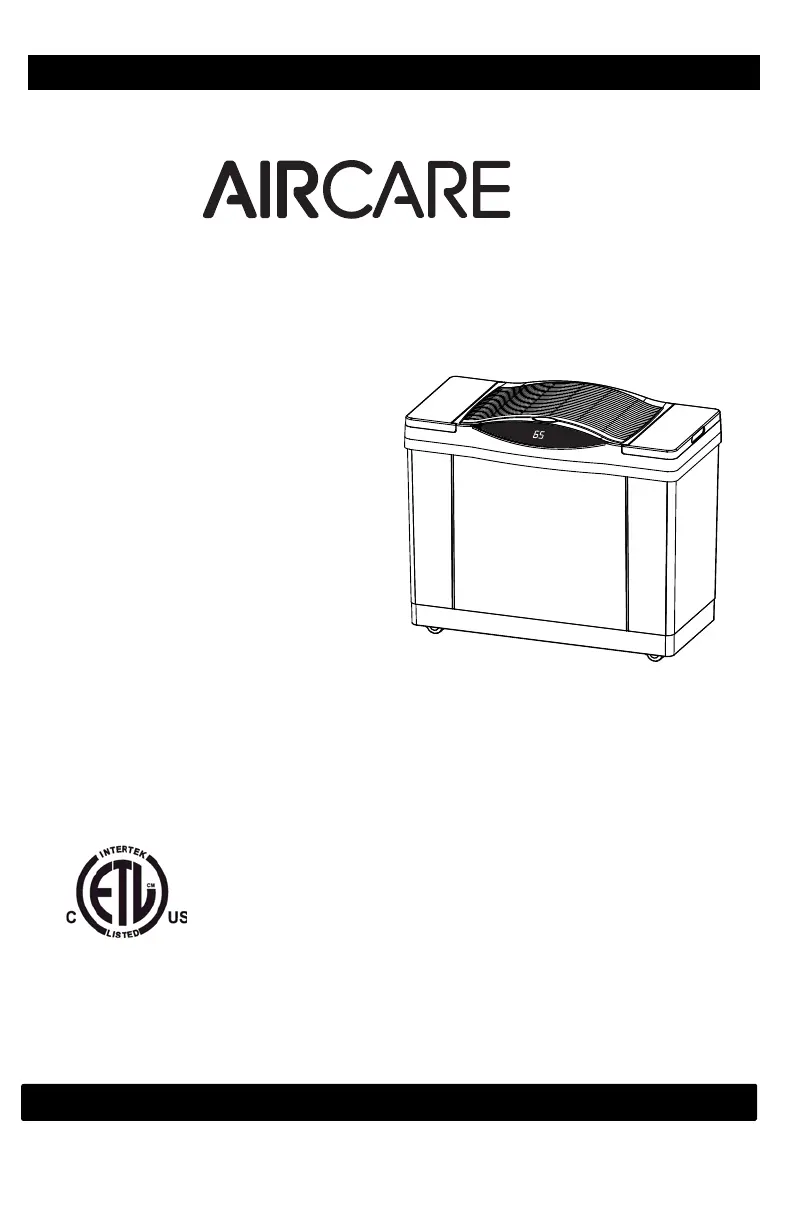
CONSOLE
EVAPORATIVE
HUMIDIFIER
4DTSSERIES
USEANDCAREGUIDE
AdjustableHumidistat
VariableSpeedFan
TouchScreenControls
TOORDERPARTSANDACCESSORIESCALL 1.800.547.3888
1B72896 11/2014 Printed in China
READ AND SAVE THESE INSTRUCTIONS
COMFORT IS IN THE AIR
®
Français ………….13
Español ………..…25
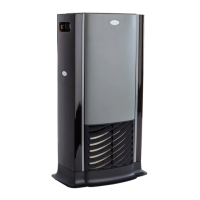
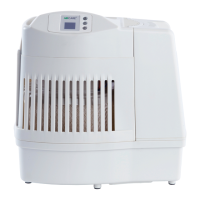
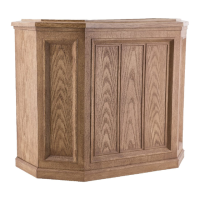
4DTS 900
;
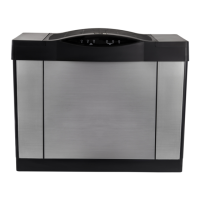
4DTS 300

Questions and Answers

  • W
    wmartinezAug 17, 2025
    What to do if my Aircare 4DTS 900 is showing alternating “CF” and room humidity?
    • J
      Joshua JohnsonAug 17, 2025
      If your Aircare Humidifier is displaying an alternating “CF” and room humidity message, the wick may be dirty, so replace it if needed. You can also try unplugging the unit for 30 seconds and then plugging it back in to clear the display.
  • D
    David DennisAug 20, 2025
    What to do if the Aircare 4DTS 900 refill display “F” is on before bottles are empty?
    • J
      Jennifer HicksAug 20, 2025
      If the refill display “F” is on before the bottles are empty on your Aircare Humidifier, it could be because the unit is not set up on a level surface. Position the unit on a level surface. Note that some carpet padding may allow the unit to sit lower in the front than the rear with the additional weight of water bottles in the front of the cabinet.
  • D
    delacruzkelliAug 22, 2025
    What to do if the Aircare 4DTS 900 is showing alternating “F” and room humidity?
    • M
      Michael TuckerAug 22, 2025
      If your Aircare Humidifier is displaying an alternating “F” and room humidity, the reservoir is empty. Fill the humidifier with water.
  • J
    Julie BullockAug 26, 2025
    What to do if the Aircare 4DTS 900 Humidifier fan is running continuously?
    • A
      Anne BurgessAug 26, 2025
      If the Aircare Humidifier fan is running continuously, it could be due to several reasons: * The float might be obstructed, in which case you should free the float from the obstruction. * The SET humidity level might be at 65%. A setting of 65% will cause the fan to run continuously, so adjust the SET level to between 25% and 60%. * The ROOM humidity level may not have reached 1% or more above the SET humidity level. Allow the humidifier to run until the desired humidity level is achieved, which may take up to 48 hours initially.
  • B
    Brandy BishopAug 28, 2025
    Why is my Aircare Humidifier digital display not illuminated?
    • L
      Laura MathewsAug 28, 2025
      If the digital display on your Aircare Humidifier is not illuminated, it could be due to the following reasons: * **No Power:** Check the 120-volt power source to ensure the unit is receiving power. * **Power Button:** Make sure the power button has been pressed to turn the unit on. * **Nighttime Button:** If the nighttime button has been pressed, press any button on the control panel to illuminate the display.
  • R
    Robert GreenAug 30, 2025
    What to do if Aircare 4DTS 900 bottles continue to empty after complete filling?
    • R
      Ryan ReedAug 30, 2025
      If the bottles of your Aircare Humidifier continue to empty after being completely filled, it may be because air is entering the water bottle. Check the valve assembly caps to ensure they are tight. Also, check the water bottles for leaks.
  • E
    Evan GomezSep 2, 2025
    Why is my Aircare 4DTS 900 Humidifier fan not operating even though the digital display is illuminated?
    • J
      John CarlsonSep 2, 2025
      If the fan on your Aircare Humidifier is not operating but the digital display is illuminated, it could be because the room humidity level is not 3% or more below the set humidity level. If desired, raise the SET humidity level. It could also be that the bottles are empty, so fill the humidifier with water.
  • B
    Brooke CampbellSep 5, 2025
    What causes poor evaporation of water in my Aircare 4DTS 900 Humidifier?
    • B
      Brittany SmithSep 5, 2025
      Poor evaporation of water in your Aircare Humidifier can be caused by a flashing CHECK FILTER (CF) message, indicating that you should change to a fresh new wick. Also, mineral buildup on the filter (wick) can cause poor evaporation. Unplug the unit for 1-2 minutes to reset the CF function.
  • A
    Ashlee HooverSep 7, 2025
    What to do if neither bottle of my Aircare Humidifier is emptying?
    • C
      Crystal AustinSep 7, 2025
      If neither bottle is emptying in your Aircare Humidifier, ensure the unit is placed on a level surface. Also, check the orientation of the bottles and reposition them so that the bottle cap plunger (stem) is depressed by the post in the bottom of the cabinet. Finally, dirty wicks can prevent emptying, so change to a fresh new wick.
  • B
    Brian WrightSep 12, 2025
    Why is the left bottle of my Aircare 4DTS 900 Humidifier not emptying?
    • B
      brightandreaSep 12, 2025
      The humidifier is designed so that the right bottle empties first. Ensure the unit is level.

Summary

Important Safeguards

General Safety Instructions

Essential safety precautions and warnings to prevent injury or damage during humidifier operation.

Introduction

How Your Humidifier Works

Explains the evaporative process and component functions of the humidifier for optimal performance.

Assembly and Setup

Unpacking and Initial Setup

Steps for unpacking the humidifier and identifying all included components.

Casters Installation

Instructions for attaching the caster wheels to the humidifier base.

Evaporative Wick Installation

Guidance on correctly installing the evaporative wick into the unit.

Operation and Maintenance

Air Cleaning Filter and Float Installation

Steps for installing the air filter and float support.

Humidifier Placement and Filling

Recommendations for optimal placement and detailed instructions on filling.

Humidity and Controls

Bacteriostat Use and Humidity Levels

Guidance on bacteriostat and recommended indoor humidity settings.

Controls and Operation Overview

Explanation of the digital touch screen, fan speed, and humidity controls.

Advanced Features and Care

Nighttime Setting and Air Filter

Using the nighttime setting and details on the optional air filter.

Scale Removal and Disinfection

Procedures for removing mineral scale and disinfecting the humidifier.

Troubleshooting and Storage

Summer Storage Instructions

Steps for cleaning and storing the humidifier during off-season.

Display and Fan Operation Issues

Resolving problems with the digital display and fan operation.

Water Evaporation and Bottle Issues

Addressing problems related to water evaporation and bottle emptying.

Indicator Messages and Troubleshooting

Understanding 'F', 'CF' messages, and other operational indicators.

Replacement Parts

Warranty Policy

Aircare 4DTS 900 Specifications

General IconGeneral
BrandAircare
Model4DTS 900
CategoryHumidifier
LanguageEnglish

Related product manuals