
 Need help?
Do you have a question about the Aircare 5D6700 and is the answer not in the manual?
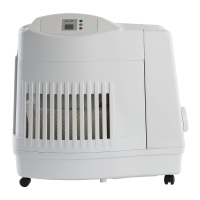
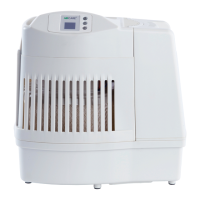
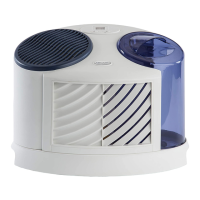
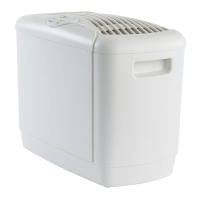
The AIRCARE Mini-Console is an evaporative humidifier designed to improve the humidity levels in your home. It operates by drawing air through saturated wicks, which then release moisture into the air, providing a comfortable and healthier indoor environment. This humidifier is suitable for use in various rooms and can be positioned to optimize humidity circulation.
The Mini-Console features a fan assembly that draws dry air into the unit. This air passes through two 1040 Super Wicks, which are continuously saturated with water from the cabinet. As the air moves through the moist wicks, it picks up water vapor and is then released back into the room as humidified air. The unit offers four fan speeds, ranging from F1 (lowest) to F4 (highest), allowing you to adjust the output based on your needs. An F0 display indicates standby mode. The humidifier also includes a humidistat, located on the power cord, which accurately reads the current humidity level in your home. You can set your desired humidity level between 25% and 65%. Once the set humidity level is reached, the fan will automatically turn off to prevent over-humidification. If the humidity level drops, the unit will resume operation. Setting the humidity to 65% will allow the unit to run continuously. The Mini-Console has a water capacity of 3 gallons, ensuring extended operation between refills. An optional AIRCARE 1050 Air Filter can be used with the 5D6700 models for additional air filtration, enhancing air quality by capturing airborne particles.
To begin using your Mini-Console, first remove all components from the packaging, including the cabinet, fan assembly, two 1040 Super Wicks, wick transition platform, and owner's manual. The fan assembly should be set aside, and any tape securing the wicks and wick transition platform should be removed. Position the Mini-Console cabinet in the most centrally-located room of your home, ideally on a level surface against an interior wall. Ensure it is at least two inches from the wall to allow the humidistat on the cord to accurately read the humidity. For optimal humidity circulation, placing the unit near a cold air return is recommended. If you prefer to humidify a specific room, the unit can be placed there, though circulation may not be as efficient. Avoid placing the humidifier under a window to prevent condensation. In multi-story homes, the unit should be placed on the bottom floor.
Once positioned, fill the cabinet with water up to the MAX FILL LINE marked inside. It is crucial to pour water directly into the cabinet and never through the fan assembly. The Mini-Console holds 3 gallons of water. Do not use essential oils or water softeners in the unit; using Essick Air Bacteriostat is recommended to inhibit mold growth. If you choose to use the optional AIRCARE 1050 Air Filter, install it now by sliding it into the door on the back of the fan assembly, white side up, then close and latch the filter door. After filling and filter installation (if applicable), wait 20 minutes for the wicks to become fully saturated. Then, plug in the unit and press the fan button to turn it on. Press the fan button again to select your desired fan speed (F1-F4). Use the humidity control button to set your desired humidity level (25%-65%). The unit will automatically maintain this level.
The Mini-Console includes control lock (CL) and check filter (CF) codes. To activate the control lock, hold the power button for five seconds until "CL" appears, locking the current fan and humidity settings. To release, press the power button again for five seconds until "CL" flashes three times. The CF code appears after 720 hours of use, indicating it's time to check or replace your wicks. If wicks are in good condition, simply unplug and replug the unit to clear the code. If replacement is needed, follow the maintenance steps.
Regular cleaning is essential to prevent mold, mildew, and bacterial growth, ensuring optimal performance and extending the life of your Mini-Console.
When storing your Mini-Console, discard the used wicks (but keep the wick platform) and disinfect the unit according to the cleaning instructions. Dry the unit thoroughly and store it in a temperature-regulated area. Do not install new wicks until you are ready to use the humidifier again. The wicks and filters are considered disposable components and should be replaced periodically, typically every season or more frequently depending on water mineral content. Harder water will necessitate more frequent changes. Using a bacteriostat can help keep the unit cleaner and extend wick life.
 General
| Model | 5D6700 |
|---|---|
| Type | Evaporative Humidifier |
| Filter Type | Wicking Filter |
| Speeds | 3 |
| Humidistat | Yes |
| Digital Display | Yes |
| Auto Shut-off | Yes |


 To Next Page
