EasyManua.ls Logo

AirLive SP-101 - User Manual

AirLive SP-101
15 pages
Print Icon
To Next Page IconTo Next Page
Loading...
SP-101
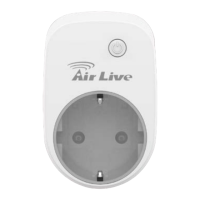
Smart energy plug in
switch
User Manual

Questions and Answers

Summary

Overview

Adding to Z-Wave Network

Learn how to add the SP-101 to a Z-Wave network for smart control.

Auto Inclusion

Details the automatic inclusion process for Z-Wave devices without manual button presses.

Installation

Step-by-step instructions for physically plugging in and setting up the switch.

Programming

Outlines the various programming and command class functionalities of the switch.

Basic Command Class;Bi

Details basic command class operations for getting and setting switch states.

Z-Waves Groups

Explains Z-Wave grouping for sending reports to associated devices.

Z-Waves Configuration

Lists and describes various configuration parameters for the Z-Wave switch.

Firmware update over the air (OTA)

Explains the process of updating the device's firmware wirelessly via Z-Wave.

Troubleshooting

Summary

Overview

Adding to Z-Wave Network

Learn how to add the SP-101 to a Z-Wave network for smart control.

Auto Inclusion

Details the automatic inclusion process for Z-Wave devices without manual button presses.

Installation

Step-by-step instructions for physically plugging in and setting up the switch.

Programming

Outlines the various programming and command class functionalities of the switch.

Basic Command Class;Bi

Details basic command class operations for getting and setting switch states.

Z-Waves Groups

Explains Z-Wave grouping for sending reports to associated devices.

Z-Waves Configuration

Lists and describes various configuration parameters for the Z-Wave switch.

Firmware update over the air (OTA)

Explains the process of updating the device's firmware wirelessly via Z-Wave.

Troubleshooting

AirLive SP-101 Specifications

General IconGeneral
BrandAirLive
ModelSP-101
CategorySwitch
LanguageEnglish

Related product manuals