Home
AirLive
Wireless Router
WT-2000R
Page 25
AirLive WT-2000R - Page 25
99 pages
Manual
Save Page as PDF
To Next Page
To Next Page
To Previous Page
To Previous Page
Loading...
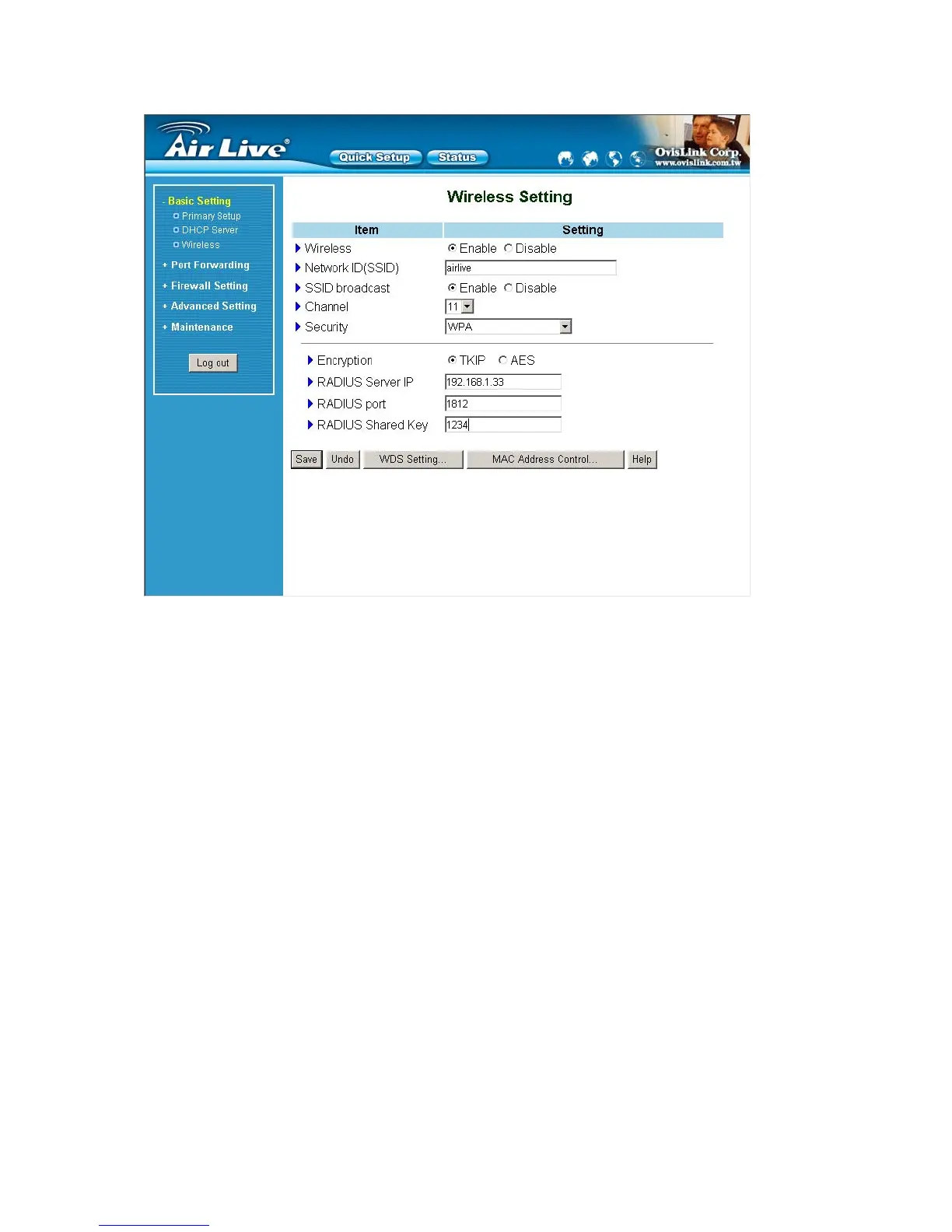
WP
A2-PSK(AES)
1. Select Pre-share Key Mode
If you select HEX, you have to fill in 64 hex
adecimal (0, 1, 2…8, 9,
A, B…F) digits
If ASCII, the length of Pre-sh
are key is from 8 to 63.
2. Fill in the key, Ex 12345678
AirLive WT
-200R User
’
s Manual
25
24
26
Table of Contents
Main Page
Default Chapter
2
Ce Declaration of Conformity
2
Fcc Interference Statement
2
Table of Contents
3
Chapter 1 Introduction
4
Functions and Features
4
Packing List
6
Chapter 2 Hardware Installation
7
Panel Layout
7
Procedure for Hardware Installation
9
Chapter 3 Network Settings and Software Installation
10
Make Correct Network Settings of Your Computer
10
Chapter 4 Configuring Wireless Broadband Router
11
Start-Up and Log in
12
Status
13
Wizard
14
Basic Setting
15
Port Forwarding
30
Miscellaneous Items
33
Security Settings
34
Packet Filter
35
Domain Filter
40
Url Blocking
42
Mac Address Control
44
Advanced Settings
49
System Log
51
Dynamic Dns
52
Snmp Setting
54
Maintenance
60
Appendix A TCP/IP Configuration for Windows 95/98
66
Appendix B 802.1X Setting
72
Appendix C WPA-PSK and WPA
76
Appendix D WDS Setting
88
Appendix E FAQ and Troubleshooting
92
What Can I Do When I Have some Trouble at the First Time
92
How Do I Connect Router by Using Wireless
97
Other manuals for AirLive WT-2000R
Spec Sheet
5 pages
Related product manuals
AirLive WN250R
160 pages
AirLive WN-200R
95 pages
AirLive WN-350R
175 pages
AirLive WL-1500R
60 pages
AirLive AIR3G
111 pages
AirLive TRAVELER3GII
97 pages


 To Next Page
 Loading...






