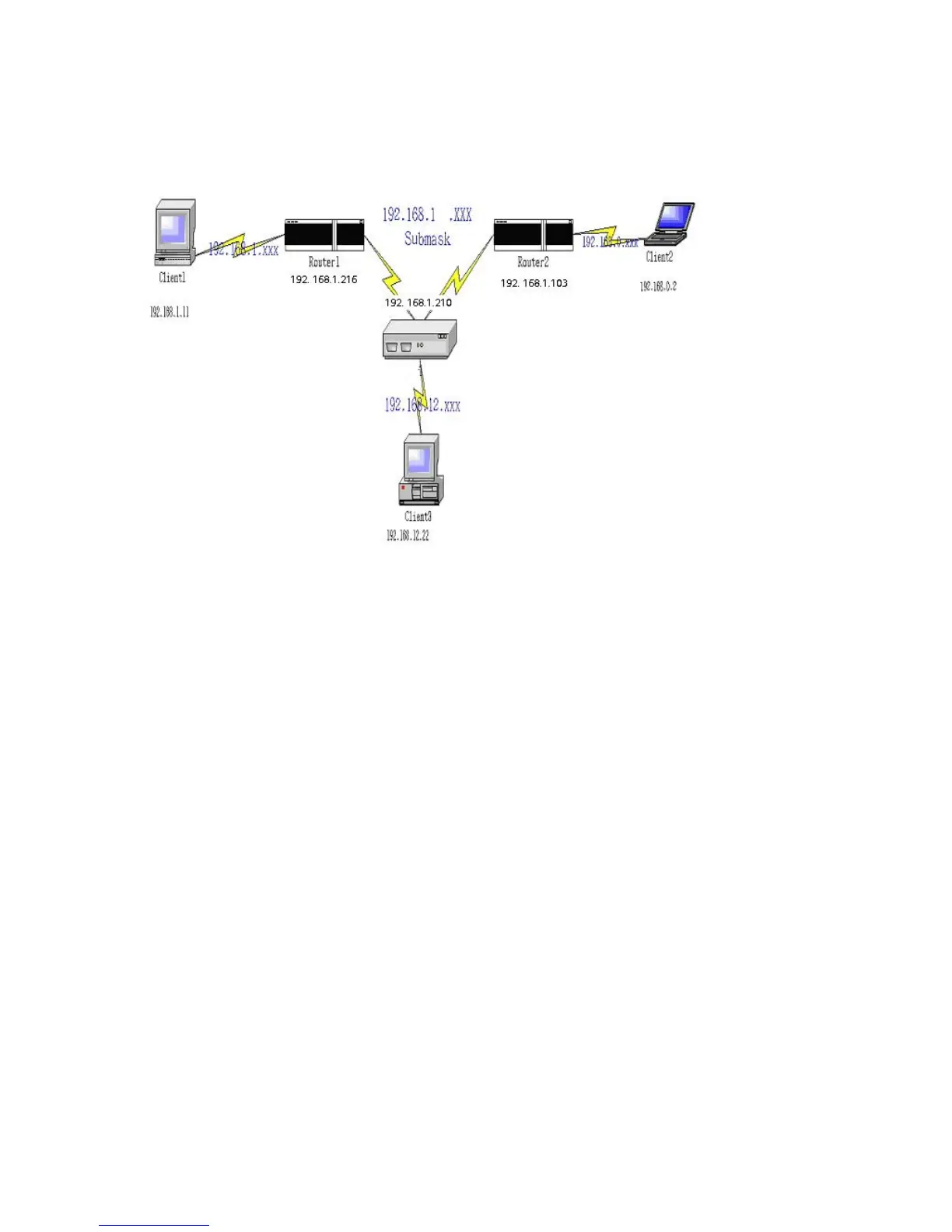
Example:
Configuration on NAT Router
Destination SubnetMask Gateway Hop Enabled
192.168.1.0 255.255.255.0 192.168.1.216 1 ˇ
192.168.0.0 255.255.255.0 192.168.1.103 1 ˇ
So if, for example, the client3 wanted to send an IP data gram to 192.168.0.2, it would use the above table to
determine that it had to go via 192.168.1.103 (a gateway),
And if it sends Packets to 192.168.1.11 will go via 192.168.1.216
Each rule can be enabled or disabled individually.
After routing table setting is configured, click the save button.
AirLive WT-200R User’s Manual
56



 To Next Page