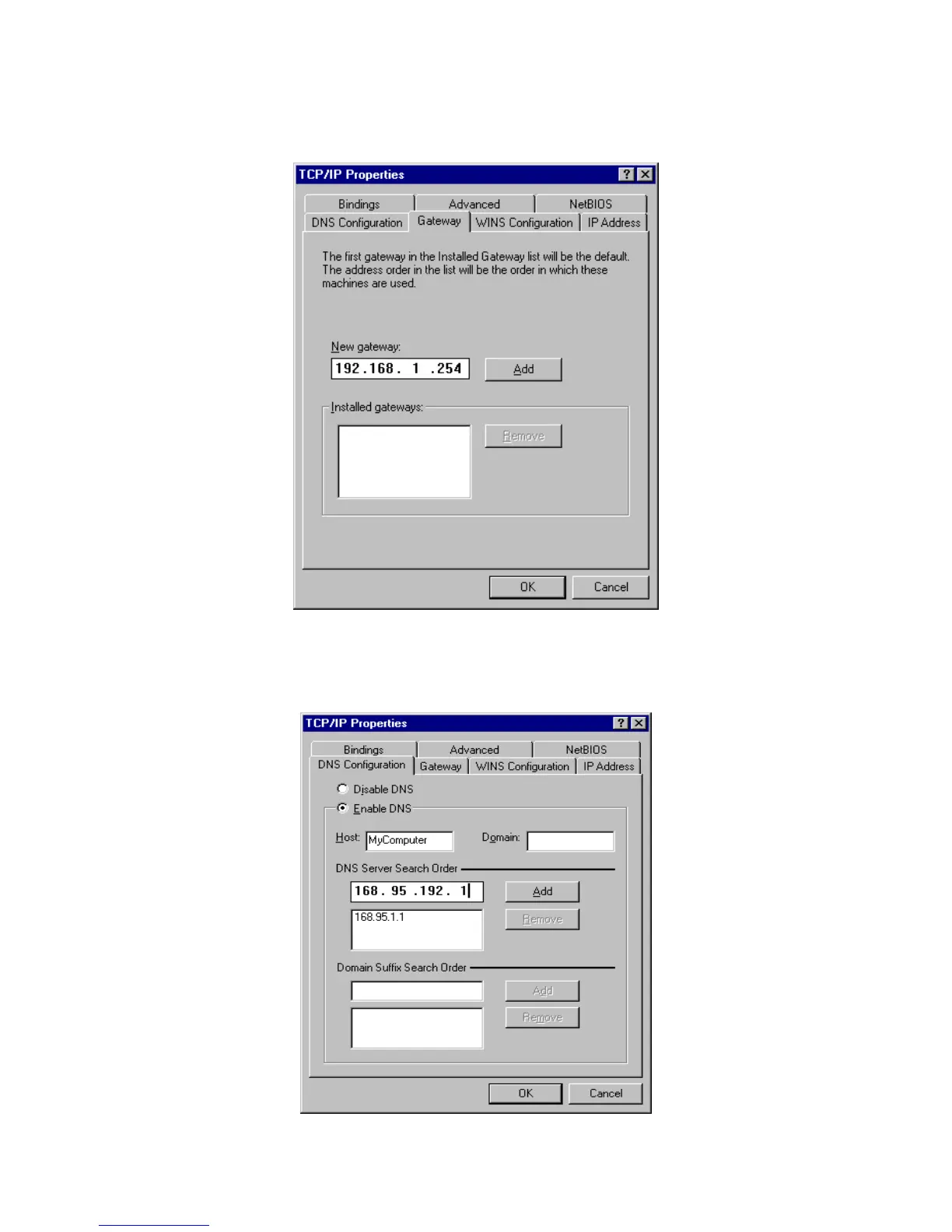
b. In the Gateway tab, add the IP address of this product (default IP is 192.168.1.254) in the New
gateway field and click Add button.
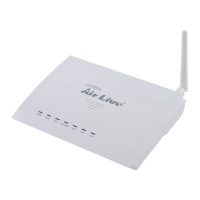
c. In the DNS Configuration tab, add the DNS values which are provided by the ISP into DNS
Server Search Order field and click Add button.
AirLive WT-200R User’s Manual
70


 To Next Page