EasyManua.ls Logo

Air+Health Skye - User Manual

Air+Health Skye
17 pages
Print Icon
To Next Page IconTo Next Page
Loading...
USER MANUAL
English
Please Read and Keep for Future Reference

Other manuals for Air+Health Skye

Question and Answer IconNeed help?

Do you have a question about the Air+Health Skye and is the answer not in the manual?

Summary

Best Practices for Skye Air Purifier

Run Skye 24;7 for Maximum Effectiveness

For the highest effectiveness, Skye should run all the time.

Optimal Placement for Airflow

Skye needs space around it, away from walls and furniture, to maximize its airflow.

Filter and Lamp Replacement Schedule

Skye requires a new filter every six months and a new UVC lamp annually.

Meet Your New Skye Air Purifier

Unit Components Overview

Identifies and describes the key parts of the Skye air purifier unit, including controls and filters.

Quick Start Guide for Skye

Unboxing and Packaging Removal

Instructions for unboxing and removing packaging materials from the Skye unit.

Installing the Lamp and Filter

Step-by-step guide for installing the UVC lamp and PRO-Cell filter into the Skye unit.

Powering On the Device

Guidance on connecting the power cord and turning on the Skye air purifier.

App Setup for Full Control

Instructions for downloading the Air+Health app for setup and remote controls.

Controls and Interface Explained

Home Screen Display Indicators

Details on the Air Quality Indicator, Lamp Life, Filter Life, and Fan Level displays.

Operating Modes: Smart vs. Manual

Explanation of Smart Mode for automatic fan speed adjustment and Manual Mode for fixed speed.

Navigating Skye Settings

Accessing and Using the Settings Menu

Instructions on how to access and navigate through the Skye's settings menu.

WiFi Connectivity and Control

Information on checking and controlling the WiFi connectivity of the Skye unit.

Monitoring Filter and Lamp Life

Details on checking filter and lamp life status and resetting them after replacement.

Activating and Deactivating Child Lock

Instructions on how to activate and deactivate the child lock feature on the Skye.

Understanding Air Quality Levels

Air Quality Indicator Guide

Defines the different air quality levels and recommended actions for each.

Alerts and App Information

Low Lamp and Filter Life Alerts

Notifications indicating the lamp or filter life is critically low and requires replacement.

Lamp Status and Error Codes

Alerts for lamp malfunction, improper seating, and general error codes (E2).

Air+Health App Download and Setup

Guide to downloading and setting up the Air+Health app for device control and monitoring.

Care and Maintenance Procedures

Replacing the PRO-Cell Filter

Step-by-step instructions for safely removing and replacing the PRO-Cell filter.

Replacing the UVC Lamp

Step-by-step instructions for safely removing and replacing the UVC lamp.

Help and Support Resources

Contacting Air+Health Support

Provides website, email, and phone number for customer support and assistance.

Safety Precautions and Warnings

General Usage and Injury Prevention

Essential instructions to reduce risk of fire, electric shock, or injury; save for reference.

Electrical Safety and Cord Handling

Addresses polarized plugs, cord management, and avoiding electrical hazards.

Maintenance and Component Safety

Details safety related to lamp viewing, power disconnection during maintenance, and approved parts.

Operational Product Safety Guidelines

Covers product handling, power cord integrity, and socket compatibility.

Warranty Information

Skye Unit Warranty Terms

Details the limited warranty for material and workmanship defects under normal use.

Finding Your Serial Number

Instructions on locating the serial number on the appliance's rating plate.

Disclaimer and Health Advice

Sensor Limitations and Accuracy

Information on the Skye sensor's capabilities and comparison to other air quality measurement methods.

Health Condition Advisory

Advice for individuals with health conditions regarding air quality and consulting doctors.

New Product Off-Gassing

Explanation of potential temporary odors from new materials and their safe management.

FCC Compliance Statement

Device Compliance and Interference

States compliance with FCC rules and guidelines for preventing harmful interference.

Corrective Measures for Interference

Provides steps to correct interference if the equipment causes it.

RF Radiation Exposure Guidelines

Specifies minimum installation and operation distance for RF safety.

Overview

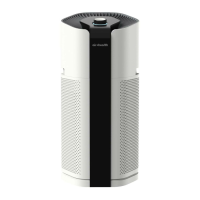
The Air+Health SKYE is an air purifier designed to provide clean and healthy air in large rooms, including living rooms, large bedrooms, and open floor plans. It is recommended to run the Skye 24/7 for optimal effectiveness and to give it ample space away from walls and furniture to maximize airflow.

Function Description:

The Skye air purifier works by drawing in air, filtering it through a multi-stage PRO-Cell filter, and then exposing it to a UVC lamp to neutralize airborne contaminants before releasing clean air. It features an Air Quality Indicator that displays air quality on a 0-500 scale, with colors changing to reflect different levels of air quality (Good, Moderate, Poor, Unhealthy, Very Unhealthy, Hazardous). The device offers two operational modes: Smart Mode, where the user sets a minimum fan speed and Skye automatically adjusts the fan speed based on air quality, and Manual Mode, where the fan speed is manually set and remains constant.

Important Technical Specifications:

The device incorporates a PRO-Cell Filter (H) which includes a Pre-filter, Carbon filter, HEPA filter, and PCO (Photocatalytic Oxidation) technology. It also utilizes a UVC Lamp (G) for additional purification. The air quality is monitored by a VOC & Particle Sensor (E). The unit is powered via a Power Connection Port (F).

Usage Features:

  • Control Dial (A): Used to navigate the user interface and adjust settings.
  • User Interface Screen (B): Displays current settings, air quality, filter life, and lamp life.
  • Clean Air Exit (C): Where purified air is released.
  • Power Button (D): Located on the back of the unit, used to turn the device on and off.
  • Home Screen: Shows the Air Quality Indicator, Fan Level, Filter Life, Lamp Life, and current mode (Smart or Manual).
  • Settings Menu: Accessed by turning the control dial to the left until the cog icon is selected. This menu allows users to:
    • Return Home: Go back to the main dashboard.
    • WiFi Status & Control: View WiFi connectivity status and initiate WiFi pairing or turn WiFi on/off. Connecting to WiFi enables filter and lamp status indicators on the device and in the app.
    • Lamp On/Off: Manually turn the UVC lamp on or off.
    • Filter Life: Displays remaining filter life (100% down to 0%, with colors indicating status: Green for good, Red for very low). Users can reset the filter life after replacement.
    • Lamp Life: Displays remaining lamp life (100% down to 0%, with colors indicating status: Green for good, Red for very low). Users can reset the lamp life after replacement.
  • Child Lock: Activated by clicking and holding on any screen, and deactivated by clicking and holding again.
  • Air+Health App: Available on the App Store and Google Play, the app allows users to complete setup, register their device, and control it from their phone.

Maintenance Features:

  • Filter Replacement: The PRO-Cell filter needs to be replaced approximately every six months. To replace, unplug Skye, lay it on its side, unscrew the base cover, remove the old filter, remove packaging from the new filter, insert the new filter, and screw the cover back on. After replacement, reset the filter life in the settings or via the app.
  • UVC Lamp Replacement: The UVC lamp needs to be replaced approximately every year. To replace, unplug Skye, lay it on its side, unscrew the base cover, remove the old lamp and recycle it, remove the new lamp from its packaging, hold the base and plug the new lamp into Skye, re-insert the filter, and screw the cover back on. After replacement, reset the lamp life in the settings or via the app.
  • Alerts: The device provides visual alerts on the screen for:
    • Lamp Life is Low: Indicates the lamp needs replacement. Users can ignore or reset after changing.
    • Filter Life is Low: Indicates the filter needs replacement. Users can ignore or reset after changing.
    • Check Lamp: Indicates the lamp is not fully plugged in. Users should unplug Skye and check the lamp connection.
    • E2: Error Code: Requires resetting the device by powering off, unplugging, waiting 10 seconds, and then plugging back in. If the error persists, contact customer service.
    • Lamp Malfunction: Indicates a lamp malfunction. Users should confirm correct installation; if it persists, the lamp may need replacement.
  • Cleaning: Only clean the machine with a damp cloth. Do not use liquid cleaning agents (solvents, bleach, etc.) or water directly on the unit.

Safety Precautions:

  • Always disconnect power before performing any maintenance, such as replacing the filter or lamp.
  • Do not use the fan with solid-state speed control devices.
  • Do not operate with a damaged cord or plug, or if the wall socket is loose.
  • Keep the cord away from traffic areas and heated surfaces.
  • Do not alter the plug.
  • Only use approved Air+Health replacement filters and lamps.
  • Always unplug the power cord when not in use or during maintenance.
  • Never run the air purifier unless it is fully assembled with filters and/or lamp installed.
  • Do not use the power cord to pick up, carry, drag, pull, or lift the air purifier.
  • Always remove the plug by holding the plug itself, not the cord.
  • Only use the purifier with the provided power cable.
  • Use in an upright position; do not place anything on top or obstruct vents.
  • Keep foreign objects, fingers, body parts, hair, loose clothing, and jewelry away from openings.
  • Do not sit, stand, climb, or hang on the appliance.
  • Do not touch the air purifier or its plug with wet hands.
  • Lift and carry Skye by its handles when moving.
  • Do not use outdoors or in humid, flammable, combustible, or corrosive environments.
  • Ensure the appliance is placed on a firm, level surface.
  • If the device exhibits unwanted or unexpected behavior, unplug it and contact customer support.

The sensor and air purifier are not medical devices and the information provided is not intended to diagnose, treat, cure, or prevent any disease. Users with health concerns should consult a doctor and refer to www.airnow.gov for information on particulate matter and air pollution. The device may emit a noticeable smell during the first 24-48 hours of use due to new plastics and materials, which is safe and temporary.

Air+Health Skye Specifications

General IconGeneral
BrandAir+Health
ModelSkye
CategoryAir Cleaner
LanguageEnglish

Related product manuals