EasyManua.ls Logo

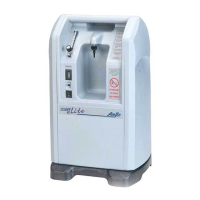
AirSep NewLife Elite - Service Manual

AirSep NewLife Elite
52 pages
Print Icon
To Next Page IconTo Next Page
Loading...
AirSep Corporation • 401 Creekside Drive • Buffalo, NY 14228-2085 USA
Telephone: (716) 691-0202 • 24-Hour Fax: (716) 691-4141
NewLife
®
Elite / NewLife
®
Oxygen Concentrator
Service Manual
0459

Other manuals for AirSep NewLife Elite

Questions and Answers

  • C
    Curtis MurilloAug 17, 2025
    How to troubleshoot AirSep Medical Equipment that does not operate?
    • J
      Jerry WhiteAug 17, 2025
      If your AirSep Medical Equipment unit isn't working, first ensure the power cord is properly connected to the electrical outlet and that the outlet has power. Check the wall switch, fuse, or circuit breaker in your house. If problems persist, it may be due to the oxygen concentrator circuit breaker being activated. Contact your Equipment Provider for service.
  • I
    ismithAug 19, 2025
    What to do if I have limited oxygen flow with AirSep Medical Equipment?
    • S
      Sharon JonesAug 20, 2025
      To address limited oxygen flow in your AirSep Medical Equipment, first, remove the humidifier bottle (if used) from the oxygen outlet. If flow is restored, clean or replace the humidifier bottle. If the issue persists, remove the nasal cannula, face mask, or other accessories from the oxygen tubing and replace them if flow improves. Disconnect the delivery tubing at the oxygen outlet to check the oxygen tubing for kinks or obstructions. Replace the tubing if needed. If none of these steps restore proper flow, contact your Equipment Provider.
  • J
    Juan MayerAug 22, 2025
    What to do if AirSep Medical Equipment has intermittent alarm sounds at one second intervals?
    • J
      Joshua BuckleyAug 22, 2025
      If your AirSep Medical Equipment unit sounds an intermittent alarm at one-second intervals, it indicates an equipment malfunction. Immediately set the I/0 power switch to the 0 position, use your reserve oxygen supply (if provided), and consult your Equipment Provider.
  • L
    Lindsay HeathAug 26, 2025
    Why does condensation collect in the oxygen tubing when I use the humidifier bottle with AirSep Medical Equipment?
    • H
      Holly GutierrezAug 26, 2025
      If condensation collects in the oxygen tubing when you use the humidifier bottle with your AirSep Medical Equipment, ensure the unit is properly ventilated. Position it away from curtains, drapes, hot air registers, heaters, and fireplaces, ensuring all sides are at least 12 inches (30.5 cm) away from any obstruction. Do not place the unit in a confined area. Allow the oxygen tubing to dry out, or replace it. Refill the humidifier bottle with COLD water, being careful not to overfill it. The issue is often caused by elevated operating temperature or improper ventilation.
  • V
    Virginia OdomAug 28, 2025
    What to do if AirSep Medical Equipment does not alarm, or weak alarm sounds for 5 seconds during start-up?
    • D
      darincoleAug 28, 2025
      If your AirSep Medical Equipment unit does not alarm, or a weak alarm sounds for 5 seconds during start-up, this is due to a weak 9-volt battery. Call your Equipment Provider to replace the 9-volt battery.
  • W
    William WarrenAug 30, 2025
    What to do with all other problems of AirSep Medical Equipment?
    • D
      Duane LeeAug 30, 2025
      Set I/0 power switch to the 0 position, use your reserve oxygen supply (if provided), and consult your Equipment Provider immediately.
  • N
    nathanielmasonSep 2, 2025
    What to do if AirSep NewLife Elite Oxygen Equipment does not operate?
    • N
      nicholas16Sep 2, 2025
      If your AirSep Oxygen Equipment isn't operating, first, check the power cord connection at the electrical outlet. Then, verify the power source, wall switch, fuse, or circuit breaker in your house. Press, but do not hold, the circuit breaker reset button on the front of the unit.
  • J
    jasonrobertsSep 5, 2025
    What to do if AirSep NewLife Elite Oxygen Equipment has limited oxygen flow?
    • A
      Alexandra PetersonSep 5, 2025
      If you're experiencing limited oxygen flow with your AirSep Oxygen Equipment: * First, remove the humidifier bottle (if you're using one) from the oxygen outlet. If the flow returns, clean or replace the humidifier bottle. * Next, remove the nasal cannula or catheter from the oxygen tubing. If the flow improves, replace the cannula or catheter. * Then, disconnect the delivery tubing at the oxygen outlet on the front of the unit. If the flow is restored, check the oxygen tubing for any kinks or obstructions, and replace the tubing if needed.
  • J
    Jeffrey GordonSep 7, 2025
    What to do if condensation collects in the oxygen tubing of AirSep Oxygen Equipment?
    • C
      Courtney WarnerSep 7, 2025
      If condensation is collecting in the oxygen tubing of your AirSep Oxygen Equipment when using a humidifier bottle: * Ensure the unit is properly ventilated, positioned away from curtains, drapes, hot air registers, heaters, and fireplaces. * Make sure all sides of the unit are at least 12 inches away from any wall or obstruction, and avoid placing it in confined areas. * Refill the humidifier bottle with cold water, being careful not to overfill it. * Allow the oxygen tubing to dry out, or replace it with new tubing.
  • B
    barkerruthSep 12, 2025
    What to do if AirSep NewLife Elite does not alarm during start-up?
    • K
      Kevin PayneSep 12, 2025
      If your AirSep Oxygen Equipment doesn't alarm, or if the alarm sounds weakly for only 5 seconds during start-up, it could be due to a weak 9-volt battery. Call your Equipment Provider to replace the 9-volt battery.

Summary

NewLife Elite Oxygen Concentrator Service Manual

Introduction

Equipment Provider Responsibility

Outlines responsibilities for handling, operational check-out, patient instruction, and maintenance of the oxygen concentrator.

Important Notice and Symbol Explanations

Explains the meaning of WARNING, CAUTION, and NOTE messages used throughout the manual for safety guidelines.

Functional Specifications

Details the physical dimensions, weight, electrical requirements, capacity, accuracy, concentration, response time, and positioning of the unit.

Operation Check and Oxygen Concentration Test

Description of Operation

Explains how the NewLife Oxygen Concentrator works, from air intake to oxygen delivery to the patient.

Operation Check

Details the steps for inspecting and testing the NewLife unit after delivery to ensure proper function and identify shipping damage.

Alarm System

Describes the battery-powered alarm system, including continuous and intermittent alarms for power failure, pressure, and low oxygen.

Battery Test

Explains how the unit tests the alarm system battery each time it's turned on, indicated by a five-second audible alarm.

Power Failure Alarm Test

Provides steps to test the power failure alarm by unplugging the unit and setting the ON/OFF switch to ON.

Oxygen Concentration Test and Specification

Details the procedure for testing oxygen concentration and lists the specifications for different liter flows.

Patient Instructions

General Instructions

Emphasizes the importance of patients understanding unit operation and notifying providers of discomfort or alarms.

Routine Maintenance by the Patient

Instructs patients on two key maintenance tasks: cleaning the air intake filter and checking the alarm system battery.

Cleaning the Air Intake Gross Particle Filter

Provides step-by-step instructions for patients to clean the air intake gross particle filter weekly.

Checking the Alarm System Battery

Guides patients on how to check the alarm system battery status by listening for the 5-second alarm when the unit is powered on.

Provider Maintenance

Routine Maintenance

Covers scheduled maintenance and replacement of filters and battery for the NewLife Elite unit.

Air Intake Gross Particle Filter;GPF

Describes the location and cleaning of the external air intake gross particle filter.

Product Filter Replacement

Details the procedure and schedule for replacing the product filter after 25,000 hours of use.

Optional Filter Replacement

Provides instructions for changing the optional internal felt filter every 5,000 hours of use.

Battery Replacement

Explains how to replace the 9-volt battery when the alarm indicates it is weak.

Recording Maintenance

Instructs on recording all routine maintenance and repairs on the History Record Label inside the unit.

Cleaning and Infection Control

Addresses concerns about cross-infection between patients and discusses organisms of concern like TB, HIV, and Hepatitis.

Preparing for New Patient Use

Details the cleaning procedures for the unit, including disinfection and filter changes, between patient uses.

Service

Components

Highlights the design for easy access and removal of components for maintenance, repair, and replacement.

Cabinet Removal

Provides instructions for removing various parts of the unit's cabinet, including side panels, back panel, and control panel.

Removing Side Panel(s)

Details how to remove the side panel(s) by unscrewing the 1/4 turn fastener(s).

Removing Back Panel

Explains how to remove the back panel after removing side panels, ensuring cord clearance.

Removing Lower Front Cover

Instructs to grasp and bow the lower front panel outward to remove it.

Removing Control Panel

Details removing the control panel by unscrewing the four holding screws.

Superstructure

Describes the main structural parts (superstructure, compressor plate, base) that support internal components.

Caster Replacement

Provides steps for replacing the unit's casters, including removing nuts and installing new ones.

Compressor

Discusses the compressor's function, output, and sound level as potential concerns for servicing.

Compressor Replacement

Details the step-by-step procedure for removing and installing the compressor assembly.

Capacitor Replacement

Explains how to replace the capacitor, which is crucial for starting the compressor.

Solenoid Valves

Describes the five solenoid valves, their operation, and how to identify noisy valves.

Feed or Waste Valve Rebuilding

Provides steps for rebuilding feed or waste valves located on the unified valve block.

Feed or Waste Valve Reassembly

Instructs to follow the rebuilding procedure in reverse order and test for leaks after reassembly.

Solenoid Valve Coil Replacement

Details the procedure for replacing a solenoid valve coil when its corresponding green light on the circuit board does not illuminate.

Sieve Bed Replacement

Provides warnings and instructions for removing and replacing the sieve beds.

Sieve Bed Removal

Details the step-by-step process for safely removing the sieve beds from the unit.

Sieve Bed Installation

Guides on installing new sieve beds in reverse order of removal and performing leak testing.

Cabinet Fan Replacement

Provides steps for replacing the cabinet fan located in the back of the unit.

Circuit Board Replacement

Explains the function of the circuit board and when to consider replacement based on troubleshooting.

Circuit Board Removal

Details the procedure for safely removing the main circuit board, including disconnecting connectors.

Circuit Board Installation

Provides steps for installing a new circuit board, reconnecting connectors and panels.

Product Regulator Check and Setting

Enables setting the maximum oxygen flow output and checking the product regulator's adjustment.

Setting Product Regulator for Normal Operation

Provides a procedure to reset the product regulator to achieve normal operation and proper flow.

Product Regulator Lockout

Details the steps to limit the maximum flow of oxygen output using the lockout feature.

Back Pressure Correction at 5 LPM

Explains how to correct for back pressure that limits oxygen flow below 5 LPM.

Product Regulator Cleaning or Rebuilding

Describes when and how to clean or rebuild the product regulator if the flowmeter ball fluctuates or adjustment fails.

High or Low Pressure Switch Replacement

Provides steps for replacing the high or low pressure switches, noting the order of removal.

Circuit Breaker Replacement

Details the removal and installation procedures for the circuit breaker.

Circuit Breaker Removal

Outlines the steps to remove the circuit breaker from the unit.

Circuit Breaker Installation

Instructs to follow the removal procedure in reverse to install the new circuit breaker.

ON;OFF Power Switch Replacement

Provides steps for removing and installing the ON/OFF power switch.

ON;OFF Power Switch Removal

Details the process of removing the ON/OFF power switch from the front panel.

ON;OFF Power Switch Installation

Guides on installing a new power switch, ensuring correct orientation of the 'O' symbol.

Buzzer Replacement

Provides steps for replacing the unit's buzzer, involving unscrewing and soldering.

Hour Meter Replacement

Details the procedure for replacing the hour meter, including panel removal and reconnecting leads.

Flowmeter Replacement

Provides steps for removing and installing the flowmeter.

Flowmeter Removal

Outlines the steps to remove the flowmeter, including disconnecting tubing and unscrewing nuts.

Flowmeter Installation

Instructs to follow removal steps in reverse and perform a leak test after installing the new flowmeter.

Power Cord Replacement

Details the procedure for replacing the unit's power cord, including receptacle and strain relief handling.

Troubleshooting

Operating Pressure Test

Explains how to test operating pressure as a diagnostic tool for low oxygen concentration issues.

High Operating Pressure

Identifies potential causes for high operating pressure, such as a restrictive muffler or faulty valve.

Low Operating Pressure

Lists potential causes for low operating pressure, including restrictions, leaks, or compressor issues.

General Troubleshooting

Provides general steps to take before consulting the troubleshooting chart to isolate malfunctions.

Troubleshooting Chart

Presents a table of common problems, probable causes, and solutions for the NewLife unit.

Tool Kit and Pressure Test Gauge

Lists the necessary tools and equipment, including a pressure test gauge, for servicing the unit.

Appendix

Exploded Drawings

Lists various exploded views of unit assemblies for parts identification and service.

AirSep NewLife Elite Specifications

General IconGeneral
BrandAirSep
ModelNewLife Elite
CategoryOxygen Equipment
LanguageEnglish

Related product manuals