EasyManua.ls Logo

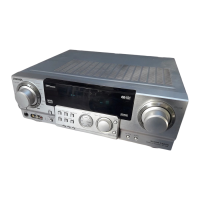
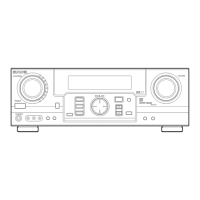
Aiwa AV-D50 - User Manual

Aiwa AV-D50
68 pages
Print Icon
To Next Page IconTo Next Page
Loading...
SLiUSSL
STEREO
RECEIVER
RECEPTOR
ESTEREO
AMPLI-TUNER
STEREO
AV-D50
OPERATING
INSTRUCTIONS
MANUAL
DEINSTRUCCIONES
MODE
D'EMPLOI
For
assistance
and
information
call
toll
free
1-800-BUY-AIWA
(United
States
and
Puerto
Rico)
Question and Answer IconNeed help?

Do you have a question about the Aiwa AV-D50 and is the answer not in the manual?

Summary

PRECAUTIONS

Installation Safety

Guidelines for safe unit placement, environment, and ventilation.

Electrical Safety

Precautions regarding power sources, cords, and plugs.

CONNECTIONS

Connecting Equipment

Instructions for connecting audio/video sources using color-coded jacks.

Connecting Speakers

Guide to connecting front, center, surround speakers, and subwoofer.

Antenna Connections

Instructions for connecting FM, AM, and outdoor antennas.

REMOTE CONTROL OPERATION

Remote Control Usage

Battery installation, basic operation, and important notes.

BASIC OPERATION AND CLOCK SETTING

Initial Unit Operation

Steps to power on the unit and select speaker systems.

Setting the Clock

Guide to setting and displaying the unit's clock time.

AUDIO ADJUSTMENTS

Volume and Sound Enhancement

Controlling volume and using T-BASS/BBE systems.

Equalizer and DSP Surround

Customizing sound with graphic EQ and digital surround effects.

SOURCE MANAGEMENT

Selecting Audio;Video Sources

Choosing input sources for playback and adjusting levels.

Recording Audio Sources

Steps for recording audio from various sources.

RADIO RECEPTION

Tuning Modes

Manual, direct, and preset tuning for FM/AM stations.

DOLBY SURROUND MODES

Dolby Pro Logic Selection

Choosing the optimal Pro Logic mode based on speaker setup.

SPEAKER LEVEL ADJUSTMENT

Balancing Speaker Levels

Adjusting sound levels for optimal surround experience.

EXTERNAL DEVICE CONTROL

Remote Control for External Devices

Programming the remote to operate TVs, VCRs, CD players via ID codes.

TIMER FUNCTIONS

Setting the Sleep Timer

Scheduling automatic power-off.

SPECIFICATIONS

Technical Specifications

Detailed data for tuners, amplifier, power, dimensions, and weight.

TROUBLESHOOTING AND APPENDIX

Troubleshooting Guide

Solutions for common operational issues.

ID Codes List

Manufacturer codes for controlling external devices via remote.

Summary

PRECAUTIONS

Installation Safety

Guidelines for safe unit placement, environment, and ventilation.

Electrical Safety

Precautions regarding power sources, cords, and plugs.

CONNECTIONS

Connecting Equipment

Instructions for connecting audio/video sources using color-coded jacks.

Connecting Speakers

Guide to connecting front, center, surround speakers, and subwoofer.

Antenna Connections

Instructions for connecting FM, AM, and outdoor antennas.

REMOTE CONTROL OPERATION

Remote Control Usage

Battery installation, basic operation, and important notes.

BASIC OPERATION AND CLOCK SETTING

Initial Unit Operation

Steps to power on the unit and select speaker systems.

Setting the Clock

Guide to setting and displaying the unit's clock time.

AUDIO ADJUSTMENTS

Volume and Sound Enhancement

Controlling volume and using T-BASS/BBE systems.

Equalizer and DSP Surround

Customizing sound with graphic EQ and digital surround effects.

SOURCE MANAGEMENT

Selecting Audio;Video Sources

Choosing input sources for playback and adjusting levels.

Recording Audio Sources

Steps for recording audio from various sources.

RADIO RECEPTION

Tuning Modes

Manual, direct, and preset tuning for FM/AM stations.

DOLBY SURROUND MODES

Dolby Pro Logic Selection

Choosing the optimal Pro Logic mode based on speaker setup.

SPEAKER LEVEL ADJUSTMENT

Balancing Speaker Levels

Adjusting sound levels for optimal surround experience.

EXTERNAL DEVICE CONTROL

Remote Control for External Devices

Programming the remote to operate TVs, VCRs, CD players via ID codes.

TIMER FUNCTIONS

Setting the Sleep Timer

Scheduling automatic power-off.

SPECIFICATIONS

Technical Specifications

Detailed data for tuners, amplifier, power, dimensions, and weight.

TROUBLESHOOTING AND APPENDIX

Troubleshooting Guide

Solutions for common operational issues.

ID Codes List

Manufacturer codes for controlling external devices via remote.

Aiwa AV-D50 Specifications

General IconGeneral
BrandAiwa
ModelAV-D50
CategoryStereo Receiver
LanguageEnglish

Related product manuals