EasyManua.ls Logo

Aiwa HV-E212 - Page 15

Aiwa HV-E212
70 pages
Print Icon
To Next Page IconTo Next Page
To Previous Page IconTo Previous Page
Loading...
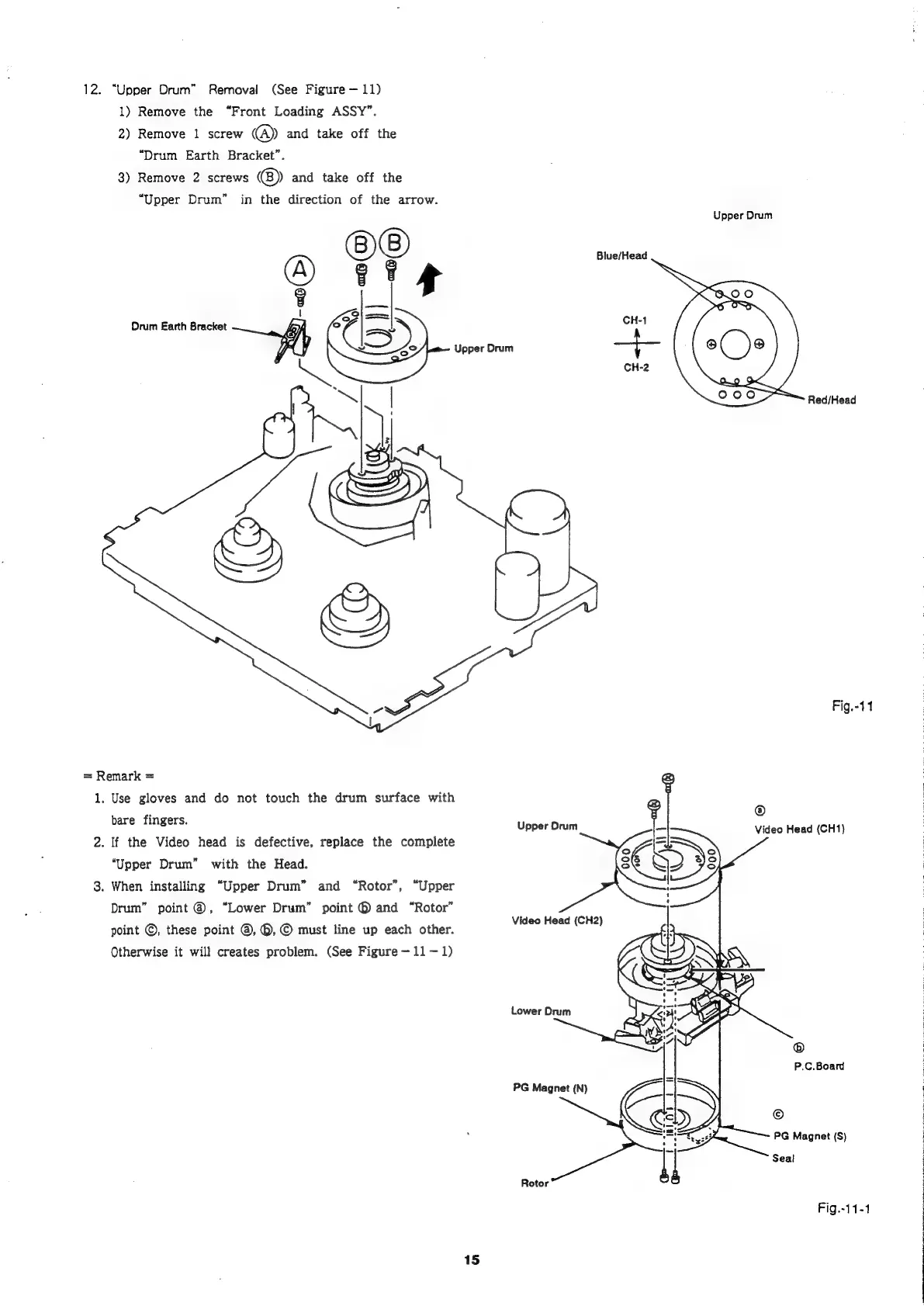
12.
“Upper
Drum”
Removal
(See
Figure
11)
1)
Remove
the
“Front
Loading
ASSY”.
2)
Remove
1
screw
@
and
take
off
the
“Drum
Earth
Bracket”.
3)
Remove
2
screws
(B))
and
take
off
the
“Upper
Drum”
in
the
direction
of
the
arrow.
Upper
Drum
Blue/Head
Upper
Drum
+
Red/Head
Fig.-11
=
Remark
=
1.
Use
gloves
and
do
not
touch
the
drum
surface
with
®
bare
fingers.
Video
Head
(CH1)
2.
If
the
Video
head
is
defective,
replace
the
complete
Upper
Orum
“Upper
Drum”
with
the
Head.
3.
When
installing
“Upper
Drum”
and
“Rotor”,
“Upper
Drum”
point
@,
“Lower
Drum”
point
@
and
“Rotor”
point
©,
these
point
@, ©,
©
must
line
up
each
other.
Otherwise
it
will
creates
problem.
(See
Figure
11-1)
Video
Head
(CH2)
Lower
Drum
P.C.Board
PG
Magnet
(N)
©
PG
Magnet
(S)
Seal
Rotor
Fig.-11-1
15

Related product manuals